Key Features
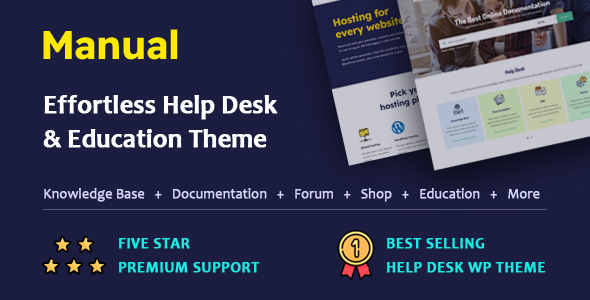
Manual – Documentation, Knowledge Base & Education WordPress Theme is packed with an extensive array of features designed to turn your WordPress site into a powerful content hub. Below, we break down the most impactful capabilities that make this theme a top choice for developers, educators, and support teams.
- Advanced Live Search: The theme includes a sophisticated AJAX-powered live search system. It automatically highlights search terms, displays trending searches, and allows you to filter results by post type, category, or even author. This feature dramatically improves user experience by helping visitors find answers instantly.
- Comprehensive Documentation Module: Easily create and manage documentation with unlimited file attachments per post. You can control access by making articles public, private to logged-in users, or restricted to specific user roles. The Tree Menu for documentation is fully customizable, with options to auto-expand, add a scrollbar, and control the visibility of private articles.
- Robust Knowledge Base System: Build a full-fledged knowledge base with category pages that can show or hide child records. Single post pages include a Table of Contents (TOC), article voting, conditional comment boxes, and next/previous navigation. You have granular control over slug names, breadcrumbs, and sidebar visibility.
- Integrated FAQ Manager: Create and manage FAQ categories with ease. The theme supports hash-based search, which displays results directly on the same page. You can also restrict FAQ access to logged-in users or specific user roles, making it ideal for private support portals.
- Portfolio Showcase: Beyond documentation, the theme includes a full portfolio module. You can attach files to portfolio posts, control public access, and customize slug names for both posts and categories. This makes it versatile for agencies and freelancers.
- WooCommerce & LearnPress Compatibility: The theme is fully compatible with WooCommerce 8.4.X for selling products and LearnPress for building online courses. This transforms Manual into a complete education and eCommerce solution.
- bbPress Forum Integration: Add a community forum to your site with full bbPress compatibility. This is perfect for creating a support community where users can ask questions and share solutions.
- Page Builder Ready: Fully compatible with both Elementor and WPBakery Page Builder. The package includes pro files for Ultimate Addons for WPBakery (a $64 value), giving you advanced design capabilities out of the box.
- Conditional Access & Private Content: A standout feature in version 7.5.x is the ability to set conditional access on tree menus and knowledge base items. You can choose to display private article titles only to logged-in users or hide them entirely, with a lock icon shown for restricted content.
- Theme Options Redesign (v7.5): The theme options panel has been completely overhauled, with dedicated sections for the Header Menu, Page Title Bar, and Footer. Each section now offers more granular controls, allowing you to customize the login form, search bar visibility, and layout settings per page or post type.
Who Is This For? Use Cases
Manual – Documentation, Knowledge Base & Education WordPress Theme is purpose-built for a wide range of users, from solo entrepreneurs to large enterprises. Its flexibility makes it an excellent choice for any project that requires structured, searchable content.
Software Companies & SaaS Providers
If you need to create a comprehensive user manual or help desk for your software product, Manual is the ideal solution. The documentation module allows you to organize tutorials, API references, and troubleshooting guides. The live search and article voting features help you identify which content is most useful to your users, enabling continuous improvement.
Educational Institutions & Online Course Creators
With full compatibility with LearnPress, Manual is perfect for schools, universities, and eLearning platforms. You can create a knowledge base for students, host course materials, and even run a forum for class discussions. The ability to restrict content to logged-in users makes it easy to offer premium or private course materials.
Customer Support Teams
Build a self-service support portal that reduces ticket volume. The combination of a knowledge base, FAQ section, and bbPress forum allows customers to find answers independently. The conditional comment box (which only shows after a user clicks a thumbs-down) encourages feedback without cluttering the interface.
Freelancers & Agencies
Showcase your work with the portfolio module while also providing clients with documentation or onboarding guides. The theme’s branding options let you match your corporate identity perfectly, and the one-click demo import gets you started quickly.
Non-Profits & Community Projects
Create a centralized resource hub for volunteers, members, or the public. The FAQ and knowledge base modules can store policies, guidelines, and training materials. The multilingual support via WPML ensures your content reaches a global audience.
Technical Details & Compatibility
Manual – Documentation, Knowledge Base & Education WordPress Theme is built on a solid technical foundation to ensure reliability, speed, and ease of use. Here are the key technical specifications:
- WordPress Compatibility: Tested and ready for WordPress 6.4.X.
- WooCommerce: Fully compatible with WooCommerce version 8.4.X, allowing you to sell products, courses, or documentation access.
- Page Builders: Works seamlessly with Elementor and WPBakery Page Builder. The package includes pro files for Ultimate Addons for WPBakery, saving you $26.
- Multilingual & RTL: Fully WPML compatible and supports RTL (Right-to-Left) languages, making it suitable for global audiences.
- Framework: Built on the Bootstrap framework and utilizes HTML5 and CSS3 for modern, standards-compliant code.
- Last Update: Version 7.5.4 was released on May 24, 2024, indicating active development and support.
- Child Theme Included: A child theme is included in the package, allowing you to make customizations without losing them during updates.
- One-Click Demo Import: Get your site up and running quickly with pre-built demo content.
- SEO Features: Excellent built-in SEO features to help your content rank well in search engines.
- Plugin Requirements: Note that version 7.5.4 removed the need for the ‘Print-O-Matic’ plugin, as the theme now includes its own print function.
Pros and Cons
Pros
- Exceptional value for money: At $59.00, you get a theme that includes pro page builder add-ons worth over $90 combined.
- Highly versatile: Functions as a documentation tool, knowledge base, FAQ system, portfolio, forum, and eCommerce platform all in one.
- Granular access control: You can set content to public, private, or role-specific at the post, category, or global level.
- Active development: With regular updates (version 7.5.4 in May 2024), the theme is well-maintained and secure.
- Proven track record: Over 4,314 sales on ThemeForest, demonstrating strong user trust and satisfaction.
- Comprehensive live search: The AJAX search with term highlighting, trending searches, and category filtering is best-in-class.
- Page builder freedom: Works with both Elementor and WPBakery, giving you design flexibility.
- Outstanding support: The developer, pixelacehq, is known for providing thorough documentation and responsive support.
Cons
- Theme options reset on major update: Upgrading to version 7.5 resets Header Menu, Page Title Bar, and Footer settings, requiring reconfiguration.
- Learning curve for advanced features: While basic setup is easy, mastering the conditional access, tree menu settings, and custom slug names may take time.
- Requires several plugins: To unlock all features, you may need to install WooCommerce, LearnPress, bbPress, and WPML, which can increase site overhead.
- Not a dedicated LMS: While LearnPress compatible, it lacks the deep course-building features of dedicated LMS themes like LearnDash or TutorLMS.
Frequently Asked Questions
Is Manual compatible with WooCommerce for selling documentation access?
Yes, Manual is fully compatible with WooCommerce version 8.4.X. You can use this integration to sell access to premium documentation, courses, or digital products. The theme also supports restricting content to logged-in users, so you can create a membership-like system where only paying customers can view certain articles or categories.
Does Manual include a one-click demo import and child theme?
Absolutely. The theme package includes a one-click demo import feature that lets you quickly replicate the demo site. A child theme is also included, which is essential for making customizations without losing them when the parent theme is updated. This is a standard best practice for WordPress development, and Manual makes it easy to follow.
Can I restrict knowledge base articles to specific user roles?
Yes, Manual offers robust access control. When creating a knowledge base post or category, you can choose to make it public, accessible only to logged-in users, or restricted to specific logged-in users with special permissions. Additionally, the tree menu and knowledge base shortcodes can show or hide private articles, with a lock icon displayed for restricted items. This is ideal for creating tiered support content or internal training materials.
Final Verdict
Manual – Documentation, Knowledge Base & Education WordPress Theme is a powerhouse for anyone who needs to present structured, searchable content online. With over 4,314 sales on ThemeForest and active development from pixelacehq, it has earned its reputation as a reliable, feature-rich solution. The combination of a robust documentation module, advanced live search, and flexible access controls sets it apart from generic themes. While the theme options reset on major updates is a minor inconvenience, the overall value—especially considering the included pro page builder add-ons—is outstanding at $59.00. Whether you are building a corporate help desk, an online course platform, or a public knowledge base, Manual provides the tools you need to create a professional, user-friendly experience. Don’t settle for a basic theme that forces you to compromise on functionality. Purchase Manual today and transform your WordPress site into a powerful, organized, and engaging content hub that your users will love.