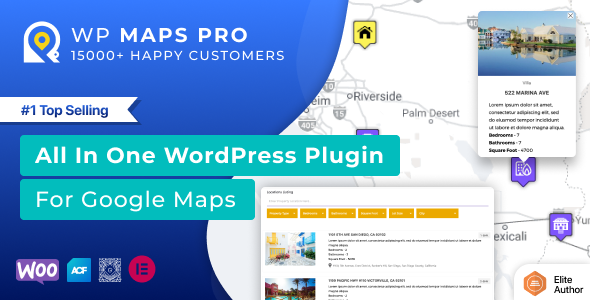
Finding the perfect Store Locator for WordPress – Google Maps | OpenStreetMap | MapBox can be the difference between a user bouncing off your site or walking through your door. Whether you run a chain of retail stores, a network of service providers, or a global franchise, you need a mapping solution that is fast, accurate, and easy to manage. The WP Maps Pro plugin, developed by the trusted team at flippercode, delivers exactly that. This powerful tool transforms your WordPress website into a fully functional, interactive store locator system without requiring a single line of code. With over 15,800 sales on CodeCanyon, it has become a go-to solution for businesses that need to display multiple locations, provide turn-by-turn directions, and offer a seamless user experience across Google Maps, OpenStreetMap, and MapBox. In this article, we will explore every aspect of this robust plugin, from its feature set to its real-world applications, helping you decide if it is the right fit for your project.
Key Features
- Multi-Provider Mapping Engine: Unlike many plugins that lock you into a single service, WP Maps Pro supports Google Maps, OpenStreetMap (Leaflet), and MapBox. This flexibility ensures you can choose the provider that best fits your budget, privacy requirements, or regional preferences.
- Advanced Store Locator Functionality: The core of this plugin is its ability to let users search for nearby locations. It includes a radius-based search with customizable distance settings, auto-complete address fields, and the ability to filter results by category, custom fields, and taxonomies. All search and filtering operations are AJAX-powered for instant, page-load-free results.
- Unlimited Location & Post Mapping: You can add an unlimited number of locations manually or import them via CSV. Beyond manual entries, the plugin lets you display any WordPress post type on the map, including standard posts, pages, or custom post types. This is perfect for mapping blog posts about events, real estate listings, or directory entries.
- Customizable InfoWindows & Listings: When a user clicks a marker, they see a rich info window. You can populate it with placeholders for the title, address, phone, email, featured image, categories, and even custom fields. The listing below the map can be displayed in grid or list format, and visitors can switch between them on the front end.
- Route Direction Module: Provide users with driving, bicycling, walking, or transit directions directly on your site. You can set default start and end locations, allow users to click a marker to auto-fill the start point, and display distances in miles or kilometers.
- Marker Clustering & Customization: For maps with hundreds of locations, marker clustering keeps the map clean and performant. The plugin offers 10 different cluster styles and allows you to customize cluster grid size and max zoom level. You can also assign custom markers to categories or choose from over 500 ready-made icons.
- Zapier Integration: A recent update added Zapier connectivity, allowing you to send marker click data to over 500 apps like email marketing platforms, CRMs, or analytics tools. This opens up powerful automation possibilities for tracking user behavior.
- Geofencing & Shape Drawing: Administrators can draw circles, rectangles, polygons, and polylines on the map. Each shape can be clickable, displaying an info window or redirecting to a URL. This is ideal for defining service areas, delivery zones, or property boundaries.
- Responsive & Cross-Browser Compatible: Every map is fully responsive and adjusts automatically to any device. The plugin has been tested on all major browsers, including legacy versions like IE8, IE9, and IE10.
- Multilingual & Multisite Ready: WP Maps Pro comes with .po file support for translation into any language. It is also multisite enabled, allowing you to activate it network-wide across a WordPress Multisite installation.
Who Is This For? Use Cases
Retail Chains & Franchises
If you operate multiple physical storefronts, a dedicated store locator is essential. WP Maps Pro lets you create a map that shows all your locations, allows customers to filter by services or products, and provides directions. The ability to import locations via CSV makes it easy to manage hundreds of outlets from a single file.
Real Estate Agencies & Property Portals
Real estate websites thrive on location data. With this plugin, you can map property listings by displaying custom post types on the map. Each property pin can show the featured image, price, and key details in the info window. The radius search feature helps buyers find homes within a specific distance from a school, park, or workplace.
Service Providers & Emergency Services
Businesses like plumbers, electricians, hospitals, and clinics can use the route direction module to help clients find them quickly. The ability to display multiple layers (traffic, bicycle, terrain) adds context for users navigating to your location. The geofencing feature can also define service coverage areas.
Event Planners & Tourism Websites
Map out event venues, tourist attractions, hotels, and restaurants. The plugin supports displaying multiple maps on a single page, so you could have one map for venues and another for nearby parking. The category filter allows visitors to toggle between types of locations, such as museums, galleries, or parks.
Educational Institutions & Campuses
Schools, universities, and corporate campuses can use WP Maps Pro to map buildings, parking lots, sports facilities, and administrative offices. The custom shape drawing feature can outline building footprints or parking zones. The directions tab helps students and visitors navigate large campuses.
Technical Details & Compatibility
WP Maps Pro is a self-hosted WordPress plugin available on CodeCanyon. It is compatible with WordPress 4.0 and above, making it suitable for both legacy and modern installations. The plugin has been tested against all major browsers, including Internet Explorer 8, 9, and 10, as well as modern Chrome, Firefox, Safari, and Edge. It is fully responsive and works on mobile devices, tablets, and desktops. The plugin supports multilingual websites via .po/.mo translation files and is multisite (WordPress Multisite) enabled. It integrates with popular third-party tools like Advanced Custom Fields (ACF) for assigning locations to posts, and Zapier for automation. The plugin’s recent update (version 6.1.1) includes security fixes, accessibility improvements, and new hooks for developers. The developer, flippercode, maintains a public changelog and provides detailed documentation and demo sites.
Pros and Cons
Pros
- Multi-provider support gives you freedom to choose between Google Maps, OpenStreetMap, or MapBox, reducing dependency on a single vendor.
- Extensive customization options for markers, info windows, listing layouts, and map controls without needing to write code.
- AJAX-based search and filtering provides a fast, smooth user experience that keeps visitors engaged.
- CSV import with support for all delimiters makes bulk location management effortless.
- Zapier integration adds powerful automation capabilities for tracking user interactions.
- 30-day money-back guarantee reduces purchase risk, and the plugin has a proven track record with over 15,800 sales.
- Regular updates with clear changelogs demonstrate active development and security maintenance.
Cons
- Premium extensions for additional functionality (e.g., advanced geolocation) are sold separately, which can increase the total cost.
- Learning curve for beginners due to the sheer number of settings and options available in the backend.
- Google Maps API key is required for Google Maps users, which may incur costs if you exceed free tier limits.
- No built-in drag-and-drop map builder; customization is done through settings panels and shortcodes rather than a visual editor.
Frequently Asked Questions
Is this plugin compatible with WooCommerce?
Yes, WP Maps Pro is compatible with WooCommerce. You can display your product categories or individual products on a map by assigning locations to WooCommerce products using the built-in meta box or via the Advanced Custom Fields plugin. This is particularly useful for stores with physical pickup locations or for mapping product availability across different outlets.
Does this plugin include support and updates?
Yes, when you purchase WP Maps Pro from CodeCanyon, you receive six months of support from the developer, flippercode. You can extend this period with an optional support subscription. Updates to the plugin are included for life, meaning you will receive all future versions and security patches without additional cost.
Can I use OpenStreetMap instead of Google Maps to avoid API fees?
Absolutely. WP Maps Pro fully supports OpenStreetMap (Leaflet) and MapBox as alternatives to Google Maps. You can switch the map provider in the settings without losing your location data. OpenStreetMap is free and does not require an API key, making it an excellent cost-saving option for high-traffic sites or projects with strict privacy requirements.
Final Verdict
The Store Locator for WordPress – Google Maps | OpenStreetMap | MapBox by flippercode is a premium, battle-tested plugin that delivers on its promise of creating a professional store locator without coding. With over 15,800 sales and a strong 4.5-star rating, it has earned the trust of thousands of website owners. The plugin’s standout feature is its multi-provider support, giving you the flexibility to choose between Google Maps, OpenStreetMap, and MapBox. Combined with advanced features like CSV import, marker clustering, route directions, Zapier integration, and geofencing, it offers exceptional value for a one-time price of $149. While the extensive settings may require some initial learning, the documentation and demo sites make the process manageable. If you need a reliable, scalable, and feature-rich mapping solution for your WordPress site, WP Maps Pro is a smart investment. Try it today with the 30-day money-back guarantee and see how it can transform your site into a powerful location discovery tool.