Key Features
When you need to capture your audience’s attention, Modal Survey – WordPress Poll, Survey & Quiz Plugin delivers a toolkit that feels less like a form builder and more like a full engagement engine. This plugin, crafted by developer pantherius, has earned its reputation as a top-tier solution for creating interactive content. Here is a breakdown of what makes it stand out:
- Visual Builder with Live Preview: The admin panel features a professional visual builder that lets you design your questionnaire while seeing the changes in real-time. You can adjust width and position with a simple slider and set colors with a gradient RGB color picker, eliminating the guesswork from design.
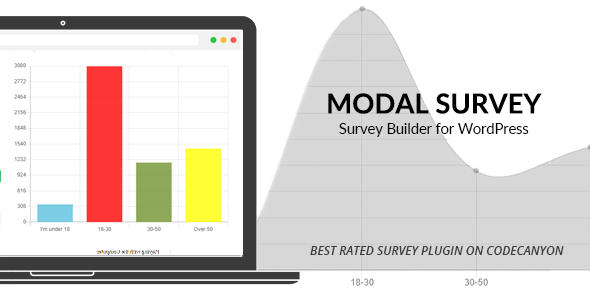
- Six Unique Chart Types: Results are not just numbers; they are visual stories. The plugin supports Pie Charts, Doughnut Charts, Bar Charts, Radar Charts, Line Charts, and Polar Charts. All charts are interactive and display exact values on hover, which is perfect for detailed analysis.
- Conditional Logic and Question Branching: You can control the flow of the survey based on user answers. Specify the number of the next question to jump to, or create conditions that display a custom message or redirect the user to a specific URL based on their score. This is ideal for advanced quizzes and product recommendation engines.
- Multiple Answer Formats: Move beyond simple radio buttons. The plugin allows for open text answers with autocomplete, select boxes, numerical answers with a jQuery slider, and even date pickers for scheduling or appointments. You can also use a rating system with stars, allowing for 5-star, 10-star, or even 12-star scales.
- GDPR Compliance and Anti-Duplication: The plugin is fully GDPR compliant. It uses cookies to prevent duplicate voting and offers advanced settings to display polls only once per user, either for all visitors or just logged-in users, ensuring your statistics remain realistic.
- Newsletter Integration: Turn your polls into lead generation machines. The participant form can be embedded at the end of the survey and integrated with major providers including MailChimp, GetResponse, Active Campaign, Campaign Monitor, and Constant Contact, among others.
- Comprehensive Export Options: Data portability is a priority. You can export your survey results to PDF, CSV, XML, XLS, and JSON formats. The PDF export can even include charts for each question.
Who Is This For? Use Cases
The versatility of Modal Survey – WordPress Poll, Survey & Quiz Plugin makes it a valuable asset for a wide range of website owners, from bloggers to large corporations. Its ability to handle everything from simple feedback to complex conditional quizzes means it adapts to your specific needs.
Digital Marketers and Content Creators
If you are looking to increase traffic and engagement, this plugin is a powerful ally. The Trivia Quiz feature is designed for social sharing, particularly on Facebook. You can create a BuzzFeed-style quiz where users get a personalized image to share with their results, effectively turning your audience into a marketing channel. The plugin also allows you to embed polls at the end of your posts to gather feedback on your content, helping you tailor your editorial strategy to what your readers actually want.
E-commerce and Product Owners
For online stores, the Product Recommendation Poll is a game-changer. By using conditional statements, you can guide users to the right product based on their answers. For example, if a user indicates they have a small apartment, you can redirect them to a page with compact furniture. This not only improves the user experience but also increases the likelihood of a sale by presenting the most relevant options first.
Human Resources and Business Analysts
Conducting internal assessments has never been easier. The plugin supports Business Evaluation Tests and Personality Tests with categories. You can organize both questions and answers into categories, and the charts will display results based on category scores. This is perfect for evaluating team effectiveness, measuring employee satisfaction, or even conducting 360-degree performance reviews, as the aggregated results are easy to visualize and analyze.
Support Teams and Customer Service Managers
Measuring the effectiveness of your support team is crucial. The plugin allows you to visualize all questions on a single graph to display aggregated survey results. By embedding a simple customer satisfaction survey at the bottom of your support pages or within email signatures, you can gather actionable data on response times, helpfulness, and overall experience, helping you identify areas for improvement.
Technical Details & Compatibility
Understanding the technical backbone of Modal Survey – WordPress Poll, Survey & Quiz Plugin is essential for ensuring it fits into your existing workflow. The plugin is built to be robust and flexible, integrating seamlessly with standard WordPress structures.
The plugin is a standalone WordPress solution and does not require any premium add-ons to function. It is designed to work with the standard WordPress editor, allowing you to include questionnaires anywhere in your content, including posts, pages, and even text widgets. The inclusion of a Shortcode Manager within the WYSIWYG editor simplifies the process of adding surveys to your content.
From a display perspective, the plugin offers several modes: Modal/Popup, Embed, and Link-triggered. You can set the poll to appear globally across your entire website or restrict it to specific pages. The positioning is highly customizable, with options to align the poll to the top, middle, or bottom of the screen, or to the left and right. The plugin also supports a full-width mode for maximum visual impact.
The plugin is mobile-friendly and responsive, ensuring your surveys look great on any device. It uses AJAX-based loading for smooth, modern interactions without requiring page reloads. For developers, the plugin offers a JSON import/export feature for easy backup and migration between websites, which is a significant time-saver. Additionally, a manual updater is built into the admin panel, allowing you to upload new versions directly and review the changelog before finalizing the update.
Pros and Cons
To give you a balanced view, here are the notable strengths and potential limitations of Modal Survey – WordPress Poll, Survey & Quiz Plugin.
Pros
- Extreme Versatility: Whether you need a simple poll, a complex quiz, a customer feedback form, or a lead generation tool, this plugin does it all. The range of answer types (text, date, number, rating) is impressive.
- Advanced Conditional Logic: The ability to branch questions and redirect users based on answers is a feature usually found in expensive dedicated quiz software. This makes the plugin excellent for creating personalized user journeys.
- Data Visualization: The six chart types are not just decorative; they are functional tools for analyzing data. The hover effects and interactive elements make understanding your results straightforward.
- GDPR Ready: In an era of strict data privacy laws, having a built-in GDPR-compliant plugin saves you from potential legal headaches. The cookie-based duplication prevention is a smart approach.
- Strong Social Proof: With 5,892 sales on CodeCanyon, this is a battle-tested product. The developer, pantherius, has a track record of releasing constant updates and providing support, which is critical for long-term use.
Cons
- Learning Curve: Due to the sheer number of features and settings, the admin panel can feel overwhelming at first. New users may need to spend some time exploring the documentation to unlock the full potential.
- Design Limitations: While the Visual Builder is powerful, the default design templates may not match the exact aesthetic of every high-end custom theme. You will likely need to invest time in customizing the colors and fonts to match your brand perfectly.
- Price Point: At $65.00, this is a premium plugin. While it offers excellent value for the feature set, it is a significant investment for a simple blog that only needs a basic poll occasionally.
Frequently Asked Questions
Is Modal Survey compatible with any WordPress theme?
Yes, the plugin is designed to work with any standard WordPress theme. The plugin generates its own front-end HTML and CSS, which is generally not affected by your theme’s styles. However, if your theme has heavily customized WordPress core files or uses outdated jQuery libraries, you may encounter styling conflicts. The developer recommends ensuring your theme and other plugins are up to date to avoid these issues.
Can I use this plugin to display different surveys to different users?
Absolutely. The conditional logic features allow for a high level of personalization. You can use the first question to segment your audience (e.g., by gender or interest) and then branch to different questions or redirect users to specific URLs based on their answers. This is perfect for creating product recommendation polls or targeted promotional surveys.
Does the plugin include support and updates?
Yes, the purchase price includes six months of support from the developer, pantherius, which can be extended. The plugin also receives periodic updates to ensure compatibility with the latest WordPress versions and to add new features. You can update the plugin directly from your WordPress admin panel using the built-in manual uploader, which will display a changelog so you can see what has changed before you proceed.
Final Verdict
Modal Survey – WordPress Poll, Survey & Quiz Plugin is a comprehensive and powerful solution that justifies its premium price tag. It is more than just a poll plugin; it is a complete engagement and data collection platform. The depth of features, from conditional logic and multimedia answers to advanced analytics and newsletter integrations, positions it as a top-tier choice on CodeCanyon. With nearly 6,000 sales and a reputation for reliability, you are investing in a tool that is actively maintained and supported by a responsive developer.
While the initial setup may require some time to master the Visual Builder, the payoff is immense. You can create professional, interactive surveys that not only capture valuable data but also enhance the user experience and drive traffic through social sharing. If you are serious about understanding your audience and turning their feedback into actionable insights, this plugin is a worthwhile investment. Its ability to serve as a customer satisfaction tool, a lead generation engine, and a viral content creator makes it a versatile asset for any business.
Don’t settle for generic feedback forms. Elevate your data collection strategy today. Click the button below to get your copy of Modal Survey – WordPress Poll, Survey & Quiz Plugin and start building surveys that your visitors will actually want to complete.