Key Features
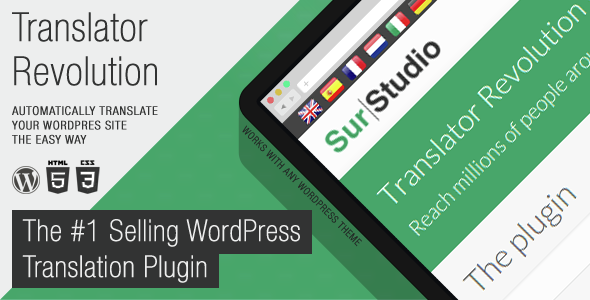
The Ajax Translator Revolution WordPress Plugin distinguishes itself from standard multilingual solutions by prioritizing both speed and depth of control. It is engineered to translate virtually any content on your website without requiring developers to have pre-coded themes or plugins for internationalization. Below are the core capabilities that define this utility:
- Instant Automatic Translation: This is not a manual translation workflow. The plugin connects to translation services to convert your content automatically, allowing you to have a fully multilingual site operational in roughly one minute.
- Universal Content Compatibility: Unlike plugins that only translate standard posts and pages, this tool handles content generated by page builders, sliders, pop-ups, calendars, forms, portfolios, and third-party plugins. It bypasses the need for the WordPress Codex internationalization standards, ensuring that dynamic elements are not left untranslated.
- Extensive Language Library: With support for 103 languages, from Afrikaans to Zulu, you are not limited to a handful of common options. This includes regional variants like Chinese Simplified and Traditional, as well as less common languages such as Pashto and Sindhi.
- Granular Exclusion Controls: You retain full authority over what gets translated. The settings allow you to exclude specific pages, posts, or entire categories, ensuring that sensitive or brand-specific content remains in its original language.
- Flexible UI Placement: The language switcher can be positioned at the top of the site by default, used as a standard widget, or placed anywhere else using custom positioning CSS settings if your theme lacks a suitable widget area.
- Display Customization: You can choose to display language flags, names, or a combination of both. The plugin also offers an option to show languages in their native names, which is a professional touch for international audiences.
- Advanced Developer Tools: For those who need deeper integration, the plugin provides JavaScript custom function callbacks, the ability to define a custom translator with specific HTML code, and a template system to override the default HTML structure.
- Performance Management: A specific setting allows you to control the number of concurrent AJAX calls. This is crucial for large web pages, as it lets you balance translation speed against the browser resources consumed.
- Role-Based Permissions: A recent update introduced the ability to grant permissions to edit translations based on specific user roles, which is essential for team workflows where only editors or admins should modify the translated text.
- Backup & Restore: A dedicated admin panel enables online backups for both your settings and cached translations, providing a safety net during major site changes.
Who Is This For? Use Cases
This plugin is designed for WordPress site owners who need a broad reach without the overhead of hiring translators or manually managing multilingual content. It bridges the gap between complex enterprise-level translation management and simple “copy-paste” plugins that often break layouts. Here are the primary scenarios where the Ajax Translator Revolution WordPress Plugin proves indispensable.
Global E-commerce and Business Owners
If you run a WooCommerce store or a corporate site targeting multiple regions, language barriers directly impact conversion rates. This plugin ensures that product descriptions, checkout pages, and support content from various extensions are translated. Because it does not require the underlying code to be translation-ready, you can add new plugins to your stack without worrying about whether they will appear in English to foreign visitors.
Content Publishers and News Portals
For blogs or news sites, time-to-market is critical. Spending days on manual translation defeats the purpose of timely content. The automatic nature of this utility allows you to publish a story once and have it instantly available in dozens of languages. The ability to exclude certain categories is particularly useful here—you might want opinion pieces or localized news to remain in the original language while translating the rest of the site.
Developers and Agencies Building Client Sites
Agencies often inherit projects built with page builders like Elementor or WPBakery, which create content in database tables that standard translation plugins miss. The Ajax Translator Revolution WordPress Plugin solves this by catching all HTML output regardless of its source. For developers, the custom callback functions and template overrides offer a way to integrate translation directly into bespoke designs without writing a custom plugin from scratch.
Non-Profit Organizations and NGOs
Organizations with a global mission need to communicate with volunteers and beneficiaries in their native tongues. The inclusion of 103 languages—including rare dialects—ensures that even small communities are not excluded. The simple admin interface means non-technical staff can manage the translation of resources and donation pages without IT support.
Technical Details & Compatibility
Understanding the technical backbone of the Ajax Translator Revolution WordPress Plugin is essential to evaluating its fit for your stack. The plugin is built to be independent of your theme’s code structure, which is its main technical advantage. It operates via AJAX calls to prevent full page reloads, preserving a smooth user experience.
Regarding translation engines, the plugin supports two primary services. The first is the SurStudio Translate API, which acts as a gateway to Google Translate and is free for buyers of this plugin. The second option is the official Google Translate API, which is a paid service billed by Google based on usage. This flexibility allows you to start with the free gateway and scale to the premium API if your traffic volume increases.
Installation is managed directly through the WordPress Admin System, integrating seamlessly with your existing dashboard. The plugin includes tabbed admin panels that are logically organized, and the settings are accompanied by integrated help text. For those who need to migrate setups, the import and export functions allow you to transfer configurations between sites or back them up locally. The plugin also includes a template system for the HTML output of the translator bar, ensuring that it can match the aesthetic of any theme.
Browser compatibility is standard for modern WordPress plugins, relying on HTML5 and JavaScript, ensuring functionality across Chrome, Firefox, Safari, and Edge. The plugin is responsive, with specific settings that allow you to hide or show flags and language names depending on the device’s screen resolution.
Pros and Cons
To provide a balanced view, we have analyzed the plugin’s capabilities against common user pain points. This breakdown should help you decide if this tool aligns with your specific requirements.
Pros
- Zero Coding Required: You do not need to modify your theme’s functions.php or rely on developers to add translation support to your plugins. It works with the output as-is.
- Speed of Deployment: The “one-minute install” claim is backed by a simple setup process. You install, activate, select your languages, and the plugin begins translating immediately.
- Cost-Effective Entry: At $25.00, this is a one-time purchase that includes the SurStudio Translate API gateway at no extra cost. This is significantly cheaper than subscription-based translation plugins that charge monthly fees per word.
- Comprehensive Language Support: The list of 103 languages covers virtually every market you could target, making it a future-proof solution as your audience grows.
- Granular Control: The option to exclude specific content types or individual posts is critical. It prevents awkward translations of brand names or idiomatic expressions that should remain in English.
- Performance Optimization: The concurrent call limit is a feature rarely found in similar plugins. It shows a consideration for server load and user experience on content-heavy pages.
Cons
- Automatic Translation Quality: While fast, machine translation is not infallible. Nuanced or highly technical content may require manual review. The plugin allows you to modify translations, but this is a manual step you must undertake for perfection.
- Dependency on External Services: The translation quality and speed depend on the availability of the SurStudio API or the Google Translate API. If these services experience downtime, translation features will be unavailable.
- Potential Styling Adjustments: Although the plugin has a template system, very complex themes might require custom CSS to make the translation bar look native to the design. The learning curve for this is minimal but exists.
Frequently Asked Questions
Is the Ajax Translator Revolution WordPress Plugin compatible with WooCommerce and page builders?
Yes. This is one of the plugin’s primary strengths. It does not require the source code to follow WordPress internationalization standards. This means content rendered by page builders like Elementor, Divi, or WPBakery, as well as dynamic content from WooCommerce product pages, will be translated. The plugin scans the final HTML output of the page, ensuring that content inserted by shortcodes, widgets, and third-party modules is captured.
Does the plugin include support and updates after purchase?
Yes. The developer, SurStudio, provides support directly through the CodeCanyon profile page. You do not need to register on a third-party platform or manage ticket numbers; a direct message is sufficient. The plugin has a history of regular updates, including recent additions of new languages and features like role-based permissions. These updates are included in your purchase for as long as the item remains on the marketplace.
Will my visitors have their language choice remembered?
Yes. The plugin includes a setting to remember the visitor’s selected language. This is handled via a cookie or local storage, ensuring that when a user navigates to a different page or returns to your site later, they are not forced to re-select their language. This feature is crucial for reducing bounce rates and improving the user experience for returning customers.
Final Verdict
The Ajax Translator Revolution WordPress Plugin offers a robust solution for a problem that plagues many WordPress site owners: translating complex, dynamic content without a developer. Its ability to bypass the strict requirements of theme and plugin internationalization is a game-changer for those using page builders or niche plugins. With over 4,099 sales, it has a proven track record of satisfying users who need immediate, wide-reaching language support.
SurStudio has crafted a tool that respects the user’s need for both simplicity and control. The 87 customizable settings might seem daunting at first, but the tabbed interface and integrated help guides make it accessible to beginners while offering the depth that advanced users require. The inclusion of the free SurStudio Translate API gateway adds significant value, making the $25.00 price point an attractive entry barrier compared to ongoing subscription costs of competitors.
If you are currently losing international traffic because your site is locked to one language, or if you are tired of translating content manually, this plugin provides a pragmatic path forward. It is not just a translation plugin; it is a tool for global expansion. Take the step to break down language barriers on your website today and see how quickly your reach can grow.