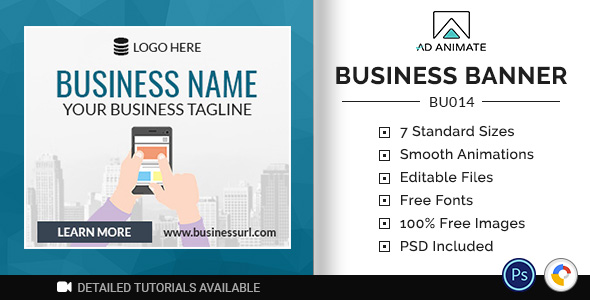
For businesses that need to maintain a consistent visual presence across digital advertising, social media, and web banners, the Multi-use Business Banner design template offers a streamlined, professional solution. This versatile HTML5 banner package is engineered for speed and flexibility, allowing you to adapt a single, well-designed layout to virtually any industry—from real estate and finance to restaurants and tech startups. Instead of designing from scratch for every campaign, you can leverage this template to produce high-converting ad creatives that load instantly and render flawlessly on all devices. Built by the reputable developer Adanimate on CodeCanyon, this template set prioritizes ease of customization, standard ad sizes, and strict adherence to modern web standards, making it a practical asset for marketers, freelancers, and agencies alike.
Key Features
- Multi-Industry Adaptability: The template is not tied to any single niche. Its neutral layout lets you swap in your own imagery, copy, and brand colors to represent a law firm, a fitness brand, a travel agency, or a local service provider with minimal effort.
- Comprehensive Standard Size Pack: Includes a full range of IAB-standard banner sizes such as 300×250 (Medium Rectangle), 728×90 (Leaderboard), 160×600 (Wide Skyscraper), 468×60 (Full Banner), and more. This ensures you have the right dimensions for Google Ads, social media platforms, and programmatic ad networks without manual resizing.
- Fully Layered and Organized PSD Files: The source Photoshop files (PSD) are structured with clearly labeled layers for backgrounds, text, and animations. This makes it simple for designers to edit colors, replace background images, and adjust typography.
- Ready-to-Use HTML5 and Google Web Designer Files: The package delivers both vanilla HTML5 banners and compatible Google Web Designer (GWD) files. This dual format ensures you can upload directly to ad servers like DoubleClick, Sizmek, or Google Ads without compatibility issues.
- Smooth CSS3 and JavaScript Animations: The template employs lightweight, non-intrusive animations for attention-grabbing effects like fading headlines, sliding CTAs, and rotating product visuals. No heavy Flash or outdated libraries are used, ensuring fast load times.
- Easy-to-Edit Text and Call-to-Action: All text elements—headlines, subtext, button labels—are easily modifiable directly within the HTML or PSD file. The CTA button animation is built to drive clicks without feeling aggressive.
- Professional Typography and Iconography: Pre-selected web-safe and premium fonts (often with Google Fonts support) pair with vector icons to create a polished, modern aesthetic. You can switch fonts without breaking the layout.
- Comprehensive Documentation: The package includes clear, illustrated documentation that walks you through the customization process, from editing text to exporting final banner files in the correct formats.
Who Is This For? Use Cases
Digital Marketing Agencies
Agencies managing multiple client accounts across different verticals need a repeatable, efficient workflow. The Multi-use Business Banner template allows a graphic designer to create a portfolio of banners for a dental clinic client on Monday and for a software-as-a-service (SaaS) client on Tuesday, using the same core layout but entirely different branding. The standardized file organization reduces production time from hours to minutes, letting agencies scale their ad operations without increasing headcount.
Freelance Web Designers and Developers
Freelancers often juggle one-off banner requests from e-commerce stores, local businesses, or event organizers. Instead of coding each banner from scratch—which is time-consuming and error-prone—you can purchase this template and deliver professional-grade HTML5 ads to your clients. The included PSDs also allow you to offer static alternatives for email campaigns or social media, adding value to your service packages.
Small Business Owners and Non-Designers
If you run your own business and lack design expertise, the Multi-use Business Banner template is a lifeline. With the help of the documentation and basic Photoshop skills, you can update the template with your own logo, product photo, and offer text. This allows you to create effective ads for Facebook Marketplace, Google Shopping, or local newspapers without paying a designer a recurring fee.
Ad Networks and Publishers
Publishers who need to produce a large volume of different ad creatives for their own network or for third-party advertisers will appreciate the template’s consistency. It ensures that all ads under a publisher’s network share a similarly clean and high-converting design language, which can improve overall click-through rates (CTR) and brand trust.
Technical Details & Compatibility
This template is built as a clean, valid HTML5 package. This means it operates independently without requiring a specific CMS like WordPress, Joomla, or Magento—it works as a standalone asset. All banner files are tested to function smoothly across major browsers including Chrome, Firefox, Safari, Edge, and Opera, as well as on iOS and Android mobile devices. The included Google Web Designer (GWD) export files are fully compliant with Google Ads policies and can be uploaded directly to your ad network account. The resolution is optimized for both standard-display and retina screens. The template uses CSS3 animations triggered by JavaScript, keeping file sizes extremely small (often under 150KB per banner) to avoid ad server rejection and improve user experience. No external libraries like jQuery are strictly required, though they are included for optional features. The template’s last update reflects continuous compatibility with evolving ad network standards, and the author provides regular support for any technical quirks.
Pros and Cons
Pros
- Extremely versatile: One layout works for many industries, saving money and time compared to buying separate templates for each niche.
- All standard sizes included: You get a complete set of IAB-standard sizes, eliminating the need to resize or stretch artwork manually.
- Dual format (HTML5 + GWD): Ready for Google Ads, DoubleClick, Sizmek, and other major platforms without additional conversion.
- Simple customization: Organized PSD layers and commented HTML code make editing straightforward even for beginners.
- Lightweight and fast: Animated banners that load quickly and pass ad network weight restrictions easily.
- Professional support and documentation: The author (Adanimate) has a strong track record on CodeCanyon with rapid response times.
Cons
- Requires basic software knowledge: You need at least foundational Photoshop skills to edit PSDs, or basic HTML/JS skills to modify the source code. Complete beginners might face a slight learning curve.
- Limited design variation out of the box: While the template is flexible, it offers a single core layout. If you need vastly different creative concepts (e.g., video backgrounds, 3D elements), you will need to purchase a different template.
- No dedicated video version included: This is purely a static/animated banner set; no HTML5 video or mp4 assets are built in.
- Not a drag-and-drop builder: Unlike online ad makers, you are editing files on your computer, which requires a longer setup than cloud-based tools.
Frequently Asked Questions
Is the Multi-use Business Banner template compatible with Google Ads?
Yes, absolutely. The package includes dedicated Google Web Designer (GWD) files that are pre-configured to meet Google Ads technical requirements. These files pass the Google Ads preview tool without errors regarding file size, animation length, and click-through variables. You can simply upload the GWD export directly into your Google Ads dashboard, or use the standard HTML5 zip files for other networks like Sizmek or Adform.
Can I edit the text and colors without touching the code?
Yes, primarily through the included layered PSD files. You can open the Photoshop file, double-click the text layer, and type your own headline or body copy. Colors for backgrounds, buttons, and text can be adjusted using the color picker in Photoshop. For the HTML5 files, most templates organize text and color variables in an external JavaScript or CSS file, making code-based edits straightforward if you are comfortable with basic syntax. However, no visual drag-and-drop editor is included.
Does this purchase include future updates and support?
Yes. When you purchase the Multi-use Business Banner from CodeCanyon, you receive six months of free support from the author, Adanimate. You also receive lifetime access to future updates, meaning if ad network policies change or browser technologies evolve, you can download the updated files at no extra cost. To extend support beyond six months, you can purchase a support extension at a nominal fee.
Final Verdict
The Multi-use Business Banner design template from Adanimate is a robust, practical investment for anyone who needs to produce professional HTML5 ads regularly. With hundreds of sales and a strong four-star rating on CodeCanyon, it has been validated by thousands of users who value its reliability and flexibility. It saves you the cost of multiple template purchases and the time of coding from scratch. Whether you are an agency scaling operations, a freelancer taking on diverse clients, or a business owner creating your first ad campaign, this template provides a solid, proven foundation. Its clean code, standard size pack, and dual-format support ensure your ads will be accepted by every major ad network and perform well across all screens. Stop reinventing the wheel for every project. Download the Multi-use Business Banner template today and start producing high-converting, beautiful ad creatives in minutes, not hours. Your campaigns will thank you.