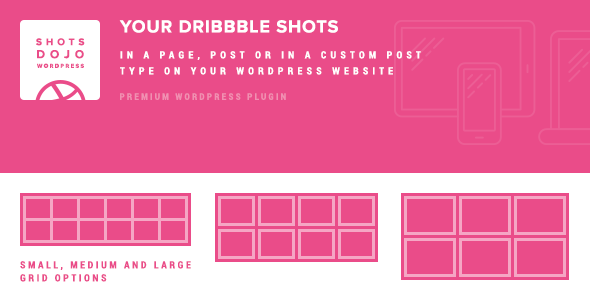
Showcasing a Dribbble portfolio directly on a WordPress website has always been a challenge for designers and creative agencies. The API is restrictive, standard embeds often feel clunky, and sending visitors away to an external platform disrupts the user journey. WPShotsDojo solves this by offering a dedicated, high-performance WordPress plugin designed specifically to pull any user’s shots into your site with beautiful, customizable grids. Whether you manage a personal portfolio, an agency landing page, or a client’s business site, this tool ensures your creative work is displayed in a polished, conversion-friendly format without sacrificing site speed or visitor retention.
Key Features
WPShotsDojo is packed with features that streamline the process of integrating Dribbble content. Here is a breakdown of what sets it apart from generic embedding solutions:
- Seamless Dribbble API Integration: The plugin connects directly to the Dribbble API to fetch the latest shots from any specified user. You are not limited to your own account; you can display work from multiple users across different grids.
- High-Performance Caching System: One of the biggest hurdles with Dribbble’s API is its strict rate limits. WPShotsDojo mitigates this by caching shot data locally on your server. This means the plugin does not hammer the API on every page load, ensuring your site remains fast and error-free. The cache automatically updates on an hourly basis to keep content fresh without manual intervention.
- Three Distinct Grid Styles: Users can choose between “small,” “medium,” and “large” grid layouts. Each style features custom animations, spacing, and optimized image source sizes. This flexibility allows you to match the grid density to the surrounding page design, whether you need a compact gallery or a bold, full-width showcase.
- Retina-Ready Display: All grids utilize the appropriate Dribbble image source sizes to ensure crisp, sharp visuals on high-resolution screens. This detail is crucial for creative professionals who want their work to look flawless on modern devices.
- Integrated Lightbox for Engagement: Instead of hyperlinking shots to Dribbble.com, WPShotsDojo opens a beautifully crafted lightbox on your website. This pop-up loads all relevant data—such as shot title, likes, views, and comments—keeping the visitor engaged with your site and reducing bounce rates.
- Total CSS Control & Customization: For developers and designers who like to tinker, the plugin provides full control over the CSS. You can inject custom styles to ensure the grids blend perfectly with your theme’s existing aesthetic.
- Fully Responsive Layouts: Every grid style is built to be responsive, adapting fluidly to different screen sizes. Whether your audience is on a mobile phone, tablet, or desktop, the portfolio will look organized and professional.
- Multiple Grids Per Page: The plugin allows you to insert multiple separate grids on a single page or post. You can create a section for “Recent Client Work,” another for “Personal Projects,” and even a third for “Inspiration,” all pulling from different Dribbble users.
Who Is This For? Use Cases
WPShotsDojo is a versatile tool, but it holds particular value for specific groups within the web design and digital marketing ecosystem.
Freelance Designers & Digital Artists
Your Dribbble profile is your resume. With WPShotsDojo, you can create a portfolio section on your own marketing site that automatically stays in sync with your Dribbble account. When you post a new shot on Dribbble, it appears on your WordPress portfolio within the hour. This automation saves you the tedious task of manually updating your website every time you complete a project. You can build a professional-looking portfolio without touching a single line of code.
Creative Agencies & Design Studios
Agencies often need to showcase a collective body of work. Instead of maintaining a static gallery that requires manual updates from every team member, you can use WPShotsDojo to feature shots from multiple designers on the agency’s “Work” or “About” page. The ability to set up different grid sizes means you can highlight a few flagship projects with large visuals on the homepage, then use a smaller, tighter grid for the full archive. This presents a dynamic, ever-evolving portfolio that impresses potential clients.
Web Developers & Theme Builders
For developers creating client sites, WPShotsDojo is a valuable asset. It’s lightweight, and the local caching ensures it won’t bloat the database or slow down the front end. The full CSS control allows you to style the grids to match the custom theme you are building, ensuring a seamless integration that looks native to the design. You can also use it to add a touch of social proof to a client’s site by pulling in their existing social media presence.
UI/UX Professionals & Product Teams
Product teams often use Dribbble for crowdsourced design concepts and inspiration. You can use the plugin to embed specific curated boards or user feeds into internal wikis or project management dashboards for your team to review. The lightbox feature is particularly useful here, as it allows team members to view shot statistics (likes, views) without leaving the internal site.
Technical Details & Compatibility
WPShotsDojo is a self-hosted WordPress plugin that requires PHP CURL to be enabled on your server. This is a common requirement for plugins that interact with external APIs and is usually pre-installed on most reputable hosting providers. If you are unsure whether your server supports CURL, you can check with your hosting provider or look in your PHP configuration settings.
The plugin is built to work with standard WordPress post types—pages, posts, and custom post types. This means you can insert Dribbble grids anywhere you can use shortcodes. It is also compatible with both full-width page templates and layouts that include sidebars. The responsiveness of the grid ensures that it adapts to the available content area without breaking the layout.
The changelog indicates that the latest updates (v.1.0.1) focused on refining the MySQL database engine indexes for better performance and fixing minor JavaScript dependency inclusions. It also officially added support for WordPress 4.4.2, ensuring stability with the core updates of that era. While the plugin is an older release, its core functionality remains solid and reliable for classic WordPress setups.
Pros and Cons
No plugin is perfect, and understanding the strengths and potential limitations of WPShotsDojo is essential for making an informed purchase decision. Here is an honest evaluation:
Pros
- Excellent API Rate Limit Management: The local caching system is a huge advantage. It prevents your site from being throttled or blocked by Dribbble, which is a common issue with other plugins that rely on client-side fetching.
- Keeps Users On-Site: The built-in lightbox is a fantastic conversion tool. It provides a richer browsing experience and encourages visitors to explore more of your content instead of linking away to an external site.
- Flexible Layout Options: Having three different grid sizes gives you significant control over the visual hierarchy of your page. You can create varied, interesting layouts without needing to write custom CSS or use complex page builders.
- Retina Support: The attention to image resolution is a pro for creative fields where visual quality is the primary metric of success.
- Simple Backend Management: The user interface is clean and straightforward. You can quickly set up a grid by providing a Dribbble username and choosing a style.
Cons
- Compatibility with Modern WordPress: The last update was released in 2016. While the plugin works on classic PHP setups, users on the latest PHP versions (8.0+) might encounter deprecation warnings or compatibility issues. You may need to test it thoroughly or use a compatibility layer.
- Dependency on PHP CURL: While common, some budget shared hosts disable this extension. This requirement is non-negotiable for the plugin to function, so you must verify your server configuration before purchase.
- Dated Codebase: It does not utilize the modern WordPress REST API or
wp_remote_get()functions, which are now standard best practices. This could be a concern for developers looking for future-proof code.
Frequently Asked Questions
Can I use WPShotsDojo with the latest version of WordPress?
While the plugin officially lists support up to WordPress 4.4.2, many users report it functioning correctly on newer versions of WordPress as long as the core shortcode functionality hasn’t been deprecated. However, for sites running the absolute latest WordPress release and PHP 8.0 or higher, it is highly recommended to test the plugin in a staging environment first. The primary risk involves potential PHP incompatibilities that could trigger fatal errors. If you are considering this plugin for a high-traffic professional site, a robust backup and testing protocol is essential.
Can I display shots from multiple Dribbble users on one page?
Yes, absolutely. The plugin allows you to create multiple independent grids within a single page or post. You can generate a unique shortcode for each user you want to feature. This is perfect for agency websites that want to highlight the work of individual team members or create distinct categories for different types of projects, such as “Branding” vs. “Web Design.”
Does the plugin require my visitors to have JavaScript enabled?
Yes. The grid rendering and lightbox functionality rely on JavaScript to structure the layout and handle user interactions. While the cached HTML data is served from your server, the visual presentation and pop-up effect require a standard modern web browser with JavaScript active. This is a standard requirement for almost all modern gallery and slider plugins, so it is not a unique limitation.
Final Verdict
WPShotsDojo is a focused, effective solution for a specific problem: integrating Dribbble content into WordPress without sacrificing performance or user experience. Its intuitive approach to caching makes it a standout choice for users who have been frustrated by slow, API-rate-limited alternatives. For freelance designers and agencies, the ability to maintain a dynamic portfolio with minimal upkeep is a significant time-saver, allowing you to focus on creating rather than coding. The lightbox feature is the cherry on top, ensuring that when a potential client interacts with your work, they stay on your site, engaged with your brand.
While the plugin’s age means you should exercise a degree of caution with bleeding-edge hosting environments, its core value proposition remains strong for classic WordPress installations. WPShotsDojo offers a level of polish and attention to detail that is rare in niche plugins. If you want a reliable way to turn your Dribbble profile into a powerful on-site marketing asset, this plugin is a worthy investment. It comes from Themes-Dojo, a developer with a reputation for crafting practical, well-designed tools for the creative community. Don’t send your visitors away—bring your best work home and showcase it with style. Purchase WPShotsDojo today and take the first step toward a more engaging, self-contained portfolio.