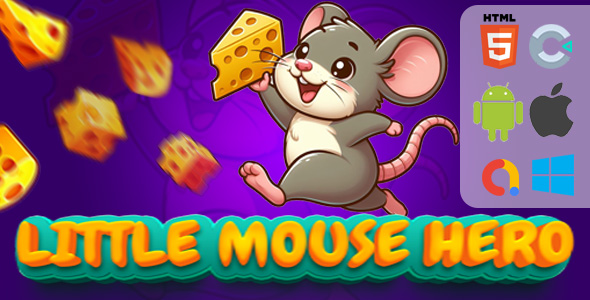
Puzzle games have a unique way of blending entertainment with mental exercise, and Little Mouse Hero – (HTML5|Construct 3) puzzle game delivers exactly that blend in a charming, accessible package. This isn’t just another arcade title; it’s a methodical brain teaser where you guide a clever rodent through increasingly complex levels, pushing cheese into a mouse house to progress. Designed for both casual players and serious puzzle enthusiasts, this game stands out because it combines a polished, full-HD visual experience with the technical flexibility of being built on Construct 3. For game developers, indie creators, or educators looking for a customizable, cross-platform puzzle game, Little Mouse Hero offers a robust foundation that saves weeks of development time while providing a genuinely fun gameplay loop.
Key Features
Understanding what makes Little Mouse Hero valuable requires looking under the hood. The feature set is designed to appeal to both end-users who play the game and developers who need to modify and deploy it. Here are the standout attributes:
- Construct 3 Source Files (C3P): You receive the complete project file. This means you are not locked into a black box. You can open the game in the Construct 3 editor and see exactly how every mechanism works, from the movement logic to the win conditions.
- Zero Coding Required for Edits: The entire game is built using event sheets, not traditional scripting. This is a massive advantage for those who understand visual logic but do not write JavaScript. You can adjust level parameters, change object behaviors, or tweak puzzle difficulty by dragging and dropping events, making custom game development accessible to a non-programmer.
- Commentary and Labels: The event sheet is not a maze of tangled wires. It includes clear comments and labels, guiding you through the logic. This makes the customization process far less intimidating, allowing you to find the exact variable for mouse speed or cheese count in seconds.
- Cross-Platform Compatibility: Because it is HTML5, the game runs smoothly on desktop browsers (Chrome, Firefox, Edge) and mobile browsers without forcing users to download an app. Moreover, the project is pre-configured for export to Android and iOS, allowing you to wrap it in a native shell for store distribution.
- Dual Control Systems: The game respects the platform it runs on. On desktop, players use the mouse and keyboard for precise movement. On mobile devices, an on-screen joystick appears automatically, ensuring the game is playable on the go. This is critical for modern game publishing, where touch input is non-negotiable.
- Full-HD Graphics (1080×1920): The visual quality is not an afterthought. The game boasts detailed, beautiful portrait-oriented graphics that utilize the full screen space. This high resolution ensures the game looks crisp on high-DPI phones and monitors without requiring upscaling filters.
- Integrated Ad Monetization: The project is ready for AdMob integration and rewarded ads. Whether you want to show interstitial ads between levels or offer hints via rewarded videos, the structure supports this out of the box, allowing for immediate revenue generation.
- All Assets Included: You are not buying a half-finished product. The package includes every sound effect file, background music track, and graphic element in PNG format. This eliminates the need to source external art or worry about licensing issues.
- No External Plugins: The game runs entirely on standard Construct 3 behaviors. There are no third-party plugins to install, no subscription fees for dependencies, and no risk of the game breaking due to a plugin update. This guarantees long-term stability for your project.
Who Is This For? Use Cases
The versatility of Little Mouse Hero makes it a suitable asset for several distinct groups. It is not a one-size-fits-all tool; rather, it is a specific solution for those who need a polished puzzle game quickly.
Indie Game Developers and Hobbyists
If you are an indie developer looking to publish your first puzzle game on the Google Play Store or the Apple App Store, this project is an ideal starting point. Instead of spending three months programming the physics and level design, you can spend your time polishing the experience or adding your own branding. You can tweak the difficulty curve, change the mouse character’s skin, or remix the sound files to create a unique identity in a matter of days. This is a fast game development solution that allows you to build a portfolio piece or a commercial product without a steep learning curve.
Web Developers and Digital Agencies
Agencies often need casual HTML5 games to embed in client websites, marketing campaigns, or e-learning modules. Little Mouse Hero is perfect for this scenario. Because it exports directly to HTML5, you can host it on your server and integrate it into a webpage with a simple iframe. It is an excellent lead-generation tool; for instance, you could require users to log in to play, or you could use it as a “time-waster” on a branded landing page to keep visitors engaged longer. The absence of external dependencies ensures reliable performance on your client’s hosting environment.
Educators and Parents
This game genuinely functions as a logic-based educational game. It challenges spatial reasoning and problem-solving skills. Teachers can use it as a reward system in the classroom or as a supplementary tool for teaching computational thinking. Because the controls are simple and the goals are understandable (push cheese to the house), even young children can grasp the mechanics, while the increasing difficulty ensures older players remain challenged. It offers a safe, ad-free experience if you choose to keep the game local and not integrate the ad networks.
Technical Details & Compatibility
When purchasing a game template, technical specifications dictate how you can use it. Little Mouse Hero is built on Construct 3 version R2xx (or later), which is a modern, browser-based game engine. The project file extension is .c3p, which is the standard format for this engine.
In terms of compatibility, the HTML5 export runs on any modern browser with WebGL support. This includes Safari on iOS, Chrome on Android, and all major desktop browsers. For mobile export, the project is set to a portrait resolution of 1080×1920 pixels, which scales down effectively to fit smaller screens without losing UI integrity. The input system automatically detects if a touch screen is available, switching between the keyboard/mouse scheme and the virtual joystick seamlessly.
Last, but not least, the documentation provided covers both the basic installation and the more complex adjustments, such as adding new levels or changing the ad placement. This is a complete, ready-to-use package, confirmed that it works out of the box, but open enough for deep modifications.
Pros and Cons
No product is perfect. Being objective about the strengths and limitations of Little Mouse Hero helps you decide if it fits your specific needs.
Pros
- Beginner-Friendly Logic: The use of event sheets instead of code makes this incredibly easy to mod for novices.
- High Asset Quality: The graphics and audio are polished, giving the game a commercial feel rather than a generic template look.
- Multi-Platform Export: The “write once, run anywhere” capability of HTML5 is fully utilized here.
- Monetization Ready: The structure for AdMob is already in place, saving significant time during app store setup.
- Replay Value: The progressive difficulty keeps players engaged, which is crucial for retaining your audience.
Cons
- Portrait Orientation Only: The game is designed for a vertical 9:16 aspect ratio. If you need a landscape game for desktop tablets or specific web placements, you will need to adjust the UI significantly.
- Limited Art Customization: While the assets are included, they are specific to the “Little Mouse” theme. If you want to turn it into a space game with robots, you will need a graphic designer to create new assets.
- Construct 3 Subscription: To edit the .c3p file, you must have access to the Construct 3 editor. While there is a free tier, exporting to Android/iOS requires a paid license from Scirra.
Frequently Asked Questions
Does Little Mouse Hero require coding knowledge to modify?
No. The entire game logic is programmed visually using event sheets within Construct 3. If you can understand “IF this happens, THEN do that,” you can modify the game. For example, to change the number of cheese pieces needed to win, you can simply adjust a global variable in the editor without touching any JavaScript. This is specifically designed for visual thinkers and those new to game development.
Can I use the HTML5 export on WordPress or other Content Management Systems?
Yes. The HTML5 game export is a folder with a .html file that hosts the game. You can easily upload this to your hosting server and embed it into a post or page using an iframe or a simple HTML block. There are also WordPress plugins designed specifically to host Construct 3 exports. Since it requires no external plugins or servers, it works efficiently on any standard hosting plan.
Is the money spent on this asset a one-time payment?
Yes. When you purchase Little Mouse Hero on CodeCanyon, you make a one-time payment. This grants you a regular license to use the item in one project. There are no recurring fees. However, remember that to export the project to Android or iOS for commercial purposes, you will need your own Construct 3 license, which is a separate subscription with Scirra, not with the asset seller. The code itself is fully yours to use.
Final Verdict
Little Mouse Hero represents a solid investment for anyone serious about entering the casual puzzle game market. It solves the two hardest problems in game production: the raw programming logic and the creation of decent art assets. The developer has successfully packaged a functional, enjoyable game that maintains a low barrier to entry for modification. Considering the time saved—likely 200+ hours of work—the price point is exceptional value.
The author has a track record of delivering functional Construct 3 projects, evidenced by the clean event sheets and included documentation. While the cons regarding orientation are worth noting, they do not detract from the core utility of the package. If you are looking to launch a puzzle game on the app stores, publish a browser game for your website, or just experiment with advanced Construct 3 mechanics, this is the right place to start.
Stop planning and start playing. Purchase Little Mouse Hero today, import the file into Construct 3, and realize how quickly you can have a polished game ready for the world.