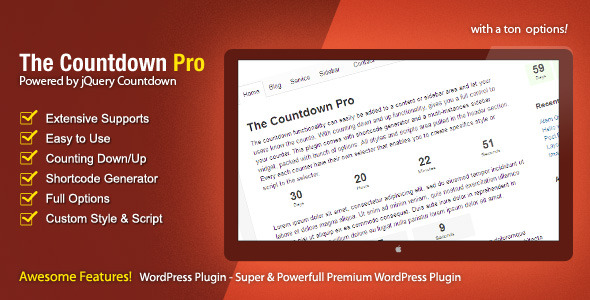
The Countdown Pro plugin for WordPress, available on CodeCanyon, offers a robust and flexible solution for adding countdown timers and count-up counters to your website. Whether you need to build anticipation for a product launch, track time to a critical deadline, or display the duration of an ongoing event, this plugin provides the tools to do it with precision and style. Designed for both casual users and developers, The Countdown Pro transforms a simple timer into a dynamic and interactive part of your content strategy. It goes far beyond basic functionality, offering a deep set of options for customization, integration, and user engagement. This isn’t just about counting down; it’s about controlling how your audience interacts with time-sensitive content, creating urgency, and enhancing the overall user experience on your WordPress site.
Key Features
The Countdown Pro is packed with features that distinguish it from basic countdown plugins. Its versatility is its greatest strength, allowing you to tailor the countdown experience to your exact specifications. Here are the standout features that give you full control over your counters:
- Advanced Countdown and Count-Up Functionality: Implement both countdown timers to a future date and count-up counters to track elapsed time since a specific moment. This dual functionality makes the plugin suitable for a wide range of applications.
- Powerful Expiration Tracking via Addon: The optional Post Expiration addon elevates the plugin’s utility. It allows you to track visitor activity based on their IP address, a cookie, or a combination of both, enabling sophisticated content expiration and personalization strategies.
- Flexible Expiration Modes: Set expiration based on a fixed date, a specific time elapse, or even a total number of visits. This level of control is essential for campaigns, limited-time offers, or creating a sense of exclusivity for your content.
- Recurring Events with Free Addon: The free Post Recycle addon allows you to cycle post content or set up recurring events. This is perfect for weekly deals, daily tips, or any content that needs to reset on a schedule.
- Comprehensive Expiry Actions: Decide exactly what happens when the countdown reaches zero. You can redirect visitors to a specific Expiry URL, display custom Expiry text, or trigger a range of advanced actions. These actions include opening content in a lightbox (for Vimeo, YouTube, inline content, external links, or single images), hiding content after a delay, showing content after a delay, or redirecting to another site.
- User-Friendly Customization: An integrated date picker simplifies the process of setting your target date. You can also define custom labels for singular, plural, and compact display modes, ensuring the counter’s text matches your site’s voice.
- Design and Integration Options: The plugin provides various template styles to match your theme. A compact version is available for inline display, and you can add custom intro and outro text, including HTML, to enrich the presentation. For full control, you can even add custom CSS and JavaScript specific to a widget or globally.
- Performance and Developer Tools: Server time synchronizing ensures your counter is always accurate for all users by syncing with your server’s clock. It also offers a tick interval setting and a suite of additional filters for developers to extend functionality.
Who Is This For? Use Cases
The versatility of The Countdown Pro makes it a valuable asset for a wide variety of WordPress users, from bloggers to large e-commerce site owners. Its advanced features, particularly the expiration and recycling addons, open up creative possibilities beyond simple time display.
E-commerce and Online Marketers
In the fast-paced world of e-commerce, urgency is a powerful conversion driver. The Countdown Pro allows you to create a scarcity mindset around flash sales, limited-time offers, or the launch of a new product. By prominently displaying a ticking clock, you prompt visitors to act now. The Post Expiration addon is particularly useful for online stores on platforms like WooCommerce. You can automatically revert a product price to its original after a sale ends or replace a promotional product description with the standard one, saving you the manual effort of editing your site.
Event Managers and Organizers
For any event, from a webinar to a conference, generating excitement and ensuring attendance is key. Use the countdown feature to build anticipation as the event date approaches. But the plugin’s utility doesn’t stop there. The Post Recycle addon can be used to set up recurring events, such as a weekly live Q&A session or a monthly community challenge. The plugin automatically updates the timer for the next occurrence, creating a seamless and professional experience for your audience.
Content Creators and Bloggers
Bloggers can use The Countdown Pro to schedule content more effectively. For example, you could use the Show Content action to reveal a special offer or a key part of an article only after a visitor has spent a certain amount of time on the page. Conversely, the Hide Content action can be used to temporarily take down time-sensitive information or to create a teaser that disappears. This gamification of content can significantly boost user engagement and time spent on your site.
Web Developers and Agencies
For developers building custom WordPress sites for clients, The Countdown Pro is an efficient tool. It encapsulates complex functionality into a user-friendly package, reducing development time. The inclusion of developer-friendly filters and the ability to add custom scripts per widget allows for deep integration and unique implementations without needing to code a solution from scratch. The expiration tracking via IP and cookie also enables the creation of tailored user experiences without requiring a full membership plugin.
Technical Details & Compatibility
The Countdown Pro is built to be a reliable and well-integrated WordPress plugin. It is fully compatible with WordPress 5.5, as noted in its most recent update. It is designed to work seamlessly with standard WordPress features like the content editor and sidebar widgets. The plugin includes a shortcode generator and a multi-instance sidebar widget, making it easy to place your countdowns anywhere on your site.
The plugin is actively maintained by its author, zourbuth, with a long history of updates reflecting changes in WordPress core and addressing user feedback. It offers translation support, including WPML compatibility, ensuring it can be used on multilingual websites. The core script is based on the widely-respected jQuery Countdown plugin, ensuring a stable and feature-rich foundation. The current version is 2.1.1, a testament to its ongoing development and maturity. The plugin is also compatible with a range of browsers and devices, although for best results, it’s always advisable to ensure your WordPress installation is up to date.
Pros and Cons
To provide a balanced view, let’s examine the strengths and potential weaknesses of The Countdown Pro. This helps set realistic expectations and allows you to make an informed decision.
Pros
- Incredible Versatility: Countdown and count-up modes combined with various expiration actions cover nearly every use case imaginable.
- Powerful Addons: The IP/cookie tracking and recurring event features elevate the plugin from a simple timer to a content management and conversion tool.
- Highly Customizable: from labels and colors to custom CSS and JavaScript, you have granular control over the look and function of every single counter.
- User-Friendly Interface: The shortcode generator and date picker make it accessible to non-developers.
- Active Maintenance and Support: A long changelog and active support from the author provide peace of mind regarding long-term reliability.
Cons
- Premium Price Point: As a premium plugin, it has a cost associated, unlike many basic free countdown plugins available in the WordPress repository.
- Advanced Features Require Addons: To unlock the most unique features, such as post expiration and recurring events, you will need to install the additional addons (though the Post Recycle addon is free).
- Potential Complexity for Basic Needs: If you only need a simple, static countdown timer, the sheer number of options and settings might feel overwhelming.
Frequently Asked Questions
Is The Countdown Pro compatible with WooCommerce?
Yes, it is. The plugin explicitly provides support for the WooCommerce product description. This allows you to add countdown timers directly to product pages, which is excellent for creating urgency during sales or pre-order periods. Furthermore, the Post Expiration addon can be used to manage time-sensitive offers, such as reverting prices or hiding sale-related content.
Can I use The Countdown Pro to create a recurring event, like a weekly deal?
Absolutely. This functionality is made possible through the free Post Recycle addon. Once installed and configured, you can set a countdown to a specific time and have it automatically reset for the next occurrence. This is perfect for weekly promotions, daily blog posts, or any other content that operates on a regular schedule, saving you from having to manually reset timers.
Does The Countdown Pro include support and is it updated regularly?
Yes. The plugin is regularly updated to maintain compatibility with the latest version of WordPress (recent update confirmed support for WP 5.5). Moreover, the author provides support through their profile page on CodeCanyon. This ensures that you have a resource for getting help with installation, customization, or any issues that may arise, and that the plugin remains secure and functional.
Final Verdict
The Countdown Pro is more than just a countdown timer; it is a powerful engagement and conversion toolkit. Its true strength lies in its expandability. The base plugin is robust and feature-rich on its own, but the addition of the Post Expiration and the free Post Recycle addons transforms it into a comprehensive solution for content scheduling, user interaction, and sales optimization. While it may have a learning curve due to its extensive options, the documentation and support resources help to mitigate this. For developers, business owners, and content creators who need refined control over time-based content and are looking for a professional-grade solution, The Countdown Pro is a worthwhile investment. Its long development history, active updates, and positive reputation on CodeCanyon are strong indicators of its quality. If you are serious about leveraging time to enhance your WordPress website, look no further. Take control of your timelines, build urgency, and create a more dynamic user experience by downloading The Countdown Pro today.