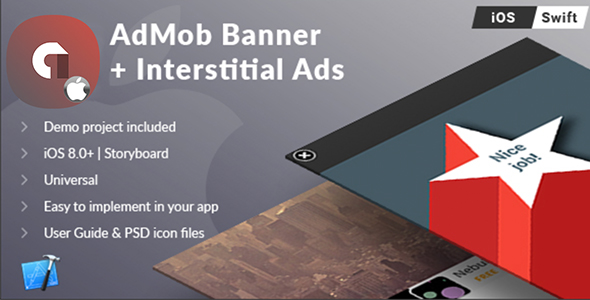
The iOS Universal AdMob Banner + Interstitial Ads Template (Swift) provides developers with a ready-to-use solution for implementing Google’s AdMob advertising in iOS applications. This comprehensive template supports both banner ads and full-screen interstitial ads, helping app creators monetize their free applications effectively.
Key Features of the AdMob Template
This professionally designed template offers several powerful features for iOS developers:
- Universal Compatibility: Works across all iOS devices from iPhone 4s to iPhone X and later models
- Swift Implementation: Built with Swift 4 for modern iOS development
- Quick Setup: Can be implemented in under 10 minutes with minimal coding required
- Comprehensive Documentation: Includes PDF user guide and well-commented source code
- Latest SDK Support: Updated to GoogleMobileAds.framework version 7.29.0
- iPhone X Optimization: Special handling for the device’s unique screen dimensions
Why Choose This AdMob Solution?
Implementing advertising in iOS apps can be challenging, but this template solves common pain points:
Revenue Optimization
The template helps maximize ad revenue by:
- Supporting both banner and interstitial ad formats
- Providing proper implementation of AdMob’s highest-paying ad networks
- Including best practices for ad placement and frequency
Technical Advantages
From a development perspective, the template offers:
- Pre-configured ad unit implementation
- Proper memory management for ad views
- Correct handling of device rotations
- Optimized ad loading to minimize impact on app performance
Implementation Requirements
To use this template effectively, you’ll need:
- Mac computer running the latest macOS version
- Xcode 9.x or later installed
- Basic familiarity with Xcode interface
- Apple Developer account for app distribution
- Active AdMob account to generate your ad unit IDs
- Image editing software (like Photoshop) for any customizations
Getting Started with the Template
The implementation process is straightforward:
- Download and open the Xcode project
- Add your AdMob ad unit IDs in the designated configuration file
- Customize ad placement and frequency as needed
- Test the ad implementation using test ad unit IDs
- Build and distribute your app through the App Store
Recent Updates and Improvements
The template has been regularly updated to maintain compatibility:
- Updated to support Xcode 9.3 and Swift 4
- Added iPhone X launch image support (1125x2436px)
- Improved banner ad display for iPhone X’s unique screen dimensions
- Updated GoogleMobileAds framework to version 7.29.0
- Added configuration for Swift 3 @objc Inference settings
Monetization Potential
This template helps developers maximize their advertising revenue by:
- Providing access to AdMob’s premium ad networks
- Supporting multiple ad formats in a single implementation
- Including optimized ad refresh rates
- Offering proper ad view lifecycle management
For developers looking to monetize their free iOS apps, this AdMob template provides a turnkey solution that can be implemented quickly while following all of Google’s implementation best practices. The comprehensive documentation and well-commented code make it accessible even to developers with limited advertising integration experience.