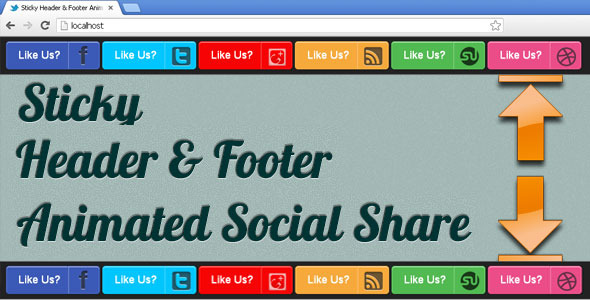
Sticky header and footer social share buttons provide a persistent way for visitors to engage with your content while scrolling through your website. These fixed-position elements remain visible at the top and bottom of the viewport, ensuring social sharing options are always accessible without disrupting the user experience.
Why Implement Sticky Social Share Buttons?
Persistent social sharing elements offer several advantages for content engagement:
- Increased visibility: Buttons remain accessible regardless of scroll position
- Improved engagement: Users can share content at any point during reading
- Better conversion: Prominent placement leads to higher sharing rates
- Enhanced UX: Eliminates need to scroll back to find sharing options
Key Features of Effective Sticky Social Buttons
1. Seamless Integration
The best sticky social share implementations blend naturally with your site’s design. They should:
- Match your existing color scheme and branding
- Adapt to different screen sizes responsively
- Load quickly without impacting page performance
2. Customizable Appearance
Flexible styling options allow you to:
- Change button colors to match your brand palette
- Adjust button shapes (square, rounded, circular)
- Modify text labels or use icon-only designs
- Control button spacing and arrangement
3. Smooth Animations
Subtle animations enhance user interaction without being distracting:
- Hover effects that indicate clickable elements
- Transition animations when buttons appear/disappear
- Micro-interactions when sharing actions occur
Implementation Best Practices
When adding sticky social share buttons to your website:
CSS Positioning Techniques
Use these CSS properties for reliable sticky positioning:
position: fixedfor viewport-relative placementz-indexto control stacking order- Viewport units (
vh) for responsive sizing
Performance Considerations
Optimize your implementation to avoid common pitfalls:
- Minimize JavaScript dependencies
- Use CSS transforms for animations instead of JavaScript
- Implement lazy loading for non-critical elements
Accessibility Requirements
Ensure your social buttons meet accessibility standards:
- Proper ARIA labels for screen readers
- Sufficient color contrast
- Keyboard navigable elements
- Focus states for interactive elements
Cross-Browser Compatibility
Test your sticky social buttons across all major browsers:
- Chrome, Firefox, Safari, Edge
- Mobile browsers (iOS Safari, Chrome for Android)
- Legacy browser fallbacks where needed
Use feature detection and progressive enhancement to ensure functionality across different browser versions. Consider polyfills for older browsers that don’t support modern CSS features.
Advanced Customization Options
For more sophisticated implementations, consider:
- Dynamic button visibility based on scroll position
- Context-aware sharing that includes current page information
- Analytics integration to track sharing behavior
- Conditional loading for different device types
By implementing sticky header and footer social share buttons thoughtfully, you can significantly boost content sharing while maintaining an excellent user experience. The key is balancing visibility with subtlety, ensuring the buttons serve their purpose without becoming intrusive.