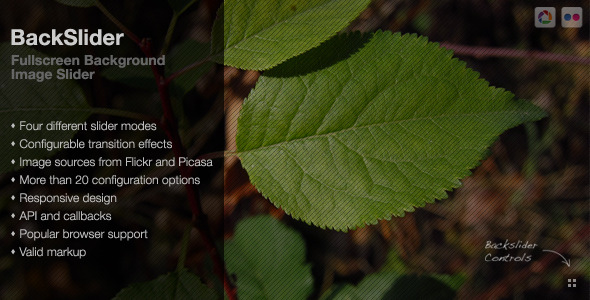
Backslider is a premium fullscreen background image slider that transforms website backgrounds into dynamic visual experiences. This versatile JavaScript plugin serves as both a stunning fullscreen slideshow and an elegant background changer, offering designers and developers multiple ways to enhance their projects with eye-catching imagery.
Key Features That Set Backslider Apart
What makes Backslider stand out from other background sliders is its comprehensive feature set designed for both functionality and visual appeal:
- Multiple Slide Modes: Five distinct transition styles to match different design aesthetics
- Animation Variety: Four smooth animation effects including the newly added “slide” effect
- Cloud Integration: Direct image loading from Flickr and Picasa with API key support
- Special Scroll Mode: Unique functionality for one-page sites that changes backgrounds during scrolling
- Responsive Design: Can be configured as either fullscreen or responsive slider
- Image Centering: Optional centerImages setting maintains perfect alignment during resizing
Practical Applications for Web Design
Backslider’s flexibility makes it suitable for numerous web design scenarios:
1. Fullscreen Website Backgrounds
Create immersive landing pages or portfolio sites where the background becomes an integral part of the storytelling experience. The plugin automatically handles image scaling and positioning across all device sizes.
2. Photo Galleries and Slideshows
Beyond backgrounds, Backslider works beautifully as a standalone image gallery. Its preloading functionality ensures smooth transitions between high-resolution photos without loading delays.
3. One-Page Website Navigation
The innovative scroll mode synchronizes background changes with page scrolling, creating a dynamic visual guide through your content sections.
Technical Improvements and Updates
The developer has consistently enhanced Backslider with important updates:
- Cross-Browser Compatibility: Fixed scaling issues in IE9 and improved preloading to prevent black screen glitches
- Performance Optimizations: Restructured code for better efficiency and fixed timer reset problems
- Security Enhancements: Migrated Flickr API endpoints to HTTPS for secure connections
- Extended Functionality: Added Flickr API key support to bypass the 20-image feed limitation
Customization and Support Options
The plugin creator offers professional services for those needing tailored solutions:
- Custom Modifications: Add unique features or alter existing functionality
- Design Integration: Adjust the slider to perfectly match your site’s visual style
- Installation Assistance: Get help implementing the plugin on your website
For customization requests, users can contact the developer through the GravitySign contact form or via the plugin’s comment section.
Implementation Tips and Best Practices
To get the most from Backslider, consider these professional recommendations:
Optimizing Image Selection
When using Flickr or Picasa integration:
- Curate sets with consistent aspect ratios for seamless transitions
- Use high-quality images (minimum 1920px width for fullscreen display)
- Consider adding subtle overlays to ensure text readability
Performance Considerations
For sites with many images:
- Enable preloading for smoother transitions
- Set appropriate transition intervals (5-8 seconds recommended)
- Compress images before uploading to cloud services
Credits and Sample Imagery
The preview examples showcase photographs from Mark Sebastian’s “The ‘It’ Factor” set on Flickr, demonstrating the plugin’s ability to beautifully display professional photography.
With its combination of visual elegance and technical robustness, Backslider remains a top choice for designers seeking to create memorable, image-driven web experiences. The ongoing updates and available customization options ensure it stays relevant with modern web standards and design trends.