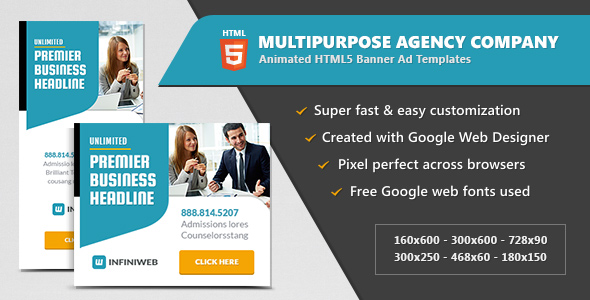
For transportation companies, taxi services, and ride-sharing brands, consistent visual advertising across the web is not just a nice-to-have—it is a critical component of brand recognition and lead generation. The Cab Service | HTML5 Google Banner Ad 01 template pack delivers a complete, professional solution for businesses that need to deploy high-impact display ads quickly. Designed specifically for the Google Display Network, this set provides designers and marketers with a polished, modern aesthetic that aligns perfectly with the fast-paced, service-oriented nature of the transportation industry. Unlike generic banner templates, this package is tailored for the cab and limousine sector, featuring relevant iconography, color schemes, and layout structures that speak directly to potential riders. Whether you are a freelance designer managing multiple clients or an in-house marketing manager for a fleet company, these templates eliminate the heavy lifting of design from scratch while ensuring your ads adhere to Google’s strict HTML5 technical requirements. The result is a streamlined workflow that gets your campaigns live faster, with a consistent look that builds trust across devices and placements.
Key Features
- Included PSD Source Files: This pack provides editable Photoshop (PSD) files for every banner size. This allows advanced designers to tweak backgrounds, swap out photography, or adjust gradients at a pixel level before exporting final assets.
- Seven Standard Google Display Sizes: Covering the entire IAB standard ad unit spectrum—160×600, 300×250, 728×90, 300×600, 468×60, 250×250, and 336×280—ensuring full eligibility for responsive ad placements and traditional fixed slots.
- HTML5 and CSS3 Animations: Built with lightweight, modern animations that capture user attention without slowing down page load times. These effects are CSS3-driven, making them smooth on both desktop and mobile browsers.
- Google Web Designer Compatibility: The templates are authored in Google Web Designer (GWD), the industry-standard tool for building HTML5 display ads. This makes customization straightforward even for teams without deep coding skills.
- Google Web Fonts Integration: Uses web-optimized Google Fonts to ensure typography renders crisply across all operating systems and screen resolutions, eliminating font fallback issues.
- Five Ready-to-Use HTML Templates: You receive five distinct design variants, each fully coded in HTML5. This means you can launch a full A/B testing campaign immediately, rotating creative without needing additional design resources.
Who Is This For? Use Cases
Digital Marketing Agencies Managing Transportation Clients
Agencies handling taxi companies, airport shuttle services, or luxury car services often need to produce dozens of ad creatives per month. This template pack allows account managers to deliver branded, Google-compliant ads in a fraction of the time it takes to code from scratch. The inclusion of multiple sizes means a single design pass yields a full campaign-ready ad set, perfect for retargeting, prospecting, and display remarketing lists.
Independent Ride-Sharing and Limousine Operators
Small and medium-sized fleet owners who run their own Google Ads campaigns often lack dedicated design staff. With these templates, a business owner can swap out their logo, adjust the call-to-action text, and export ads directly from Google Web Designer. This democratizes access to professional-grade advertising that would otherwise cost hundreds of dollars per creative from a freelance designer.
Freelance Web Designers and Digital Creatives
Freelancers who sell banner ad creation services can use this pack as a foundational asset library. Because the PSD files are included, designers can reskin the templates for multiple clients, changing only the brand colors, fonts, and imagery. The HTML5 output ensures delivery of production-ready files that meet Google’s technical certification standards for display ads.
Corporate Marketing Departments for Fleet Services
Larger organizations with in-house marketing teams can use this kit to maintain brand consistency across regional campaigns. The standardized sizing ensures that ads designed for a local promotion in one city can be quickly adapted for another market without re-creating the entire layout from the ground up.
Technical Details & Compatibility
These banner templates are built using HTML5 and CSS3, the current web standards that guarantee smooth rendering across all modern browsers including Chrome, Firefox, Safari, and Edge. The source files are authored in Google Web Designer, a free application provided by Google that allows for easy component editing, event handling, and timeline-based animation. The templates do not require any external JavaScript libraries or heavy frameworks, which keeps file sizes small—critical for meeting Google’s 150KB creative size limit for display ads. The included PSD files are layered and grouped, compatible with Adobe Photoshop CS6 and later versions. All font usage relies on Google Web Fonts, avoiding licensing complications from embedded commercial typefaces. These templates are not tied to any specific CMS platform like WordPress or Joomla; they are standalone HTML5 ad creatives designed specifically for the Google Display Network, though they can also be uploaded to other ad servers such as Ad manager, AdSense, or third-party DSPs that accept standard HTML5 zip uploads.
Pros and Cons
Pros
- Comprehensive size coverage: With seven standard sizes included, this pack covers virtually every common display ad placement on the Google Display Network. You won’t need to purchase a separate pack for skyscraper or leaderboard ads.
- Source files included: Unlike many HTML5 banner packs that only provide the final compiled code, this product includes the editable PSD files. This is a significant advantage for designers who want full control over backgrounds and layer effects.
- Easy customization with Google Web Designer: The tool is free, relatively intuitive for those familiar with timeline-based animation, and offers built-in preview modes. This lowers the barrier to entry for non-developers.
- Lightweight and fast-loading: The templates use minimal code and CSS3 transitions instead of heavy JavaScript animations, ensuring ads load quickly and do not trigger Google’s ad disapprovals for excessive load times.
Cons
- Requires Google Web Designer software: While the tool is free, users who are unfamiliar with GWD may face a learning curve. Directly editing the HTML in a code editor without understanding GWD’s event structure can break the animation timelines.
- Designs are sector-specific: These templates are tailored for the cab service industry. Generic service businesses or non-transportation clients would need significant redesign of the visual elements and iconography to make them fit another niche.
- Limited animation complexity: The CSS3-based animations, while smooth, are relatively straightforward. If you require complex parallax effects or multi-stage interactive elements, you may need to add custom JavaScript, which goes beyond the template’s out-of-box capabilities.
Frequently Asked Questions
Can I edit these banner templates without using Google Web Designer?
While it is technically possible to open the HTML and CSS files in a standard code editor, we strongly recommend using Google Web Designer for any edits. The animation timelines, event triggers, and component bindings are structured within GWD-specific XML metadata. Editing these files manually can break the logic of the animations and may result in ads that fail Google’s certification process. The PSD files can be edited in Photoshop independently, but to produce the final HTML5 output, GWD is the intended tool.
Are these banners compliant with Google’s latest policy requirements for HTML5 ads?
Yes. The templates are built to meet the current Google Display Network technical specifications, including the required clickTag variable for exit tracking, the correct document type declaration, and proper use of the viewport tag for responsive behavior. Because they use Google Web Fonts rather than embedded custom fonts, they also avoid common font licensing issues that can cause policy disapprovals. However, as Google updates its policies periodically, you should always use the preview and validation tools within Google Ads before submitting final creatives.
Do the PSD files match the HTML5 output exactly?
The PSD files serve as the design source and reflect the visual layout of the HTML templates. However, because HTML5 rendering involves live animation and CSS styling, the final browser appearance may differ slightly from the static Photoshop mockup—particularly regarding drop shadows, gradient blending, and animation transitions. The PSD is intended for background asset creation and color palette refinement, while the GWD file controls how those assets are composed and animated in the live ad.
Final Verdict
For any transportation-related business looking to scale their digital advertising without sacricing creative quality, the Cab Service | HTML5 Google Banner Ad 01 pack offers exceptional value. Its thoughtful inclusion of both PSD source files and seven industry-standard ad sizes makes it one of the most practical kits available for Google Display Network campaigns. The templates are built by authors with a proven track record on ThemeForest, and the product has maintained strong sales—a reflection of its reliability and fit for the market. Whether you are running a peak-hour promotion for a ride-hailing app or a seasonal campaign for a luxury airport transfer service, this template set provides the foundational framework to build high-converting ads quickly. Considering the time saved on design and coding, plus the reduced risk of ad policy rejections, this is a smart investment for marketers and agencies alike. For designers who value efficiency and business owners who need results, this banner pack delivers exactly what the transportation advertising niche demands—professional, compliant, and instantly deployable creative assets.