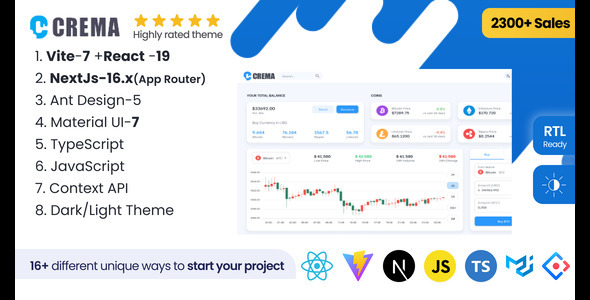
Building a robust, scalable, and visually impressive admin panel is one of the most critical (and time-consuming) tasks in modern web development. Whether you are a freelance developer juggling multiple client projects, a startup founder needing a polished MVP, or a product manager overseeing an enterprise SaaS dashboard, the foundation you choose dictates your speed, flexibility, and long-term maintainability. This is where the Crema – React Admin Template Material Design and Ant Design(Nextjs+CRA+Vite) enters the picture. Developed by the reputable Crema_Work, this isn’t just another set of static UI files; it is a comprehensive, multi-framework solution engineered to accelerate your workflow from day one. With over 2,400 sales on ThemeForest, Crema has established itself as a trusted resource for developers who need a production-ready starting point without sacrificing design quality or technical depth. It bridges the gap between Material Design aesthetics and Ant Design pragmatism, offering a unified codebase that supports Next.js App Router, CRA, and Vite simultaneously.
This article dives deep into the architecture, feature set, and practical applications of the Crema React admin template. We will dissect its core functionalities, examine the use cases it serves best, and provide an honest evaluation of its strengths and potential limitations. By the end, you will have a clear understanding of whether this toolkit deserves a permanent place in your development arsenal.
Key Features
Crema is engineered to be a high-performance, configurable admin template that saves you hundreds of hours of boilerplate coding. It leverages the power of React Hooks alongside a dual state management approach using Redux Toolkit and the Context API, ensuring your application remains fast, predictable, and easy to debug. The template is not just a single file; it is a monorepo of solutions designed to fit your preferred stack.
- Three Modes: Light, Semi-Dark, and Dark: User preference is a priority. The template allows end-users to switch between these visual modes seamlessly, enhancing accessibility and reducing eye strain during extended use.
- Thousands of Color Combinations: Beyond simple dark/light themes, Crema offers a granular theme customization engine. You can dynamically alter the primary color, accent hues, and background shades to match your brand identity perfectly.
- Six Language Translations: Localization is built directly into the core. With support for six languages, you can immediately target international audiences without integrating complex third-party i18n libraries from scratch.
- Full RTL Support: For markets requiring right-to-left script (like Arabic or Hebrew), Crema handles the layout mirroring natively. This is a crucial feature often overlooked in other templates and saves developers significant CSS grid and flexbox troubleshooting.
- Eleven Distinct Layouts: You are not locked into a single navigation structure. From the default vertical sidebar to the Bit Bucket style and Horizontal Dark layouts, you can switch the chrome of your dashboard to suit your specific data density and user interaction models.
- Code Splitting & Reusability: The architecture prioritizes modular components. This ensures that only the necessary JavaScript is loaded for each route, improving initial load times and overall performance metrics.
- Mock API Integration (axios-mock-adapter): Crema uses a fake API creator to fetch data. This is a game-changer for front-end development. You can build and test your entire UI against realistic data structures without waiting for a backend to be ready, then seamlessly switch endpoints to a live server.
Who Is This For? Use Cases
The versatility of the Crema – React Admin Template Material Design and Ant Design(Nextjs+CRA+Vite) makes it applicable across a broad spectrum of industries and project types. It is not a niche product; it is a multi-purpose foundation.
The Full-Stack SaaS Developer
If you are building a SaaS application that requires a complex dashboard for user analytics, subscription management, and internal tools, Crema provides the full suite out of the box. The inclusion of Eleven fully functional Apps—including Email, Chat, Calendar, and File management (Wall App)—means you don’t have to build these standard features from scratch. You can focus your development time on the unique algorithmic logic of your SaaS product while leveraging Crema’s polished UI for the ancillary features that every business needs. The availability of the Next.js App Router versions ensures that your dashboard is SEO-optimized and supports server-side rendering for faster data fetching.
The Enterprise Data Visualization Team
Large corporations often need to display dense, complex data in an understandable format. Crema includes Six distinct dashboards (Analytics, E-Commerce, Health Care, Academic, CRM, and Crypto) which serve as excellent starting points for visualizing KPI metrics. The integration of ReCharts provides a lightweight and highly customizable charting library. Because the template supports TypeScript in several of its configurations, your team can enforce type safety across the entire data flow, reducing runtime errors and making the codebase easier to maintain as new developers join the project.
The Agency & Freelance Developer
Time is money for independent developers. Using the Crema React admin template allows you to spin up a high-quality admin panel for a client in a single afternoon. The presence of multiple starter templates and the flexibility to choose between Context API or Redux Toolkit means you can tailor the solution to the complexity of the client’s state requirements. For a simple CRUD app, the Context API version is lighter and faster to deploy. For a large-scale application with complex global state, the Redux Toolkit version offers powerful debugging tools like time-travel debugging. This adaptability allows you to quote more competitive prices and deliver faster turnarounds without sacrificing quality.
The Product Designer Prototyping
While designers often use tools like Figma or Sketch, having a functional prototype in code is invaluable for user testing. Crema allows designers to create interactive prototypes using Material UI (MUI) components that closely mirror the final product. The “Storybook” integration allows you to develop and test UI components in isolation, creating a living style guide that developers can use to ensure visual consistency.
Technical Details & Compatibility
This template is a technological powerhouse, having been updated consistently since 2020. The current V5.0.0 update (dated November 2025) showcases a commitment to staying current with the bleeding edge of the React ecosystem.
Framework & Build Tools: The template is available for Next.js 16 (supporting both App Router and Page Router), Create React App (CRA), and Vite 7. This trinity of support is rare and incredibly valuable. It allows you to choose the build tool that best suits your deployment environment.
UI Libraries: Crema uniquely offers projects built with Material-UI (MUI v7) and Ant Design (v5). The recent update specifically mentions migrating MUI projects to the latest stable v7 packages including @mui/material, @mui/icons-material, and @mui/x-data-grid. This ensures you are not working with deprecated dependencies.
React Version: The template is fully compatible with React 19. The changelog specifically notes that MUI’s Popper is fully compatible with React 19 in this version, a critical update for developers looking to leverage the latest concurrent features and performance improvements.
Language Support: The codebase is available in both JavaScript and TypeScript. The TypeScript versions provide strict typing, which is essential for large-scale enterprise projects that prioritize code reliability and maintainability.
State Management: As previously mentioned, the template supports both Redux Toolkit and Context API. You can select the specific architecture that matches your team’s expertise and project needs.
Additional Libraries: The template is loaded with essential libraries including React Router (v6), Google Maps, React Calendar, DropZone for file uploads, React Table, and ReCharts. For code quality, it integrates Husky for Git hooks and Prettier for code formatting, ensuring that all developers working on the project adhere to the same style guidelines.
Pros and Cons
To provide a balanced perspective, it is essential to examine the strengths and potential drawbacks of this extensive toolkit.
Pros
- Exceptional Versatility: The sheer number of framework combinations (Next.js, CRA, Vite) and UI libraries (MUI, Ant Design) is unmatched. You can standardize your team on one template for multiple different client projects.
- Rapid Prototyping: With 11 distinct layouts and 11 functional apps (Email, Chat, Calendar, etc.), you can instantly stand up a demo that looks and feels like a real product, which is excellent for investor pitches or internal approvals.
- Active Maintenance: The changelog is extensive, showing updates from 2020 up to late 2025. This indicates that the developer is actively patching bugs and adding features, reducing the risk of your project becoming obsolete due to dependency conflicts.
- RTL & i18n Ready: For global applications, having these features pre-built is a massive time-saver. It is not just a simple translation; the layout adjusts correctly for RTL languages, which requires deep CSS and DOM restructuring.
- Strong Value Proposition: At $29.00, the cost of the template is significantly lower than the hours it would take to build even a fraction of these features. The access to both MUI and Ant Design versions alone justifies the price for agencies that work with clients on different stacks.
Cons
- Complexity for Beginners: The monorepo structure and the sheer number of files and configurations can be overwhelming for a novice React developer. The learning curve is steeper than with a simple “one-page” admin template.
- Potential for Redundancy: Since the template includes so many versions (JavaScript, TypeScript, Context API, Redux, etc.), it can be confusing to know which folder to copy for your specific needs. The documentation is helpful, but the initial setup requires careful attention.
- Heavy Initial Bundle: Despite code splitting, the inclusion of numerous apps and widgets can lead to a large initial download if you do not actively remove the modules you do not need. You must be diligent in pruning the codebase.
- Specific Feature Bloat: If you only need a simple dashboard with two charts, this template is overkill. The extensive feature set is only beneficial if you plan to utilize a significant portion of the available apps and pages.
Frequently Asked Questions
Is the Crema React Admin Template compatible with Next.js App Router and React 19?
Yes. The template has been specifically updated to support the latest versions. As of the V5.0.0 update (November 2025), it includes solutions for Next.js 16 with the App Router and is fully compatible with React 19. The developer has run codemods and updated dependencies to ensure that MUI v7 works seamlessly with the new React architecture, including fixes for the Popper component.
Can I use this template with both Material UI and Ant Design, or do I have to choose one?
You must choose one for your project, but the template provides separate solutions for both. You will find folders or separate projects dedicated to Material-UI (MUI v7) and others dedicated to Ant Design (v5). This allows you to select the UI library that best fits your design language or your team’s familiarity, without having to mix conflicting CSS-in-JS solutions.
Does the template include backend integration or does it only work with mock data?
Crema uses axios-mock-adapter to simulate a backend, allowing you to develop the front-end independently. However, the data fetching logic is structured to make real server integration straightforward. You simply need to replace the mock adapter endpoints with your actual API routes. The changelog also indicates that at various points, the developer provided optional Python, Laravel, and Mongoose backend servers with JWT Auth to help you get started with a full-stack implementation.
Final Verdict
In the crowded marketplace of React admin templates, Crema – React Admin Template Material Design and Ant Design(Nextjs+CRA+Vite) stands out as a heavyweight contender. It is not the cheapest option, nor is it the simplest, but it offers an unmatched level of flexibility and technical depth. With 2,418 sales and a changel