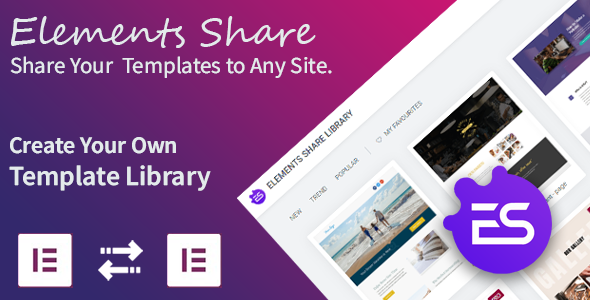
Managing a consistent brand and efficient workflow across multiple WordPress websites is a persistent challenge for agencies, freelancers, and site owners. Recreating the same sections, layouts, or even entire pages from scratch on every new project is a major drain on productivity. You need a system that streamlines your design process without locking you into a restrictive cloud subscription. Elements Share for Elementor offers a robust, self-hosted solution for this exact problem, allowing you to turn your saved Elementor templates into a portable, reusable library that can be deployed effortlessly across your own portfolio or distributed to clients. This plugin functions as a bridge, transforming the way you manage digital creative assets between your server and client installations.
Key Features
This plugin is not about adding new widgets or visual effects; it is a powerful backend utility that enhances the core functionality of Elementor. Its strength lies in its simplicity and the efficiency it brings to template management. Here are the standout capabilities that define Elements Share for Elementor:
- Self-Hosted Template Library: Unlike third-party cloud services, this solution allows you to host your template library on your own server. This is a significant advantage for users who require full control over their data, branding, and accessibility without recurring subscription fees based on storage or usage limits.
- Instant Template Downloads: With a simple connection, you can fetch templates directly from your server to any client or personal site with a single click. This eliminates the manual steps of exporting, compressing, uploading, and importing JSON files through the Elementor interface.
- Full Template Integrity: When you download a template through this system, it maintains the integrity of the design. All widget settings, global colors, typography, and layout structures are preserved accurately, ensuring that the client site looks exactly as you intended.
- Seamless Server-to-Client Connection: The plugin creates a secure bridge between your “Server” site (where the library is stored) and “Client” sites (where the templates are fetched). This specific architecture is designed to make the transfer of digital creative assets both smooth and reliable.
- Simple Setup Workflow: The activation process is straightforward. It works in the background of your WordPress admin, requiring minimal configuration to establish the connection between the host and client installations.
- Lightweight and Efficient: As a utility plugin, it does not overload your site with front-end scripts or styles. This ensures that your server site’s performance remains unaffected, and the client sites only load the necessary data when a template is imported.
Who Is This For? Use Cases
The value proposition of this plugin is clear for anyone who builds multiple websites with Elementor. Instead of searching through your local files for a specific design, you can centralize your entire portfolio. Here are the primary user profiles and scenarios where this tool becomes indispensable.
Agency Owners and Web Designers
For agencies managing multiple client websites, consistency is key to maintaining a high standard of quality and brand recognition. This plugin allows you to create a master library of approved sections—such as hero headers, testimonial sliders, pricing tables, or complete landing pages—that you can push to any new client site immediately. If you have a standard contract or a base design package, you can populate a new website with your core templates in minutes, allowing you to spend more time on custom bespoke elements rather than repetitive tasks.
Freelance Developers and Consultants
Freelancers often work with a variety of clients who require different aesthetics. You can organize your server library by niche—for example, a folder for real estate, one for restaurants, and one for corporate consulting. When you land a new project in one of these niches, you have a foundation ready to go. This plugin effectively acts as a personal design asset manager, ensuring that you never “lose” a great design you created months ago simply because it was buried in a client’s site you no longer have access to.
Template Creators and Digital Product Sellers
Perhaps the most compelling use case for Elements Share for Elementor is for developers who sell design templates or offer them as bonuses. Instead of using a third-party service that takes a cut or requires the buyer to import via a specific system, you can install this plugin on your server. When a customer purchases a template package from you, you can give them a simple URL or connection key. They can then download the templates directly into their Elementor dashboard. This creates a professional, automated delivery experience that simple file downloads cannot match, providing a distinct commercial advantage for distributing digital creative assets.
Technical Details & Compatibility
To ensure your workflow is uninterrupted, it is crucial to understand the technical requirements of this plugin. It is built specifically for the WordPress ecosystem and integrates natively with Elementor’s data structure.
- Core Requirement: You must have Elementor (Free or Pro) installed and activated on both the server (library host) and client (destination) sites.
- WordPress Compatibility: The plugin is designed to function with standard WordPress installations. It follows the coding standards of the WordPress repository, ensuring stability across recent versions of the CMS.
- License Activation: Like all premium CodeCanyon items, you will need a valid license to activate the plugin and receive updates.
- Server Scripts: The plugin relies on standard PHP and WordPress HTTP API functions to communicate between sites. It does not require shell access or complicated cron jobs to function.
- Update Signals: As of the latest log (Version 1.0.0 – February 2020), the plugin is relatively stable and lightweight. It focuses on the core functionality without an overload of redundant features, which often signifies a well-optimized script that runs efficiently in the background.
Pros and Cons
No tool is perfect for every scenario. Examining the strengths and limitations of this plugin provides a balanced perspective, helping you decide if it fits your specific workflow.
Pros
- Cost-Effective: While there is an initial purchase cost, there are no monthly fees or “per-site” charges. Hosting your library on your own server is a one-time investment compared to subscription-based cloud template services.
- Data Ownership: You retain 100% ownership of your templates. They are stored on your server, meaning your portfolio assets are not held hostage by a third-party platform that could shut down or raise prices.
- Client Handoff: It streamlines the client handoff process tremendously. You can build a site locally or on a staging server, then push the core templates to the live domain without file transfer hassle.
- Speed of Delivery: For product sellers, automatic template delivery provides instant gratification to the buyer. They don’t have to wait for an email with a .zip file; they simply connect their site and download.
Cons
- Self-Hosting Required: This is not a cloud solution. You must have a server capable of handling the incoming requests. If you are just a solo blogger with one site, the setup may be overkill compared to simply using Elementor’s built-in save feature.
- Manual Security Setup: You must ensure your server site is secure. If using it for e-commerce or client distribution, you must implement your own authentication layer or access control to prevent unauthorized users from hitting the server URL and downloading your templates.
- No “Cloud” Redundancy: If your server crashes or you forget to renew your hosting, your templates are inaccessible. You lose the convenience of a managed cloud service that offers backup and uptime guarantees.
- Limited Feature Set: It does exactly what it says—saves and shares templates. If you are looking for a tool that also offers template categorization, tagging, or social features, this plugin does not include those extras.
Frequently Asked Questions
Here are answers to common queries users have regarding this specific template sharing mechanism and its compatibility with their existing tools.
Is Elements Share for Elementor compatible with Elementor Pro?
Yes, it is fully compatible with both Elementor Free and Elementor Pro. As long as you have a standard installation of the Elementor page builder, the plugin can access the saved templates folder. If you use Elementor Pro for custom fonts or theme builder templates, those will also be shared as long as they are saved within the standard ‘My Templates’ section of Elementor.
Do I need to install this plugin on both the server and the client site?
Yes, you must have the plugin activated on both ends. The “Server” installation is where you store your library and generate the connection endpoint. The “Client” installation is where you pull the templates from the server. The plugin includes different interface views depending on which role the site is assigned (Server vs. Client), ensuring the workflow is clear and structured.
Does this plugin slow down my website because of the template loading?
No. The process is entirely backend-driven. The client site only makes a request when you explicitly click the “Download” button to fetch a template. Once the template is imported, it is saved as a standard Elementor template on the client site. The plugin does not load scripts or styles on the front end of either the client or the server site, ensuring it does not impact page speed or Core Web Vitals scores.
Final Verdict
In the landscape of WordPress digital creative assets, Elements Share for Elementor carves out a unique and valuable niche. It addresses a significant bottleneck in the design workflow—the transfer and management of templates. While it lacks the flashy UI of modern cloud platforms, it makes up for this with raw utility and the undeniable benefit of server ownership. After examining the update log (Version 1.0.0 – February 2020), it is evident that the plugin tackles the core issue with a stripped-down, focused approach, prioritizing stability over gimmicks. It is a professional utility, not a toy.
If you are a developer selling templates on marketplaces, an agency scaling its operations, or a freelancer juggling multiple clients, this solution offers a measurable return on investment by saving invaluable time and ensuring brand consistency. The fact that you can remove the need for third-party cloud subscriptions while maintaining a professional template delivery system is a substantial advantage. While it requires a bit of technical foresight regarding security, the operational efficiency gained is transformative. If you are ready to take command of your Elementor library and streamline your client onboarding process, this plugin is a worthy addition to your toolkit.

.__large_preview.jpg)