Managing email attachments efficiently is a universal challenge for professionals, IT administrators, and digital hoarders alike. Whether you are trying to archive critical financial documents, consolidate project files from a shared inbox, or simply reclaim control over a decade of correspondence, the process of manually saving each file is tedious and error-prone. Enter the Email Attachment Downloader, a robust utility designed to automate the entire workflow. This application allows you to log in to your email server via IMAP and systematically download every attachment from your chosen folders. Instead of spending hours right-clicking and saving, you can define your parameters in seconds. This tool is built for anyone who values time and data integrity, transforming a monotonous chore into a two-step automated process. In this comprehensive review, we will dissect its features, explore its practical applications, and determine if it is the right investment for your workflow.
Key Features
This plugin is not just a simple script; it is a fully-featured attachment management solution. Its design focuses on reducing friction and providing granular control over the data you extract. Here are the core capabilities that set it apart:
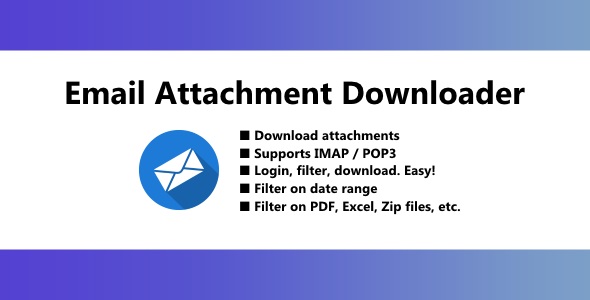
- Universal IMAP Connectivity: The application connects directly to your email server using standard IMAP protocols. This means it is not locked to a single provider like Gmail or Outlook; if your server supports IMAP (which virtually all do), this tool can interface with it seamlessly. This includes web hosts like cPanel, enterprise servers, and hosted exchange solutions.
- Selective Folder Targeting: You are not forced to download everything at once. The interface allows you to select specific folders or labels to scan. Whether you need only the “Invoices” folder or the “Client Correspondence” subfolder, you have absolute control over the source data.
- Advanced Date Range Filtering: Archiving everything from 2010 may not be necessary. You can set precise date range filters to isolate attachments from a specific quarter, fiscal year, or project timeline. This drastically reduces download time and server load.
- File Type Filtering: This is arguably the most valuable feature. You can filter specifically for PDFs, Excel spreadsheets, Word documents, or image files. If you only need to recover all financial spreadsheets from a specific period, you can exclude all other file types, ensuring your download folder is organized and relevant.
- Streamlined Three-Step Process: The user journey is distilled to Login, Filter, Download. There is no complex configuration or scripting required. The interface guides you through each stage, making it accessible even for users with minimal technical background.
Who Is This For? Use Cases
The beauty of this tool lies in its versatility. While it is a niche utility, the application of it spans across multiple industries and personal scenarios.
Financial Controllers and Accountants
Accountants often deal with inboxes that are graveyards of receipts and bank statements. Instead of logging into a webmail client and downloading 50 individual PDFs to prepare a quarterly report, they can use this plugin to log in, filter for PDF files in the “Invoices” folder, and set a date range matching the fiscal quarter. This ensures that no document is missed and that the files are stored locally for audit trails. The ability to filter specifically for Excel spreadsheets is a lifesaver for those who need to analyze raw data exports sent via email.
Legal Professionals and Paralegals
Discovery processes require meticulous documentation. Legal teams spend hours combing through emails to find evidence. This application allows them to download all attachments from specific custodians’ mailboxes or case-related folders. By filtering on file types like DOCX and PDF, they can quickly assemble a document repository. Furthermore, the date range filter helps comply with court orders that specify a narrow time frame for data production. This accelerates the e-discovery process significantly, reducing billable hours spent on menial labor.
IT Administrators and Data Migration Specialists
When migrating users to a new system or creating offsite backups, IT admins need to ensure data is preserved. However, backing up entire mailboxes can be massive. By utilizing the date range and file type filters, admins can create lightweight backups of critical files only. This is also useful for archiving employee exit data without storing unnecessary emails. The application reduces the complexity of server-side backups by offloading the data to a local machine or network drive.
Project Managers and Creative Teams
In collaborative environments, attachments get buried in long email threads. When a project concludes, gathering the final assets (like hi-res logos or approved mockups) is often chaotic. This tool enables the project manager to scan the project folder, filter for ZIP files or image formats, and download the final asset package quickly. It ensures that final deliverables are safely stored outside the email server, protecting against data loss if the company switches email providers.
Technical Details & Compatibility
Understanding the technical underpinnings is crucial for a smooth installation and operation. This plugin is designed with a focus on universal compatibility and ease of deployment, typical of high-quality products found on CodeCanyon.
- Platform: It is built as a web-based application, meaning it runs on your server or localhost via a browser. It is not a mobile app; it functions best in a desktop environment like Chrome, Firefox, or Safari.
- Server Requirements: It requires PHP version 5.6 or higher, making it compatible with the vast majority of shared hosting providers. It is lightweight and does not require a heavy database like MySQL; it likely uses file-based sessions or text storage for configuration.
- Email Protocol Support: It utilizes IMAP, which is the industry standard for remote mailbox access. Ensure that your hosting provider or email service has IMAP enabled. Most modern servers have this active by default.
- Security Layers: The application should support both SSL and TLS connections to ensure secure authentication with your email server. This is critical to avoid sending credentials in plain text.
- Installation: Installation is straightforward—typically upload the files to your server, navigate to the installation directory, and set your permissions. There is no complex build process or dependency on Composer.
Pros and Cons
To provide an honest assessment, we must evaluate the strengths and weaknesses of this utility. No tool is perfect, and understanding the limitations is essential for setting expectations.
Pros
- Massive Time Savings: What takes hours of manual clicking is reduced to minutes of configuration.
- Granular Control: The combination of folder selection, date ranges, and file type filters is incredibly powerful. You are not downloading “everything” but exactly “what you need.”
- No Database Requirements: Since it likely operates on flat files or sessions, there is less vulnerability to SQL injection and less server overhead.
- Provider Agnostic: Works with any IMAP server (Gmail, Outlook, Yahoo, enterprise self-hosted, etc.), giving you flexibility.
- Self-Hosted Security: You are not uploading your emails to a third-party SaaS service. The data goes directly from your email server to your local disk, maintaining strict data privacy.
Cons
- No Scheduled Automation: Based on the description, this appears to be a manual trigger tool. It does not allow you to set a cron-job to automatically download attachments nightly. You must run the process manually.
- Bandwidth Consumption: Downloading large volumes of attachments can consume significant local and server bandwidth. On shared hosting, this might trigger usage limits.
- User Interface Aesthetics: While functional, the UI may feel dated compared to modern SaaS dashboards. It prioritizes function over flashy design.
- Session Timeouts: If you are filtering a massive mailbox with thousands of emails, the IMAP connection might time out if your server has strict execution limits.
Frequently Asked Questions
Is this application compatible with Gmail and Google Workspace?
Yes, it is fully compatible with Gmail and Google Workspace, provided you have enabled IMAP access in your Gmail settings. Additionally, you must generate an App Password if you have two-factor authentication (2FA) enabled on your account. Standard password logins may be blocked by Google for security reasons, but the application itself handles the connection effortlessly once the correct credentials are supplied.
Does the download process preserve the original folder structure?
The application typically downloads files into a local folder you specify on your computer or server. While it does not recreate the server-side folder hierarchy by default, it does name files logically—usually preserving the original filename or adding a prefix indicating the sender or date. This ensures files are flat but easily sortable. Always check the configuration settings to see if you can enable a “Subfolder per email” option if you require higher organization.
Can I filter attachments by size, or only by date and type?
The primary filters are by date range and file type. The description highlights these as the core mechanisms to narrow down your selection. Size filtering is not explicitly mentioned. However, because you can filter by file type (e.g., only images or only PDFs), you can effectively reduce the total data size. For extremely large files, the server connection needs to remain stable during the transfer.
Final Verdict
In a digital ecosystem where data is currency, the ability to extract and archive it efficiently is invaluable. This Email Attachment Downloader excels at solving a very specific pain point that plagues professionals across all sectors. It is a high-utility tool that eliminates the drudgery of manual file saving. The developers have successfully created a reliable tool that prioritizes function and security. By maintaining a self-hosted approach, they ensure that your sensitive data never passes through a third-party intermediary. The author’s reputation on CodeCanyon suggests a commitment to updates and user support, adding long-term value to your purchase.
While the lack of cron-based automation might be a downside for some power users, the manual process is so fast that it negates the need for most. For accountants, lawyers, and IT pros, the return on investment is immediate—you will save hundreds of hours over a year. If you are drowning in a sea of unorganized attachments or preparing for a data migration, stop manually saving files. Purchase this application, set your filters, and let the software do the heavy lifting. It is a small investment for a massive boost in productivity, and a tool you will wonder how you ever lived without.