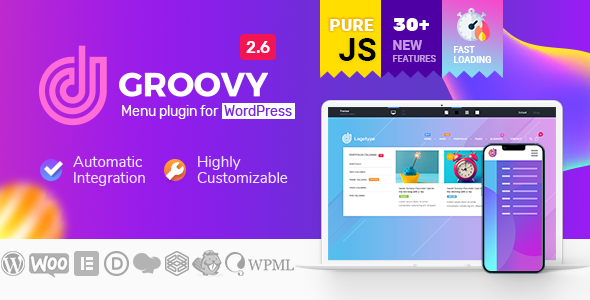
Navigation is the silent workhorse of a successful WordPress website. It determines whether a visitor finds your products in seconds or abandons the page in frustration. For developers, agencies, and site owners who demand more than a basic dropdown, the Groovy Mega Menu – Responsive Mega Menu Plugin for WordPress offers a level of customization that transforms standard navigation into a powerful conversion tool. Created by grooni, the team behind the popular Crane theme, this plugin is designed to replace clunky, theme-locked menus with a flexible system that supports page builders, WooCommerce, and a staggering variety of menu layouts. Whether you run a sprawling eCommerce store or a sleek one-page portfolio, this plugin promises to deliver a navigation experience that feels bespoke.
What sets Groovy Mega Menu apart from the crowded field of navigation plugins is its deep integration with the tools you already use. It is not just a menu; it is a framework that allows you to inject widgets, shortcodes, and custom HTML directly into menu blocks. This means your “Shop” menu item can display a product grid, a promotional banner, and a search bar simultaneously. With over 7,000 sales, the plugin has a proven track record of reliability and performance. This article breaks down the features, compatibility, and real-world use cases to help you decide if this is the right investment for your WordPress ecosystem.
Key Features
The Groovy Mega Menu is packed with features that cater to both novice users and seasoned developers. Here are the most impactful capabilities that make this plugin a standout choice:
- Pre-Made Presets & Header Library: You don’t have to start from scratch. The plugin includes a library of pre-designed menu presets that can be imported with a single click. This is a massive time-saver for agencies managing multiple client sites.
- Unlimited Menu Types: Choose from Horizontal, Vertical, Off-Canvas, Slide, Push, Fullscreen, and Expanding Sidebar menus. This flexibility allows you to match the navigation style to the specific layout of your site, rather than forcing a square peg into a round hole.
- WooCommerce Integration: The plugin includes dedicated options for building WooCommerce mega menus. You can display product categories, featured items, and even an Ajax Cart widget directly in the menu bar. This is critical for reducing friction in the buyer’s journey.
- Page Builder Compatibility: This is a major selling point. Groovy Mega Menu works natively with Elementor, DIVI, WPBakery, Gutenberg, and many others. You can design your menu blocks using the same drag-and-drop interface you use for the rest of your site.
- Sticky & Fixed Header Options: Keep your navigation visible at all times with the sticky menu feature. The plugin handles the complex CSS and JavaScript required for smooth sticky transitions, including the “shrink” effect on scroll.
- Mobile-First Design: The mobile menu is not an afterthought. It supports Hamburger icons, Slide-in drawers, and specific mobile-only settings. You can even disable the desktop menu and show only the mobile version if required.
- Advanced Search Integration: The plugin is “Ajax Search Ready” and compatible with the popular Ajax Search Pro plugin. This allows users to get instant search results without reloading the page.
- Badges & Icons: Add visual cues like “New,” “Hot,” or “Sale” badges to menu items. The plugin supports custom icon fonts and allows you to upload your own icon packs via ZIP files.
- One-Page Navigation: For landing pages and portfolios, the plugin includes anchor link tracking and smooth scrolling functionality to create a seamless single-page experience.
Who Is This For? Use Cases
The versatility of the Groovy Mega Menu makes it suitable for a wide range of projects. It is not a one-trick pony; it adapts to the content strategy of your site.
eCommerce Store Owners (WooCommerce)
For online stores, navigation is directly tied to revenue. A standard dropdown menu forces users to click through multiple pages to find a product. With Groovy Mega Menu, you can create a full-width mega menu that displays product categories with thumbnails, star ratings, and prices in a single hover. The integration of the Ajax Cart allows users to view their basket and even adjust quantities without leaving the page they are on. If you are selling hundreds of SKUs, this feature alone can significantly reduce bounce rates and increase average order value.
Web Design Agencies & Freelancers
If you build websites for clients, you need tools that are fast and reliable. The pre-made presets allow you to deploy a professional-looking header in minutes. The compatibility with DIVI and Elementor means you can hand off the site to a client who can then edit the menu contents using the page builder they are already familiar with. The plugin’s support for custom post types and taxonomies ensures that even complex sites with custom data structures can be navigated easily.
Corporate & Content-Heavy Websites
Large corporations and media outlets often have complex information architecture. They need to present dozens of links without overwhelming the user. The Vertical and Sidebar menu types are perfect for dashboards, knowledge bases, or intranets. The Fullscreen menu type offers a dramatic, immersive experience that is popular for high-end portfolio sites and product launches.
One-Page Portfolio & Landing Pages
For creatives and startups, the One Page menu type is a game-changer. It allows you to create a navigation bar that smoothly scrolls to different sections of the page. The plugin handles the anchor links and scroll speed, ensuring a buttery-smooth user experience that impresses potential clients.
Technical Details & Compatibility
Keeping your WordPress core, plugins, and PHP version up to date is a constant challenge. The developers at grooni have committed to staying current. The latest version, 2.6.4, was released in June 2026 and explicitly states compatibility with WordPress 7.0, WooCommerce 10.x, and PHP 8.x. This is a crucial detail, as many older plugins break with these newer environments.
The plugin is built with performance in mind. The changelog notes that the main frontend JavaScript file has been reduced by more than three times its original size, which helps with Google PageSpeed Insights scores. It also includes options to enable inline critical CSS and disable internal fonts to further optimize load times.
Regarding browser support, the plugin has been tested and fixed for issues on iOS and MacOS in Chrome and Safari, ensuring that your navigation works flawlessly across Apple devices. It also supports RTL (Right-to-Left) languages like Hebrew and handles CJK characters (Chinese, Japanese, Korean) and Unicode without breaking the layout.
For developers, the plugin offers a range of actions and filters, allowing you to inject custom HTML or shortcodes into specific areas of the menu. It also provides a [groovy_menu] shortcode, enabling you to place the menu virtually anywhere in your content.
Pros and Cons
No plugin is perfect for every scenario. Here is a balanced look at the strengths and potential drawbacks of the Groovy Mega Menu.
Pros
- Unmatched Flexibility: The sheer number of menu types (horizontal, vertical, off-canvas, fullscreen) is unrivaled in this price range.
- Page Builder Synergy: The native integration with Elementor and DIVI is seamless. You can create complex menu layouts using the same tools you use for your pages, which reduces the learning curve significantly.
- Performance Focused: The developers have actively optimized the JavaScript and CSS to ensure the plugin does not bloat your site. This is critical for maintaining good SEO rankings.
- Regular Updates: With a changelog spanning several years, it is clear that grooni is committed to long-term maintenance and compatibility with the latest WordPress versions.
- WooCommerce Ready: The Ajax cart and product grid features are essential for modern eCommerce stores.
Cons
- Learning Curve for Advanced Features: While the presets help, diving into the deep customization options (like custom actions and filters) requires some technical knowledge.
- Manual Integration May Be Required: While automatic integration works for most themes, some highly customized or older themes may require manual code insertion to get the menu to appear correctly.
- Not a Standalone Theme: This is a plugin, not a theme. You will still need a solid base theme to build upon.
- Price Point: At $39, it is more expensive than some basic menu plugins, but the feature set justifies the cost for professional use.
Frequently Asked Questions
Is the Groovy Mega Menu plugin compatible with the Elementor page builder?
Yes, absolutely. The Groovy Mega Menu is explicitly compatible with Elementor. You can use the Elementor editor to design the content of your menu blocks, and there is even a dedicated widget for Elementor that allows you to insert the Groovy Menu directly into your header templates. This integration allows you to build complex layouts with images, forms, and product grids inside your navigation.
Can I use this plugin to create a WooCommerce mega menu with a shopping cart?
Yes, the plugin is fully compatible with WooCommerce, including the latest version 10.x. It includes specific settings for displaying an Ajax Woo Cart icon in the menu bar. You can also create fullwidth mega menu blocks that display product categories and featured products. The mini-cart updates dynamically via AJAX, allowing users to add or remove items without a page reload, which enhances the shopping experience.
Does the Groovy Mega Menu work with the Divi theme and Divi Builder?
Yes, the plugin offers deep integration with the Divi ecosystem. It provides a module for the Divi Theme Builder, allowing you to place the menu within your Divi header templates. The developers have specifically fixed style conflicts with Divi and have a roadmap item for a dedicated Groovy module for the Divi Theme Builder. You can create menu blocks using the Divi Builder and assign them to your navigation.
Final Verdict
The Groovy Mega Menu – Responsive Mega Menu Plugin for WordPress is a robust, future-proof solution for anyone who takes website navigation seriously. With over 7,031 sales and a developer like grooni actively maintaining it, you are not just buying a plugin; you are investing in a tool that evolves with the WordPress ecosystem. The compatibility with WordPress 7.0, PHP 8.x, and WooCommerce 10.x ensures that your site will remain stable as you update your core software.
While the $39 price tag is higher than entry-level alternatives, the time you save by using pre-made presets and the potential increase in eCommerce conversions make it a high-ROI purchase. The plugin eliminates the need for custom coding complex navigation structures, allowing you to focus on creating great content and products. If you are tired of fighting with your theme’s limited menu options and need a solution that scales from a simple blog to a complex online store, the Groovy Mega Menu is a compelling choice. Click the button below to download it and take control of your website’s navigation today.