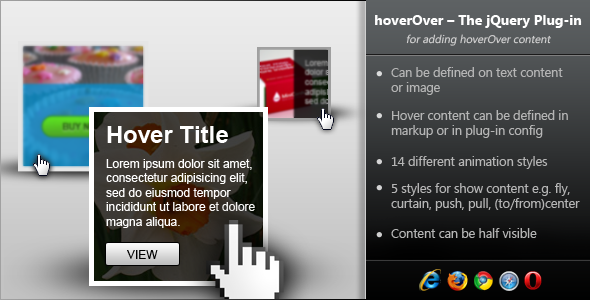
The hoverOver jQuery plugin is a powerful tool for creating interactive hover effects that reveal additional content when users mouse over elements. This lightweight solution works seamlessly with both images and text blocks, making it ideal for e-commerce product displays, portfolio galleries, and informational websites.
Key Applications of hoverOver Plugin
This versatile plugin serves multiple purposes in modern web design:
- Product Information Display: Show pricing, specifications, or quick-view options when hovering over product images
- Portfolio Enhancements: Reveal project details or client testimonials on image hover
- Call-to-Action Prompts: Display buttons or special offers when users engage with content
- Interactive Galleries: Create engaging image collections with hover-activated descriptions
- Navigation Aids: Provide additional context for menu items or links
Comprehensive Feature Breakdown
Content Display Options
The plugin offers flexible content definition methods:
- Direct HTML content insertion via the contentData parameter
- External content referencing using data-content attributes
- Dynamic content loading through AJAX integration
Animation Effects
With 14 distinct animation styles, hoverOver provides:
- Directional Reveals: Slide effects from top, bottom, left, or right
- Creative Transitions: Curtain-style openings and center-focused animations
- Partial Displays: ContentShowHeight parameter for peek-a-boo effects
- Timing Controls: Customizable animation speeds and delays
Implementation Guide
Basic Setup
Getting started with hoverOver requires minimal code:
$('.hover-element').hoverOver({
  animationIn: 'flytop',
  animationOut: 'flybottom',
  contentData: 'Your hover content here',
  contentShowHeight: '50%'
});
Advanced Customization
For more complex implementations:
- Combine multiple animations for layered effects
- Use CSS transitions for smoother movements
- Implement responsive breakpoints for mobile optimization
- Add event triggers beyond standard hover actions
Performance Considerations
To ensure optimal performance:
- Preload hover content for immediate display
- Limit simultaneous animations on mobile devices
- Use hardware-accelerated CSS properties
- Implement lazy loading for image-heavy implementations
Version History and Updates
The plugin has evolved with user feedback:
- v1.0.0 (Dec 2012): Initial release with core functionality
- v1.0.1 (Jan 2013): Added animation timing controls
- v1.1.0 (March 2013): Introduced responsive design support
- v1.2.0 (June 2013): Added touch event support for mobile devices
Best Practices
For optimal user experience:
- Keep hover content concise and relevant
- Ensure hover states are clearly distinguishable
- Provide alternative access methods for touch devices
- Test across browsers for consistent performance
- Use hover effects purposefully to enhance rather than distract
The hoverOver jQuery plugin continues to be a valuable tool for creating engaging, interactive web experiences. Its combination of flexibility, performance, and ease of implementation makes it suitable for projects ranging from simple personal websites to complex e-commerce platforms.