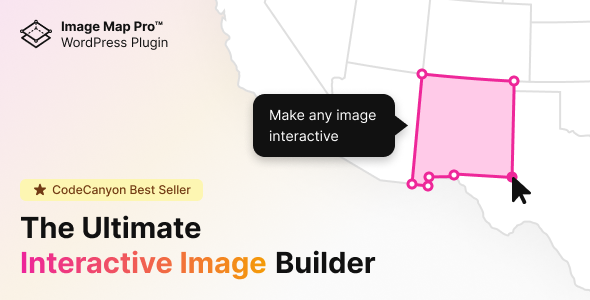
When static images fall short of telling the full story, interactive visuals step in to engage, inform, and convert. For WordPress site owners, marketers, and designers who need to transform ordinary images into clickable, explorable experiences, Image Map Pro for WordPress – Interactive SVG Image Map Builder delivers a powerful solution. Developed by the seasoned creator nickys, this tool has already been purchased over 21,500 times, a testament to its reliability and performance. Whether you are building a real estate floor plan, a product anatomy guide, or a geographical hotspot map, this plugin eliminates the need for coding while offering professional-grade vector shapes, pins, and tooltips. In this review, we will explore why Image Map Pro stands out as a top-tier interactive image builder for WordPress.
Key Features
- Feature-Rich Web App: Unlike simpler plugins that rely on clunky backend editors, Image Map Pro includes its own dedicated web application. This standalone interface is designed for speed and precision, allowing you to draw, annotate, and style your image maps without ever touching code.
- Custom Vector Shapes and Pins: Move beyond basic rectangles and circles. You can create polygon, vector, and freeform shapes that perfectly outline any object in your image. Add custom pins and markers to highlight specific points of interest.
- Interactive Tooltips and Popups: Each hotspot can trigger a tooltip or popup containing text, images, or even embedded content. This turns a simple photo into an interactive presentation that guides users through complex information.
- No Coding Required: The entire building process is visual. Drag, drop, draw, and style everything from a user-friendly interface, making it accessible for beginners while remaining powerful for advanced users.
- Full Style Customization: Every element — from the shape fill color and opacity to the tooltip background and animation — can be customized to match your brand or design aesthetic. You have complete control over the look and feel.
- SVG-Based Scalability: Because the maps are built using SVG (Scalable Vector Graphics), your interactive images remain crisp and sharp on retina displays and at any screen size. This is critical for modern responsive design.
Who Is This For? Use Cases
Image Map Pro is versatile enough to serve a wide range of industries and creative projects. Here are the most common scenarios where this plugin excels.
Real Estate Agents and Property Managers
Create interactive floor plans and property maps. Highlight each room with a custom polygon shape, and link it to a popup containing room dimensions, photos, or virtual tour links. Buyers can click through the property without leaving your website.
E-Learning and Educational Content Creators
Turn diagrams and illustrations into interactive learning tools. For example, label parts of a human anatomy chart, a historical map, or a science diagram. Students can hover over shapes to see definitions, making the learning experience more engaging.
E-Commerce and Product Marketers
Showcase product features with an interactive product anatomy map. Place pins on a product image — like a camera, smartphone, or piece of furniture — and link each pin to a product detail or buy button. This can significantly increase time-on-page and conversion rates.
Travel and Tourism Websites
Build interactive travel maps that highlight attractions, restaurants, and landmarks. Each hotspot can open a popup with a photo, description, and a link to a booking page. This transforms a static map into an immersive travel guide.
Technical Details & Compatibility
Image Map Pro is built exclusively for WordPress and integrates seamlessly with the WordPress block editor (Gutenberg) as well as classic editors. It is compatible with most modern WordPress themes and does not require any additional plugins to function. The plugin supports all major browsers including Chrome, Firefox, Safari, and Edge. It is also fully responsive, meaning your interactive maps will adapt to mobile devices and tablets without breaking. The developer, nickys, has a strong track record of regular updates, ensuring compatibility with the latest WordPress core versions. The plugin is coded using clean, lightweight HTML5 and SVG standards, which helps maintain fast page load speeds.
Pros and Cons
Pros
- Intuitive visual builder — the dedicated web app makes map creation fast and frustration-free.
- No coding skills needed — perfect for designers, marketers, and site owners without technical backgrounds.
- Excellent social proof — over 21,500 sales and a strong rating demonstrate reliability and user satisfaction.
- High scalability — SVG output ensures sharp graphics on all devices, including retina displays.
- Great value at $39 — considering the feature set and the dedicated web app, this is a cost-effective solution compared to hiring a developer.
Cons
- WordPress-only — if you need a non-WordPress solution, this plugin will not work.
- Learning curve for complex shapes — while simple pins are easy, creating precise polygon shapes may require a bit of practice.
- No built-in analytics — the plugin does not track which hotspots users click most, so you would need to integrate Google Analytics manually if you want click data.
Frequently Asked Questions
Is Image Map Pro compatible with the latest version of WordPress?
Yes. The developer nickys regularly updates the plugin to ensure full compatibility with the latest WordPress releases. As of the current version, it works smoothly with both the classic editor and the block editor (Gutenberg).
Can I use Image Map Pro on multiple websites with one license?
No. The standard license on CodeCanyon covers use on a single website. If you need to use the plugin on multiple sites, you will need to purchase a separate license for each installation.
Does this plugin work with page builders like Elementor or WPBakery?
Yes. While Image Map Pro has its own shortcode and block, it can be embedded into any page builder that supports shortcodes or custom HTML blocks. Most popular page builders, including Elementor, Divi, and WPBakery, are fully compatible.
Final Verdict
Image Map Pro for WordPress – Interactive SVG Image Map Builder is a proven, well-crafted tool that solves a real problem: how to make images interactive without writing a single line of code. With over 21,500 sales and a strong reputation from developer nickys, it has already earned the trust of thousands of users. The dedicated web app sets it apart from competitors, offering a smooth and feature-rich editing experience. At just $39, it delivers exceptional value for real estate agents, educators, e-commerce marketers, and travel bloggers alike. If you are ready to turn your static images into engaging, clickable experiences that keep visitors on your site longer and drive better results, Image Map Pro is a smart investment. Click the link below to get your copy and start building your first interactive map today.