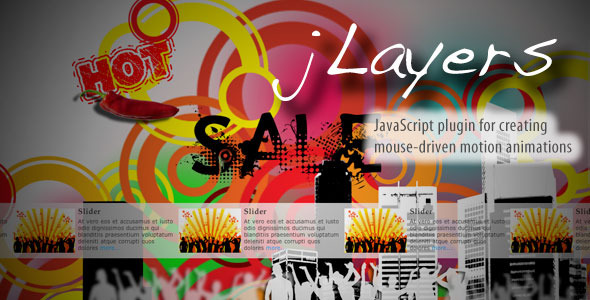
Creating an immersive and interactive user experience is no longer a luxury—it is a baseline expectation for modern websites. Static backgrounds and rigid sliders are quickly becoming obsolete, replaced by dynamic interfaces that respond to user behavior. The jLayers plugin offers a sophisticated solution for developers and designers seeking to add depth and engagement without the overhead of heavy JavaScript frameworks. As a pure JavaScript plugin for creating mouse-driven motion animations, jLayers transforms the way visitors interact with site backgrounds, under construction pages, and sliders. By binding mouse movement to a set of layers, it generates a parallax-like depth effect where each layer receives a unique offset based on the user’s cursor position. This granular control allows for complex, cinematic animations using standard HTML elements—images, text, or even embedded video. Whether you are building a high-conversion landing page or a portfolio that showcases creative work, this plugin provides a lightweight, high-performance tool to captivate your audience.
Key Features
- Pure JavaScript Architecture: jLayers operates entirely on vanilla JavaScript, meaning no dependency on jQuery, React, or other libraries. This results in a smaller file size, faster load times, and seamless integration into any existing codebase.
- Mouse-Driven Offset Control: The core functionality relies on precise tracking of the mouse position within the document. Each layer has its own sensitivity multiplier, enabling a realistic 3D depth effect where distant elements move slower than foreground objects.
- Unlimited Layer Support: You can attach any number of layers to a single instance. Each layer can contain any HTML content—from static images and CSS-styled text to dynamic embedded videos—offering immense creative flexibility.
- Effortless Integration: Setup requires only a minimal amount of code. You can initialize the plugin with a simple call, define your layers via data attributes or a JavaScript object, and let the engine handle the rest.
- Zero External Resources: The plugin does not rely on external CSS frameworks or icon sets. This keeps your project lean and avoids conflicts with your existing stylesheet, making it ideal for performance-critical applications.
- Responsive and Cross-Browser Compatible: jLayers adapts to viewport changes automatically. It functions reliably across modern browsers, including Chrome, Firefox, Safari, and Edge, ensuring a consistent experience for your audience.
- Simple Animation Configuration: You can adjust the speed, direction, and activation boundaries for each layer independently. This allows for nuanced animations, such as a subtle parallax background or a more dramatic, responsive slider.
- Lightweight Footprint: The plugin’s file size is minimal, often under 5KB minified. This ensures it does not bog down page load speeds, a critical factor for both user experience and SEO rankings.
Who Is This For? Use Cases
Web Designers Building Interactive Landing Pages
Designers who need to create a memorable first impression will find jLayers invaluable. Instead of a flat hero image, you can build a multi-layered scene that reacts to the user’s cursor. For example, a product launch page could feature a foreground image of the product, a subtle background gradient, and decorative particles—all moving independently to create a sense of depth and focus on the call-to-action button.
Developers Creating Dynamic Under Construction Pages
A static “Under Construction” page is a missed opportunity for engagement. With jLayers, you can turn a placeholder page into a captivating visual experience. Use a layered animation with a rotating logo, animated text, and a subtle background pattern to keep visitors entertained and reassured that your site is coming soon with professional care.
Marketing Teams for Hero Sliders and Banners
Traditional sliders often feel mechanical. jLayers enables a new generation of interactive sliders where the background and foreground elements respond to mouse movement. This can significantly increase time-on-page metrics, as users instinctively move their cursor to explore the animation, discovering calls-to-action embedded within the layers.
Portfolio and Agency Websites
Creative professionals can use jLayers to showcase their work in a dynamic gallery. Layer a portfolio piece (image or video) above a contextual background that shifts with the mouse. This technique not only looks impressive but also demonstrates technical competency to potential clients who value modern web experiences.
Technical Details & Compatibility
jLayers is a mature, stable plugin available on CodeCanyon. It is built entirely with vanilla JavaScript (ES5/ES6 compatible), ensuring broad compatibility without the need for polyfills in most modern environments. The plugin has been tested across all major browsers—Chrome, Firefox, Safari, Edge, and Opera—on both desktop and mobile platforms. It automatically handles touch events on tablets and smartphones, converting touch position into the layer offset for a seamless mobile experience. The last update indicates ongoing developer support, with bug fixes and performance improvements included. There are no hard dependencies on specific server-side languages or CMS platforms; it integrates cleanly with WordPress, static HTML sites, React, Vue.js, or any other front-end framework. The source code includes well-documented examples, making it straightforward to implement for developers of intermediate skill level or higher.
Pros and Cons
Pros
- Exceptional Performance: Being lightweight and dependency-free, it does not slow down page load times.
- Creative Freedom: Supports any HTML content inside layers, enabling unique visual designs.
- Mobile-Ready: Touch support ensures the interactive experience carries over to mobile devices.
- Easy to Learn: The documentation and code comments are clear, requiring minimal setup time.
- Reliable Support: CodeCanyon authors typically offer responsive support for their paid plugins.
- No Licensing Restrictions: A single purchase grants use on multiple projects, offering excellent value for agencies.
Cons
- Not a WYSIWYG Solution: Requires manual coding or configuration; no drag-and-drop builder is included.
- Limited Animation Types: The plugin is specifically designed for mouse-driven parallax; it does not include timeline animations or scroll-triggered effects.
- Potential Conflict with Heavy Frameworks: While it works well with frameworks, very complex React state management might require additional integration effort.
Frequently Asked Questions
Is jLayers compatible with WordPress and popular page builders like Elementor or WPBakery?
Yes. jLayers is a pure JavaScript plugin and can be integrated into any WordPress site. You can enqueue the script in your theme’s functions.php or use a custom plugin. For page builders, you would typically add a custom HTML or shortcode block where you define your layers. While it is not a native widget, the process is straightforward for developers and adds significant interactive value to your pages.
Does jLayers include ongoing support and updates from the author?
Yes. As a premium CodeCanyon item, jLayers comes with six months of support from the author, with an option to extend. Updates are provided to fix bugs, improve performance, and ensure compatibility with new browser versions. The author’s reputation on the platform is a key indicator of reliability, with a history of maintaining their products.
Can I use jLayers on mobile devices, and does it affect touch gestures?
Absolutely. jLayers includes built-in touch event listeners that convert touch position into layer offsets. It does not interfere with standard touch gestures like scrolling or tapping on buttons. The effect is optimized for mobile to provide a subtle but engaging parallax experience without causing user frustration. You can also configure a fallback that disables the effect on smaller screens if desired.
Final Verdict
jLayers stands out as a focused, high-performance solution for one of the most popular trends in modern web design: mouse-driven parallax animation. Its strength lies in its simplicity and purity—no bloat, no dependencies, just a smooth, responsive depth effect that works across all devices and browsers. With thousands of sales and a strong author reputation on CodeCanyon, it has proven its value in the development community. For designers and developers who want to elevate their projects with an interactive layer effect without the complexity of a full animation library, this plugin is a smart investment. It offers a direct path to creating memorable, engaging interfaces that keep visitors exploring your site longer. If you are ready to transform flat pages into dynamic experiences, downloading jLayers is the next logical step for your toolkit. Purchase it today and add a new dimension to your creative workflow.