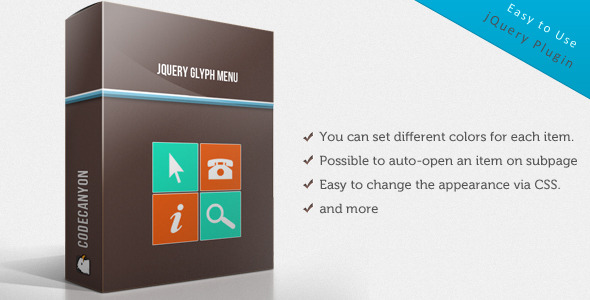
For web developers and designers seeking a flexible, visually engaging navigation solution, the jQuery Glyph Menu offers a sophisticated alternative to standard dropdowns. This script transforms basic site navigation into a dynamic, icon-driven experience that adapts to both horizontal and vertical layouts. Unlike rigid menu plugins that force a specific design, this tool provides granular control over colors, icons, and interaction methods, making it suitable for anything from a main site menu to a compact social media bar. Built on a lightweight jQuery foundation, it prioritizes ease of implementation without sacrificing customization depth—ideal for projects where standard menus feel too plain or cumbersome.
Key Features
- Mouseover and Click Trigger Methods: Choose between hover-based dropdowns for desktop convenience or click-to-open for touch-friendly interfaces, ensuring the menu works seamlessly across devices and user preferences.
- Per-Item Color Customization: Assign unique background, text, and icon colors to individual menu items, enabling visual hierarchies or branded color schemes without editing CSS for each element.
- Global Default Color Styling: Set a uniform color palette for all menu items with a single configuration, then override specific items as needed—saving time while maintaining design flexibility.
- Optional Backgrounds for Icons and Links: Disable backgrounds independently for icon containers or link text areas, creating clean, minimal styles or integrating the menu into existing layouts without visual clutter.
- Automatic Item Expansion on Subpages: Specify a menu item to remain open when a visitor lands on a related subpage, improving user orientation and reducing clicks in content-rich websites.
- Simple Menu Structure via HTML: Build the menu using standard unordered lists, making it straightforward to integrate with content management systems, static sites, or dynamic templates without proprietary markup.
- CSS-Driven Appearance Changes: Modify fonts, spacing, hover effects, and animations through external stylesheets, enabling designers to fine-tune the look without altering the script’s core functionality.
- Glyph Icon Integration: Leverage icon fonts (like Font Awesome or custom glyph sets) to replace or accompany text links, enhancing visual communication and saving space in compact layouts.
- Horizontal and Vertical Orientation: Switch between a traditional top navigation bar and a sidebar or vertical menu with a single configuration option, adapting to different page structures and user flows.
- Responsive Behavior Foundation: While requiring some custom CSS for mobile breakpoints, the menu’s structure supports media queries for tablet and phone adaptations, giving developers control over responsive presentation.
Who Is This For? Use Cases
Freelance Web Designers and Agencies
Agencies building client websites with varied branding requirements can use the jQuery Glyph Menu to create menus that match specific color palettes and icon styles. For a law firm portfolio, you might assign blue accents with legal-themed icons; for a creative agency, vibrant gradients and playful glyphs. The per-item coloring eliminates the need for multiple menu plugins across projects, streamlining your toolkit.
E-commerce Store Owners Using WordPress
Online stores with extensive product categories benefit from auto-opening menu items on category pages. A shopper browsing “Outdoor Gear” automatically sees the dropdown expanded, reducing friction. The mouseover trigger works well for desktop users, while click activation prevents accidental navigation on tablets. The script integrates with WooCommerce themes via standard HTML menus, supporting mega-menu-style layouts with custom CSS.
Developers Building Dashboard or Admin Panels
For backend interfaces or membership sites, the vertical mode combined with glyph icons creates compact navigation panels. Developers can disable link backgrounds for a flat design, use social glyphs for quick access links, and set default colors to match corporate branding. The simple structure allows dynamic generation of menu items from databases or user preferences without complex plugin dependencies.
Portfolio and Personal Branding Sites
Creative professionals can transform their site navigation into a statement piece by mixing icons with custom colors. A photographer might use camera glyphs, a writer might use quill icons, and each menu item could feature a unique gradient background. The CSS override capability lets you animate dropdowns with fade or slide effects, matching the site’s overall visual tone.
Social Media and Link Aggregator Pages
The script supports direct linking to social platforms, making it ideal for creating a compact social media hub. Configure each menu item with platform-specific icons and colors—blue for Facebook, red for YouTube—and disable text labels for a minimalist icon bar. The click trigger works perfectly on mobile devices where hover isn’t practical.
Technical Details & Compatibility
The jQuery Glyph Menu is a client-side script built exclusively with jQuery and standard HTML/CSS. It does not rely on server-side languages, making it compatible with any web hosting environment or content management system that outputs standard HTML lists. The script requires jQuery library version 1.7 or higher, which is included in nearly all modern WordPress installs and common frameworks like Bootstrap or Foundation. Browser support extends to all major evergreen browsers (Chrome, Firefox, Safari, Edge) and Internet Explorer 11, with graceful degradation on older versions where JavaScript is disabled. The menu’s development and updates demonstrate attention to stable, tested code typical of reputable CodeCanyon authors, reducing the risk of breaking changes across WordPress or theme updates. The author provides clear documentation covering both installation and configuration parameters, ensuring developers of intermediate skill can implement it without deep JavaScript knowledge. No special PHP extensions, database tables, or API keys are required, simplifying deployment to both new and legacy sites.
Pros and Cons
Pros
- Extensive Customization Without Code: Configure colors, triggers, icon backgrounds, and open states through script options rather than editing core files, making updates safe and fast.
- Lightweight Performance: The script avoids heavy frameworks or extraneous libraries, loading quickly even on budget hosting and contributing to good Core Web Vitals scores.
- Dual Orientation Flexibility: Supporting both horizontal bars and vertical sidebars in one script reduces the need for separate plugins or custom code for different sections of the same site.
- Developer-Friendly Markup: Because the menu uses simple unordered lists, developers can integrate it with WordPress nav menus, static site generators, or JavaScript frameworks without data conversion.
- Clean Separation of Concerns: CSS handles all visual styling, so designers can modify the menu’s appearance without touching the JavaScript, maintaining compatibility with future script updates.
Cons
- No Built-In Responsive Breakpoint System: The script does not automatically collapse to a hamburger menu on mobile. Developers must implement their own CSS media queries or integrate a separate mobile menu solution for small screens.
- Reliance on jQuery: While jQuery remains widespread, sites already using modern vanilla JavaScript may view this as an extra dependency. However, the trade-off is simpler code for the features offered.
- Limited Animation Control via Options: Dropdown animations are basic (show/hide). Advanced effects like sliders or staggered reveals require custom CSS transitions, which may be beyond beginner skill levels.
- Manual Social Media Creation: The script does not auto-generate social icons or fetch profiles. Using it for social media bars requires manually creating links and configuring icons, which adds setup time for large link sets.
Frequently Asked Questions
Is the jQuery Glyph Menu compatible with the latest WordPress and block editor themes?
Yes, the menu works with any WordPress version that uses standard HTML list-based navigation menus, including modern block themes like Twenty Twenty-Four. You can assign the menu via Appearance > Menus, then call it using wp_nav_menu() in your theme template. The script processes the HTML output without interfering with WordPress block editor elements. For full-block themes using the Site Editor, you may need to insert a custom HTML block that contains the menu markup along with the script initialization, but no plugin conflicts have been reported from user feedback.
Can I use Font Awesome or custom SVGs as glyph icons instead of the default set?
Absolutely. The script uses standard HTML link text, so you can insert any icon font class (like ) within the anchor tag. For Font Awesome, simply enqueue the Font Awesome stylesheet in your theme header or footer, then include the appropriate icon element inside your menu item
Does the script include technical support and updates after purchase?
Yes, CodeCanyon items from established authors like Łukasz Czerwiński typically include six months of support from the purchase date, extendable for a small fee. Support covers bug fixes, installation guidance, and configuration questions within reasonable scope. Updates are provided free of charge to address compatibility issues with newer jQuery versions or browser releases. The author’s active presence on the platform and code repository suggests reliable long-term maintenance, as evidenced by follow-up comments and bug resolution history visible on the item page.
Final Verdict
The jQuery Glyph Menu stands out as a practical, well-coded solution for web professionals who need a customizable dropdown menu without the bloat of full-featured navigation plugins. Its strength lies in the balance between simplicity—using standard HTML lists you already know—and powerful per-item styling that lets you create visually distinct menus for different sections of your site. The inclusion of both mouseover and click triggers, combined with auto-open capability on subpages, addresses real-world user experience challenges that generic menu tools overlook. The author’s commitment to clean code and responsive support reinforces the product’s reliability for production environments ranging from personal portfolios to client projects. For approximately the cost of a single hour of development time, you gain a script that eliminates repetitive CSS hacks and JavaScript debugging for navigation tasks. Whether you are building a social media icon bar, a color-coded category menu, or a simple horizontal navigation for a business site, this menu provides a solid foundation that you can extend with your own CSS creativity. Visit the product page on CodeCanyon to explore the live demo, review the documentation, and download the script to see how it can streamline your next project’s navigation layer. The investment in a tested, well-supported script saves hours of custom development and delivers a polished result for your users.