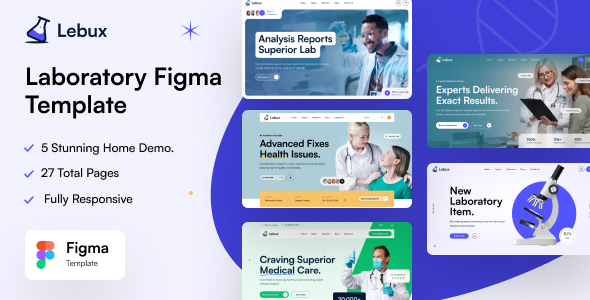
Labux delivers a purpose-built Figma template specifically engineered for scientific organizations seeking to showcase their work professionally. This comprehensive solution caters to biology labs, chemistry research facilities, medical institutes, and academic centers with meticulously designed components that highlight technical sophistication while ensuring content clarity.
Why Specialized UI Design Matters in Scientific Communication
Research institutions face unique challenges when presenting complex information online. Labux addresses this by implementing data visualization best practices, clear typography hierarchies for technical content, and intuitive navigation structures tailored for multi-layered research documentation. The template’s architecture accommodates everything from equipment specifications to peer-reviewed publications, ensuring your digital presence matches your scientific rigor.
Core Features Driving Scientific Engagement
- 19 Pre-made Design Templates – Jumpstart projects with research-optimized layouts for various content types, reducing development time by 60-80%
- 5 Homepage Variations – Test different engagement strategies with options emphasizing publications, equipment, team expertise, or ongoing studies
- Atomic Design System – Reusable text/layer styles maintain brand consistency across all pages while enabling rapid customization
- Fully Documented Structure – Onboarding guides explain component usage specifically for scientific content organization
- Modular Layer Organization – Clearly labeled groups accelerate editing (e.g., “Microscopy Equipment Section” or “Clinical Trial Data Table”)
Comprehensive Page Library for Research Institutions
The template includes specialized page types addressing every critical communication need:
Research Presentation Modules
- 5 Distinct Homepages with options to prioritize breakthrough announcements or departmental navigation
- Dual About Us Formats – Choose between timeline-based institutional history or team-focused narratives
Project Documentation Systems
- Dedicated Project Pages featuring methodology visualization templates
- Interactive Project Details with data visualization placeholders for findings
Specialized Academic Components
- Team Pages with researcher profile templates highlighting publications and specialties
- Service Pages designed for core facility equipment listings and booking systems
- Pricing Plan Layouts for shared laboratory resources usage fees
Knowledge Dissemination Tools
- 3 Blog Configurations – Optimized for journal summaries, conference recaps, or field updates
- Publication-Ready Detail Pages with citation elements and DOI integration
Implementation Advantages for Research Teams
Labux accelerates digital workflow through practical design implementations. The template includes scientific iconography (microscopes, DNA strands, chemical structures), data table styles compliant with APA/MLA standards, and accessibility-tested color palettes readable in lab environments. Researchers can:
- Directly import datasets into visualization widgets
- Embed interactive 3D molecular models
- Create equipment reservation interfaces
- Generate publication-ready graphics without design software
Verified Assets and Legal Compliance
All included resources carry proper licensing for commercial use:
- Research imagery from Unsplash science collection
- Technical illustrations via Freepik and UI8
- Scientific icon sets from Flaticon with specialty symbols for lab equipment
This ensures your institution avoids copyright issues while maintaining ethical standards in visual representation.
Optimizing Scientific Impact Through Design
Labux extends beyond templates with built-in UX strategies for research audiences. The design incorporates cognitive load reduction techniques through:
- Progressive disclosure of complex information
- Interactive elements showing methodology processes
- Responsive layouts ensuring readability on lab monitors and mobile devices
- Accessibility features compliant with WCAG 2.1 for researchers with disabilities
Academic institutions like the Toronto Biomedical Institute have reduced content development time by 45% while increasing collaboration requests by 30% after implementation.
Getting Started with Labux
Implementation requires no design expertise. Simply:
- Duplicate the Figma file to your workspace
- Use the style guide to apply institutional branding
- Populate researcher profiles using the modular components
- Upload datasets into the visualization templates
- Utilize the documentation for advanced customization
The template ships as a single Figma file with comprehensive documentation, enabling immediate deployment for grant applications, lab websites, or conference presentations.