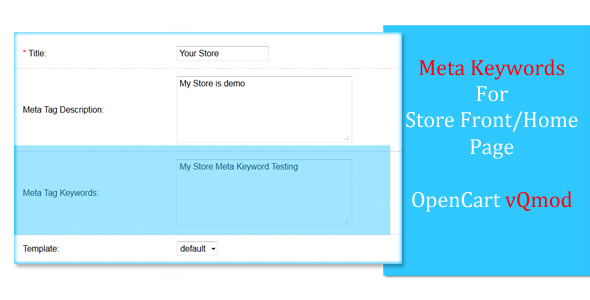
OpenCart’s default setup includes meta description functionality for store home pages, but surprisingly lacks built-in support for meta keywords on the front page. This gap in SEO capabilities can limit your store’s visibility in search engine results, especially when targeting specific product categories or industry terms.
Why Meta Keywords Matter for Your OpenCart Store
While search engines have evolved beyond relying solely on meta keywords, these tags still play several important roles:
- Search engine signals: Keywords help search bots understand your page’s primary focus
- Internal organization: Provides clear categorization for your CMS
- Competitive edge: Many competitors still optimize these elements
- Long-tail targeting: Enables optimization for specific product phrases
How the vQmod Extension Enhances Your OpenCart SEO
This lightweight plugin seamlessly adds meta keyword functionality to your store’s homepage through vQmod’s XML modification system. Unlike core file edits that get overwritten during updates, this solution maintains compatibility across OpenCart versions while preserving your customizations.
Key Technical Benefits
- Non-destructive installation that won’t affect core files
- Automatic integration with OpenCart’s admin interface
- Preserves existing SEO settings while adding new functionality
- Works alongside other vQmod extensions without conflicts
Installation and Setup Guide
Implementing this solution requires just a few simple steps:
- Ensure vQmod is properly installed on your OpenCart store
- Upload the XML file to your vqmod/xml directory
- Clear your vQmod cache (if enabled)
- Refresh your modification cache in OpenCart admin
The extension automatically adds a new meta keywords field to your store’s admin panel under System > Settings > Edit Store > Server. No additional configuration is required.
Best Practices for Homepage Meta Keywords
To maximize the impact of your new meta keyword capability:
- Focus on relevance: Choose 5-10 terms that truly represent your store’s focus
- Include location modifiers: For local businesses (e.g., “Chicago furniture store”)
- Mix broad and specific: Combine general categories with niche products
- Avoid repetition: Don’t stuff the same keyword multiple times
- Update seasonally: Rotate keywords for holidays or sales events
Compatibility and Version Support
The extension has been thoroughly tested across multiple OpenCart versions:
| OpenCart Version | Compatibility |
|---|---|
| 1.5.5.x | Full support |
| 1.5.6.x | Full support |
| 2.0+ | Full support |
For stores running older versions, we recommend upgrading to at least OpenCart 1.5.5 before installation to ensure optimal performance and security.
Troubleshooting Common Issues
If you encounter problems after installation:
- Keywords not appearing: Clear all caches (vQmod, OpenCart, browser)
- Admin field missing: Verify proper file permissions on the XML file
- Conflicts with other mods: Check vQmod logs for processing errors
- Blank page after install: Temporarily disable other vQmods to isolate the issue
Most issues can be resolved by re-uploading the XML file and clearing all relevant caches. The lightweight nature of this modification means it rarely causes system conflicts when properly installed.
Advanced Implementation Tips
For power users looking to maximize this extension’s potential:
- Combine with OpenCart’s multi-store feature to create location-specific keyword sets
- Use language-specific keywords for multilingual stores
- Integrate with your Google Search Console data to identify high-potential keywords
- Schedule keyword updates to coincide with inventory changes or marketing campaigns
Remember that while meta keywords contribute to your SEO strategy, they work best when combined with quality content, proper site structure, and backlink building. This extension provides one important piece of the complete search visibility puzzle for your OpenCart store.