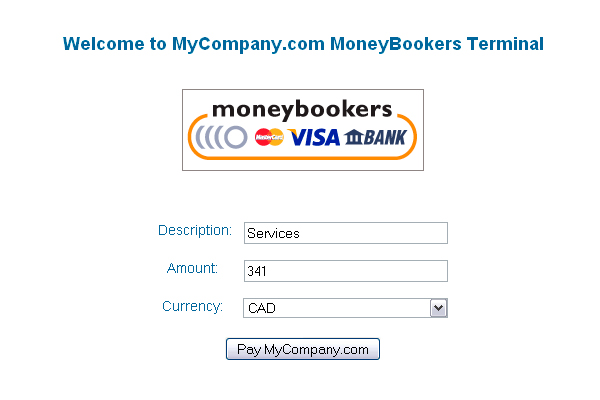
Fast & Simple Moneybookers Payment Terminal
Give your clients a friction‑free checkout experience with our lightweight Moneybookers terminal. It’s built for speed, security and ease of use, so you can start accepting payments in moments.
- Instant setup—just edit a single configuration file and you’re ready to service.
- Zero‑code installation that works out of the box on any server.
- Compatible with WordPress, allowing you to embed the terminal directly into any page or post.
- Supports single‑item selling or a full “terminal” style checkout.
Why Choose This Terminal Over Others?
Our script follows the same proven design as the popular PayPal payment terminal (see http://themeforest.net/item/paypal-payment-terminal/47404) but is tailored for Moneybookers. This means you can apply the same easy tutorials and best practices from the PayPal version straight to this product.
- Consistent user experience across multiple payment platforms.
- Same robust security features without the need for additional plugins.
- Extensive documentation and step‑by‑step guides, including the tutorial library at http://www.rxnk.com/scripts/paypal/tutorials.html.
Getting Started & Integration Tips
Installing and integrating the terminal is a breeze:
- Download the package and extract it to your webroot.
- Open the configuration file, enter your Moneybookers merchant ID and API credentials.
- Insert the simple shortcode [moneybookers_terminal] into your WordPress page or embed the script directly.
- Activate and test the checkout flow to ensure payments are processed correctly.
Dedicated Support & Community
All product support is available exclusively through our online support forum. If you’ve purchased the terminal and need help, please visit the forum rather than posting questions in the item comments. The forum is your go‑to resource for installation, customization, and troubleshooting.
- Fast response times from experienced support staff.
- Extensive FAQs and user discussions to assist you.
- Guided solutions for common setup questions.