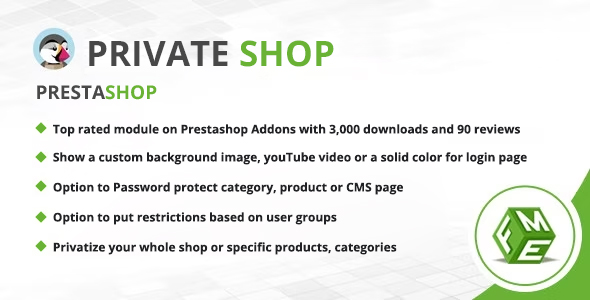
Prestashop Private Shop Plugins are modules that turn a public storefront into a gated one, requiring visitors to register or log in before they can see products, categories or entire sections of a PrestaShop site. This particular module, sold on ThemeForest for $79 and developed by FmeModules, applies restrictions at product, category, CMS page and whole-shop level, and adds registration approval controls and a customisable login screen on top. It is aimed at B2B wholesalers, trade-only sellers and any merchant who needs to keep pricing and catalogue detail away from the general public.
What the Module Actually Does: Gating, Registration Control and a Branded Login Screen
The core mechanism is selective visibility. Rather than a single on/off switch, the module lets an administrator privatise the whole catalogue, individual products, chosen categories, specific CMS pages, or any combination of these. That granularity matters in practice: a wholesaler can leave a public landing page and contact form visible for search engines while hiding the entire product range behind authentication, or expose a small retail-friendly subset while keeping trade lines private.
Registration is handled with more care than most gating plugins manage. New signups can be switched off entirely, left open, or held for manual approval from the back office. When auto-approval is disabled, the administrator receives an email on each request and the customer receives a second email once the account is activated. A custom message can be shown to applicants explaining that their account is pending. For trade sellers who need to vet applicants before revealing wholesale pricing, this removes the need for a second module or a manual workaround.
The login and signup screen is treated as a design surface rather than an afterthought. Administrators can set separate titles for login and registration, position the form left, right or centre, choose a background image or flat colour, adjust the opacity of the form block, and add a YouTube video as the backdrop. A custom logo can be applied to the private area, and the store title can be shown or hidden. Two form themes are offered: a modern layout supplied by the developer, or one that inherits styling from the active theme. Titles are translatable, so multi-language stores can present the gate in each language.
Access can also be granted by IP address, which is useful for allowing internal staff, a buying office or a partner organisation through the gate without issuing accounts. Customer group restrictions extend this further, so different tiers of registered customer can see different parts of the catalogue. Beyond products and categories, the module accepts a list of custom URLs to protect, covering pages the standard product and CMS controls would miss.
Two further details are worth noting. The module includes a switch governing whether Google is allowed to index the private shop and surface it in search results — a genuine SEO consideration, since a fully gated store otherwise risks losing its search presence entirely. And the signup form can be trimmed on PrestaShop 1.7 by hiding the newsletter opt-in, partner offers, birthdate and gender fields, which shortens the form for trade applicants who find those fields irrelevant.
Where a Private PrestaShop Store Fits, and Where It Does Not
The clearest fit is a B2B or wholesale operation. A distributor that sells only to verified trade accounts needs exactly this pattern: a public-facing shop that establishes legitimacy, a registration step that collects applicant details, manual approval before any pricing is revealed, and a catalogue that stays invisible to competitors and casual browsers. The customer group restrictions and IP allowlist support this scenario well.
A second fit is the manufacturer or brand running a dealer portal, where approved resellers log in to see trade pricing, order stock and access protected CMS pages containing marketing assets or technical documentation. The custom URL restriction is particularly relevant here, because dealer resources rarely live in the standard product or category structure.
A third, narrower fit is any store launching a members-only or early-access range. Hiding a category behind login while leaving the rest of the shop public is a single setting, and the branded login screen keeps the experience coherent with the rest of the site.
Where the module is the wrong choice is equally clear. A consumer retailer whose entire business model depends on organic search traffic and impulse discovery should not gate its catalogue — the SEO toggle mitigates the indexing problem but cannot replace the conversion value of visible products and prices. Similarly, a store that only needs to protect a handful of pages with a shared password is overbuying; a simple password-protection plugin or the CMS’s own access settings would do the job for far less. And merchants running very old PrestaShop versions should confirm compatibility with the developer before purchase, since the listing does not state a supported version range.
Strengths and Limitations of This Private Shop Module
Strengths
- Restriction granularity covers whole shop, products, categories, CMS pages, custom URLs and customer groups in one module, avoiding a stack of separate plugins.
- Manual registration approval with paired notification emails to administrator and customer is built in, which is the feature most competing gating plugins leave out.
- The login screen is genuinely customisable — background image or video, form position, opacity, logo and two theme options — so the gate does not look like a bolted-on afterthought.
- An SEO switch lets the store remain indexable while gated, addressing the biggest commercial risk of a private shop.
- Signup form field suppression on PrestaShop 1.7 shortens the registration flow for trade applicants.
- The developer, FmeModules, states it is an official PrestaShop partner with more than 140 modules released, which is a reasonable indicator of ongoing maintenance.
Limitations
- Several listed features — hiding newsletter signup, partner offers, birthdate and gender fields — are explicitly marked as PrestaShop 1.7 only, so stores on other versions get a reduced feature set for the same price.
- The listing gives no supported PrestaShop version range, no changelog and no documented update history, which makes it hard to judge long-term compatibility with future PrestaShop releases.
- At $79 the module is priced above many general-purpose content-restriction plugins, and the premium is justified mainly by the registration approval workflow and login design controls; a store that needs neither is paying for unused capability.
- No sales figures or customer rating are disclosed on the ThemeForest listing, so there is no public purchase history to weigh as evidence of reliability.
- Background video depends on a YouTube connection, and the listing notes a temporary image is shown until the video connects — a detail that implies a visible loading state on slower connections.
How It Compares With the Wider Category of Shop-Gating Extensions
Alternatives in this space fall into three broad groups. General-purpose content restriction plugins — the kind built for membership sites and blogs — typically offer page- and post-level gating with role-based rules, but they are rarely aware of PrestaShop’s product, category and customer group structures. Making them hide a product grid usually means template edits or shortcodes, and registration approval is often a separate add-on. This module’s advantage is native integration: restrictions are configured against PrestaShop objects directly, with no theme modification.
The second group is dedicated B2B or wholesale modules, which often bundle tiered pricing, minimum order quantities and quote requests alongside gating. Those are broader tools, and a merchant who needs trade pricing tables will likely find them a better fit than a pure visibility module. The third group is the simplest: password protection plugins and PrestaShop’s own catalogue mode, which hide prices or the whole storefront but offer no registration workflow, no approval step and no branded login experience.
Positioned against all three, this module sits in the middle: more PrestaShop-aware than generic restriction plugins, narrower than full B2B suites, and considerably more capable than a password gate. The deciding factor is whether the registration approval workflow and the customisable login screen are central to the project. If they are, the fit is strong; if the requirement is simply to hide prices from guests, a lighter option will do.
Frequently Asked Questions
Can a PrestaShop store hide products from visitors without hiding the whole site?
Yes. The module supports restriction at product, category and CMS page level as well as whole-shop gating, so a merchant can keep a public homepage and selected ranges visible while hiding specific items or entire categories behind login. Custom URLs can also be added to the restricted list.
Does a private PrestaShop shop still get indexed by Google?
It can, if the administrator enables the indexing option. The module includes a setting that controls whether Google is permitted to index the private shop and show it in search results. Leaving it on preserves search visibility for the gated pages; turning it off keeps the store out of search entirely.
Can new customer registrations be approved manually?
Yes. Auto-approval can be switched off, in which case each new registration is held in the back office for review. The administrator receives an email when a request arrives, the applicant sees a custom pending message, and a second email is sent once the account is activated. Signups can also be disabled altogether.
Is this module suitable for a B2B wholesale store?
It is designed with that use case in mind. Manual registration approval, customer group restrictions, IP allowlisting and catalogue-level gating all support a trade-only model where pricing should only be visible to vetted accounts. Stores that also need tiered pricing tables or quote requests should check whether a fuller B2B suite is a better match.
Verdict: Who Should Buy These Prestashop Private Shop Plugins
This module is a sound purchase for wholesalers, distributors and brand-owned dealer portals that need to vet registrations before revealing a catalogue, and for any merchant who wants the login screen to look like part of the brand rather than a default form. The combination of manual approval, customer group restrictions, custom URL protection and an SEO toggle covers the practical requirements of a gated PrestaShop store in one purchase. It is a poor fit for consumer retailers who rely on search-driven discovery, and unnecessary for stores that only need a simple password on a few pages. Buyers should also confirm PrestaShop version compatibility directly with FmeModules, since the listing does not state it, and should expect the PrestaShop 1.7-specific signup field options to be unavailable on other versions.