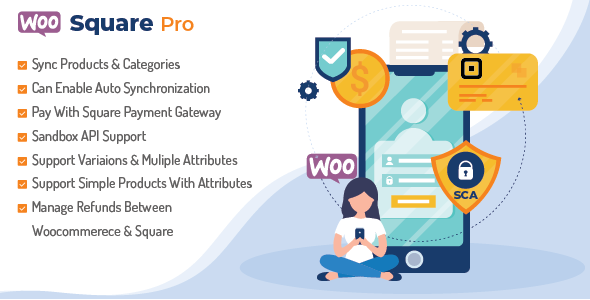
Synchronize Square and WooCommerce Ecommerce is a premium WordPress plugin, sold on ThemeForest for $299, that connects a WooCommerce store to a Square account so payments, products, orders and inventory stay aligned across both systems. It is built for retailers who sell online and in person and want one stock count rather than two, and for developers who need a Square gateway plus two-way data synchronisation in a single package. The plugin is developed by WpExpertsio, which markets it under the WooSquare Pro name.
What Synchronize Square and WooCommerce Ecommerce Actually Does
The core of the product is bidirectional synchronisation. Product data — price, quantity, SKU, categories, images and variations — can be pushed from WooCommerce to Square or pulled from Square into WooCommerce, and the plugin supports automatic syncing as well as a “sync on edit” mode that triggers an update the moment a product’s properties change. For a shop that sells the same physical stock through a website and a counter terminal, that removes the manual reconciliation work that otherwise eats time every morning.
On the payment side, the plugin adds Square as a checkout option on the WooCommerce checkout page. Customers can pay by card, and the integration also supports Google Pay and Apple Pay through Square, which matters for mobile conversion on stores that sell to consumers. Orders placed this way are recorded in WooCommerce and mirrored in Square, so the transaction history exists in both places rather than only in the terminal.
Refunds are handled inside the plugin rather than requiring a trip to the Square dashboard. That is a smaller feature on paper but a meaningful one in practice, because refund handling is where most gateway integrations force merchants back into a second interface.
For developers, two features stand out. The first is Sandbox API support for the Square v2 API, which allows transaction requests to be tested before a live store is switched on. The second is one-click Square authorisation, which connects the Square application to the plugin without hand-copying credentials. The plugin is also stated to be PCI compliant and is tested against Chrome, Firefox, Opera and Safari. CartFlows support is included for stores running one-click sales funnels.
Where This Square and WooCommerce Integration Fits — and Where It Does Not
The clearest fit is a small retail or hospitality business running WooCommerce as its online storefront and a Square reader or terminal at a physical location. Stock is the shared resource, and the plugin’s job is to keep the two channels from selling the same unit twice. A second fit is a WooCommerce store that simply wants Square as an additional payment method alongside an existing gateway, with the synchronisation features available later if the business opens a physical counter.
Agencies building client stores will find the Sandbox support and the one-click authorisation useful during staging, since payment integrations are usually the last thing to be tested and the most awkward to hand over. Freelancers who already work with WooCommerce and Square will recognise the problem this solves immediately.
There are situations where this is the wrong purchase. A store that only needs Square as a payment gateway — with no interest in inventory or order syncing — is paying for a large feature set it will never switch on, and the vendor itself points buyers toward a separate, lighter gateway plugin for that case. Multi-site WordPress installations are explicitly unsupported, so a network of stores cannot use one licence across the network. And any merchant whose Square catalogue runs past roughly 900 items should treat the plugin as unsuitable, because the vendor states it is not compatible beyond that volume.
Strengths and Limitations of WooSquare Pro
Strengths
- Two-way synchronisation of products, variations, categories, images, SKUs and prices, with automatic and on-edit modes rather than manual-only syncing.
- Square payments at WooCommerce checkout, including Google Pay and Apple Pay, so mobile buyers are not pushed to a separate payment flow.
- Refund management inside WordPress, which keeps routine post-sale admin in one place.
- Sandbox API support for the Square v2 API, giving developers a safe staging path before going live.
- One-click Square authorisation, which reduces the setup friction that usually accompanies OAuth-based integrations.
- CartFlows compatibility for stores running funnel-based checkout flows.
- Documented demo videos covering payment, product sync and attribute sync in both directions for simple and variable products.
Limitations
- Every product must carry an SKU. Stores with loosely maintained catalogues will need to clean their data before the plugin will work smoothly, and that is unpaid setup work.
- Deletion is destructive in both directions. Removing a product or category from WooCommerce permanently removes it from Square as well, so the vendor’s own advice to back up before syncing is not optional caution — it is a real operational risk.
- Tax calculation is not supported when orders are synchronised from Square into WooCommerce, which is a genuine accounting gap for merchants in tax-handling jurisdictions.
- No WordPress multi-site support, which rules out agencies managing a network from one installation.
- A stated ceiling of around 900 items in Square. Larger catalogues fall outside the supported range.
- Product descriptions cannot contain HTML attributes, and attribute names must be lowercase with no spaces — both are constraints on how the catalogue must be structured.
- Square card payment API coverage is limited to the US, Canada, UK, Australia and Japan, so merchants elsewhere cannot use the payment side regardless of the sync features.
- An SSL certificate is mandatory, and the required stack (WordPress 4.4+, WooCommerce 2.6.0+, PHP 5.5+) is dated, which suggests the plugin has been maintained against older baselines.
- No sales figures or user ratings are disclosed on the listing, so there is no independent track record to weigh.
How This Compares With Other Square–WooCommerce Options
The category splits roughly into two groups. On one side are free or low-cost gateway plugins that add Square as a payment method and stop there. On the other are full integration suites that treat Square as a second inventory system and try to keep both databases identical. Synchronize Square and WooCommerce Ecommerce sits firmly in the second group, and its $299 price reflects that positioning.
The trade-off is straightforward. A gateway-only plugin is cheaper, lighter and easier to support, but it leaves stock reconciliation to the merchant. A full sync suite removes that labour but introduces new failure modes: destructive deletions, SKU requirements, catalogue size limits and tax gaps. Buyers should decide which of those two problems they would rather have, because neither approach eliminates both.
Within the full-sync group, the differentiators worth checking are the direction of sync (some tools only push one way), whether variations and attributes are covered, whether refunds are handled in WordPress, and whether a sandbox exists for testing. This plugin covers all four, which is a reasonable feature profile for the price. What it does not offer is a track record: with no disclosed sales or ratings, buyers are relying on the documentation and demo videos rather than on other merchants’ experience.
Frequently Asked Questions
Does Synchronize Square and WooCommerce Ecommerce work in my country?
It depends on which half of the plugin is needed. Square card payment API support is limited to the US, Canada, UK, Australia and Japan, and Square itself operates in a similar list of countries. Merchants outside those markets cannot use the payment gateway, and the synchronisation features are only useful if a Square account can be opened in the first place.
What happens if a product is deleted in WooCommerce?
The matching product is deleted from Square at the same time. Synchronisation runs in both directions, so a permanent deletion on one side propagates to the other immediately. The vendor recommends backing up products, categories and orders in both WooCommerce and Square before running any sync operation, and that advice should be treated as a requirement rather than a suggestion.
Can it handle variable products and attributes?
Yes, with conditions. Attribute synchronisation is supported in both directions for simple and variable products, and the vendor publishes separate demo videos for each combination. The constraints are that attribute names must be lowercase with no spaces, and HTML attributes are not permitted inside product descriptions, so catalogues may need restructuring before syncing.
Is this the right plugin if Square is only needed as a payment method?
Probably not. The vendor states that merchants who want Square payment gateway functionality only should use a dedicated gateway plugin instead. Buying this product for payments alone means paying $299 for inventory, order and refund synchronisation that will never be configured, and carrying its catalogue requirements — SKUs on every product, an item limit of roughly 900 — for no benefit.
Verdict on Synchronize Square and WooCommerce Ecommerce
This plugin is worth buying for retailers who genuinely run stock through both a WooCommerce store and a Square terminal, keep clean SKUs, stay under the item ceiling and operate in a supported country. It is also a sensible choice for developers who want sandbox testing and one-click authorisation rather than a hand-rolled API integration. It is the wrong purchase for merchants who only need Square at checkout, for anyone running WordPress multi-site, and for stores that need tax calculated on orders synced from Square. The absence of any disclosed sales or ratings means the decision rests on the documentation, the demo videos and a willingness to test in sandbox first. Buyers who fit the profile should budget time for catalogue preparation, because the SKU and attribute requirements are not optional.