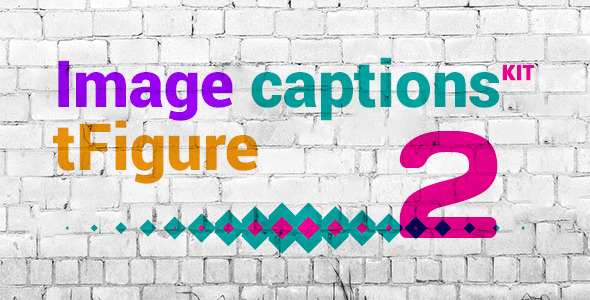
Image captions have evolved far beyond simple text overlays. They are now a dynamic tool for engaging visitors, conveying information, and enhancing the aesthetic coherence of a website. For developers and designers building portfolios, galleries, or any content-driven site, the challenge is often finding a caption system that is both visually stunning and technically effortless to implement. The tFigure Image Captions kit offers a curated collection of five CSS animated caption styles designed to solve this exact problem, saving valuable development time while delivering a polished, interactive user experience. This kit provides a straightforward, code-based solution that works seamlessly across different platforms, making it an essential asset for anyone who values efficiency and high-quality design.
Key Features
- Five Distinct CSS Animations: The kit includes a curated set of five unique caption styles, each with its own animation effect. From subtle fades to smooth sliding overlays, these pre-built animations provide immediate visual impact without requiring custom coding, allowing you to choose the perfect style for your specific layout and brand aesthetic.
- Effortless Installation: With a focus on user-friendliness, the caption kit is designed for simple integration into any existing website. The provided code can be quickly added to your HTML and CSS files, making it accessible for developers of all skill levels, from beginners to seasoned professionals.
- Universal Browser Compatibility: The captions are built using standard CSS3 and are fully tested to support all modern browser versions. This ensures a consistent and flawless visual experience for every visitor, regardless of whether they are using Chrome, Firefox, Safari, Edge, or other popular browsers.
- Fully Customizable Styling: While the animations are pre-built, the visual elements—such as color, typography, overlay opacity, and animation speed—remain fully customizable. You can easily adjust the CSS variables to match your brand guidelines, ensuring the captions blend perfectly with your site’s existing design language.
- Lightweight and Performant: The kit relies purely on CSS for its animations, avoiding heavy JavaScript libraries or extra plugins. This keeps your website’s load time fast and its performance optimized, which is crucial for maintaining high user engagement and favorable search engine rankings.
- Versatile Application: Whether you are building an image portfolio, an e-commerce product gallery, a blog, or a landing page, these caption styles are flexible enough to enhance any visual content. They work with any standard
<img>tag and can be adapted for different aspect ratios and grid layouts.
Who Is This For? Use Cases
This CSS animated image caption kit is a versatile tool designed for a wide range of web professionals. Its primary value lies in its ability to enhance visual storytelling and user interaction with minimal development overhead. Below are specific user profiles and scenarios where this kit proves invaluable.
Portfolio and Photography Websites
Creative professionals like photographers, designers, and artists rely on their imagery to make an impression. Using tFigure Image Captions, they can elegantly display titles, dates, or client names directly over their work. A subtle slide-up animation, for example, can reveal the caption only on hover, keeping the main image clean and clutter-free until the visitor engages with it. This elevates the portfolio from a simple gallery into an interactive showcase that encourages exploration and communicates professionalism.
E-Commerce Product Galleries
Online store owners can use the animated captions to display crucial product information—like price, size, color options, or a “Quick View” button—directly on product images. The hover-triggered animations provide an intuitive way to surface secondary details without reloading the page. This improves the browsing experience, keeps important data in context, and can directly influence conversion rates by making product features more accessible. The lightweight nature of the CSS code ensures that performance remains a priority, even on image-heavy storefronts.
Blog and Editorial Sites
Bloggers and content creators often use featured images to attract readers. Animated captions can provide a teaser for the article, such as the publication date, reading time, or a short excerpt, directly on the image. This creates a more engaging entry point to the content and can improve click-through rates from homepage or category pages. The ease of customization allows the caption style to be tailored to the blog’s specific theme and branding.
Agency and Marketing Landing Pages
Digital agencies and marketing teams frequently need to showcase client logos, project examples, or team member photos on sleek landing pages. The animated captions offer a modern, dynamic way to present these elements. For instance, a portfolio grid for a design agency can use an overlay animation to display the project name and a brief description, creating a sophisticated, interactive portfolio that impresses potential clients without requiring complex JavaScript interactions.
Technical Details & Compatibility
The tFigure Image Captions kit is built on a foundation of core web technologies, ensuring maximum compatibility and ease of integration. It is a pure HTML and CSS solution, requiring no external libraries, JavaScript frameworks, or database connections. This makes it incredibly lightweight and fast to load, directly contributing to better page speed scores and user experience.
The kit is designed to work across all modern browsers, including the latest versions of Google Chrome, Mozilla Firefox, Apple Safari, Microsoft Edge, and Opera. It supports all versions of these browsers that adhere to modern CSS standards, ensuring broad accessibility for your audience. The code is also responsive by design, adapting gracefully to different screen sizes and devices. Because it relies on standard markup, it integrates effortlessly with any Content Management System (CMS) like WordPress, Joomla, or Drupal, as well as static HTML sites and popular website builders. The last update for the underlying core components ensures stable and reliable performance for contemporary web development needs.
Pros and Cons
Pros
- Impressive Time Savings: Eliminates the need to manually code complex CSS animations for image captions, saving hours of development time on each project.
- High-Quality Pre-Built Animations: The five included styles are professionally designed and provide a polished, smooth visual effect that would be difficult to replicate quickly from scratch.
- Excellent Performance: Since the animations are hardware-accelerated CSS, they run efficiently without causing lag or consuming excessive device resources, leading to a smooth user experience.
- Easy Customization for Branding: While the animations are fixed, the colors, fonts, and overlay opacity can be easily altered to fit any brand’s visual identity without diving into complex code logic.
- Universal Compatibility: Works seamlessly on all major modern browsers and across various devices, ensuring a consistent experience for all visitors.
Cons
- Limited to Five Animation Styles: While the included animations are well-crafted, the kit does not provide an extensive library of dozens of options. Users seeking a very specific, unique animation beyond these five will need to write their own code or find an alternative solution.
- Relies on Hover or Click Interaction: The primary interaction model is based on user action (like hovering). It may not be as effective on touch-only devices where hover states are less intuitive, though it can be adapted for click events.
- No Built-in Visual Builder: The kit is code-based, meaning users must be comfortable editing HTML and CSS directly. There is no drag-and-drop visual interface or admin panel for real-time customization.
Frequently Asked Questions
Is the tFigure Image Captions kit compatible with WordPress themes?
Yes, absolutely. As a pure CSS and HTML solution, this kit can be integrated into any WordPress theme. You can add the specific HTML structure to your theme files (like the single post template or a custom page template) and paste the CSS into your theme’s style sheet. For best results with page builders like Elementor or WPBakery, you can use the “Custom HTML” widget to insert the markup and enqueue the CSS via a child theme or a custom CSS plugin.
Does the purchase include future updates and support?
Yes, purchases from CodeCanyon typically include six months of support from the author, which can be extended. Future updates to the kit are included as part of your purchase, ensuring the code remains compatible with the latest browser versions and web standards. Always refer to the specific item page on CodeCanyon for the exact support terms and duration offered by the author for this item.
Can I easily change the colors and fonts of the captions?
Yes, the CSS is structured to be easily editable. You can directly modify the color codes, font-family declarations, font sizes, and overlay background opacity within the CSS file. This allows you to perfectly match the captions to your existing brand colors and typography. No advanced CSS skills are required to make these common adjustments.
Final Verdict
The tFigure Image Captions kit delivers on its promise of saving time and providing high-quality, ready-to-use CSS animations. It is a practical, performance-oriented solution that covers a core need for many web projects. The five distinct animation styles are well-crafted and provide instant, professional visual appeal to any image gallery or content block. Its primary strength lies in its simplicity and speed of implementation—it is a perfect example of a “plug-and-play” code asset that allows you to focus on other critical areas of your project.
For developers and designers who regularly work with image-heavy layouts, this kit reduces repetitive coding and ensures a consistent, polished result. The universal browser support and effortless customization further solidify its value. While you won’t find dozens of animation variations or a drag-and-drop visual builder, the quality of the provided assets and the performance of the pure CSS code make it a worthwhile investment. If you are looking to enhance your website’s interactivity with minimal effort and maximum visual impact, exploring the tFigure Image Captions kit is a smart step forward. Click here to view the item on CodeCanyon and see the live demo for yourself.