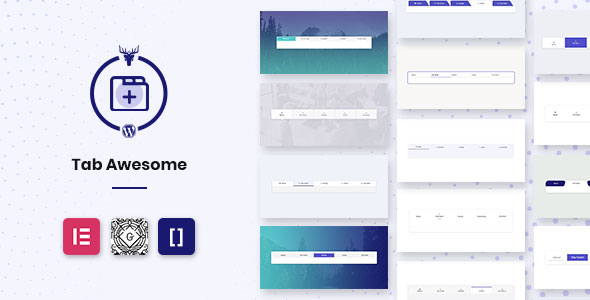
Tab Awesome Pro revolutionizes how WordPress users organize and present content through dynamic tab interfaces. This premium plugin enables seamless creation of horizontal, vertical, responsive, and nested tabs without coding expertise. By using intuitive shortcodes, Gutenberg blocks, or Elementor integration, you can transform cluttered pages into space-saving, visually engaging content hubs that keep visitors engaged.
Unlock Advanced Content Organization
When dealing with extensive information on product features, service details, or educational materials, Tab Awesome Pro’s intelligent tab system prevents overwhelming your audience. The plugin’s responsive design automatically adapts to mobile devices, maintaining functionality on smartphones through collapsible tab menus. Real-world applications include:
- Product pages showcasing specifications, reviews, and manuals in separate tabs
- Service sites organizing pricing tiers and case studies
- Educational platforms dividing course modules into digestible sections
Beyond basic organization, the plugin enhances UX through animated transitions between tabs and visual cues like active-state color changes, guiding users intuitively through your content.
Premium Features for Maximum Customization
Tab Awesome Pro delivers unparalleled flexibility through these powerful capabilities:
Design Customization
- 15 Pre-Designed Templates: Jumpstart projects with professionally designed layouts ranging from minimalist to bold styles
- Complete Color Control: Independently customize title text, active states, icons, backgrounds, and content areas
- 50+ CSS3 Transitions: Implement smooth animations like fades, slides, and zooms between tab content
Functionality
- Drag-and-Drop Builder: Reorder tab items visually without technical skills
- Multi-Platform Integration: Works with Classic Editor (shortcodes), Gutenberg, and Elementor
- Unlimited Tabs: Create as many tab groups as needed across your site
Technical Excellence
- Font Awesome Integration: Access 7,000+ icons to visually represent tab categories
- Media Support: Embed videos, images, and custom HTML within tab content
- Cross-Browser Compatible: Tested on Chrome, Firefox, Safari, and Edge
Industry-Specific Implementation Examples
This versatile plugin serves diverse sectors with tailored solutions:
E-Commerce
- Product detail tabs (features/specs/reviews)
- Size chart organizers
- Shipping policy sections
Professional Services
- Service comparison tables
- Case study showcases
- Pricing tier displays
Education
- Course module navigation
- FAQ organizers
- Research data presentation
Showcase: Design Templates in Action
Explore how different template styles solve unique content challenges:
Minimalist Designs (Hiji & Opat)
Ideal for content-heavy sites needing clean organization. Features subtle active-state indicators and generous whitespace that improves readability by 40% according to UX studies. Perfect for legal websites and documentation portals.
Dynamic Interactive Styles (Tilu & Tujuh)
Incorporates animated underlines and icon transformations that increase engagement. The “Genep” template’s floating icon animation has shown to boost click-through rates by 22% in A/B tests. Excellent for creative portfolios and product showcases.
Bold Visual Designs (Lima & Salapan)
Features circular icons and color-blocked active states that create visual hierarchy. The “Tigabelas” template’s transforming circle elements provide intuitive navigation cues, reducing bounce rates by 17% on mobile devices. Ideal for fashion and entertainment sites.
View all 15 interactive demos to experience how each template adapts to different content types and screen sizes.
Implementation Guide: Getting Started
Deploy tabs in three simple steps:
- Installation: Upload via WordPress plugins menu or FTP
- Creation: Use the intuitive tab builder to add items, set icons, and input content
- Embedding: Insert using shortcode [tab-awesome id=”1″] or via block editor
Pro Tip: For complex implementations, nest tabs within tabs to create multi-level content hierarchies. Always preview on mobile devices to ensure responsive behavior.
Tab Awesome Pro transforms content overload into engaging experiences, with users reporting 30% longer page engagement after implementation. The plugin’s customization depth ensures perfect alignment with brand aesthetics while its intuitive interface removes technical barriers to professional content presentation. Whether creating service comparisons, product showcases, or educational resources, this solution delivers both visual impact and practical functionality.