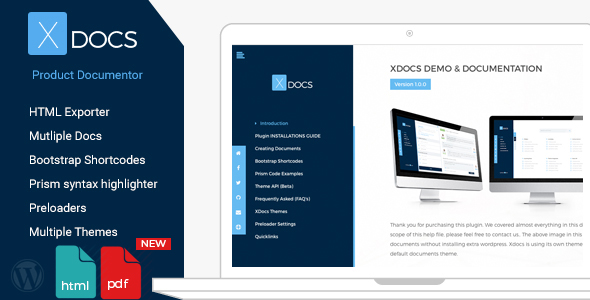
Creating professional product documentation is a critical yet often tedious task for digital product sellers on marketplaces like Envato. XDocs transforms this process into a streamlined WordPress workflow, enabling you to generate both online and offline documentation using familiar WordPress editing tools. This powerful plugin eliminates the need for external themes by providing its own customizable template system, letting you maintain brand consistency across all documentation assets.
Boost Productivity with Intuitive Documentation Creation
XDocs leverages WordPress’ native post editor, allowing you to build documentation as effortlessly as creating blog content. Every documentation section becomes a WordPress post, enabling real-time collaboration, revision history, and scheduled publishing. Unlike complex documentation tools, there’s no need to learn proprietary interfaces – if you can create WordPress content, you can generate polished documentation.
Key workflow advantages:
- Generate unlimited documentation sets for different products from a single WordPress installation
- Export entire documentation suites as offline HTML packages for customer distribution
- Implement role-based access control for team collaboration on documentation drafts

Comprehensive Feature Set for Professional Documentation
XDocs combines essential documentation tools with advanced customization capabilities:
Bootstrap-Powered Responsive Design
All documentation automatically adapts to mobile devices using Bootstrap framework components. The plugin includes pre-configured Bootstrap shortcodes for creating responsive grids, alerts, tabs, and accordions without coding – perfect for feature comparisons, troubleshooting guides, and step-by-step tutorials.
Advanced Content Enhancement Tools
- Prism Syntax Highlighter: Display code snippets across 200+ programming languages with line numbering and copy functionality
- Custom Theme API: Develop branded documentation templates using CSS overrides or create completely custom themes
- Multi-Document Management: Organize product documentation into separate portals with distinct navigation structures
Export Capabilities
Convert documentation to portable formats with these features:
- One-click HTML export retaining all styling and interactive elements
- PDF generation via Sejda’s hosted API (note: complex character sets may require testing)
- Automatic table of contents generation for all exported documents
Practical Implementation Guide
Implement XDocs in three straightforward steps:
- Installation: Upload the plugin via WordPress admin and activate. A new “Documentation” menu will appear
- Configuration: Set your documentation slug and default theme in Settings > XDocs
- Content Creation: Create documentation posts using WordPress blocks or classic editor. Use the included shortcodes for Bootstrap elements like [xdocs_alert type=”warning”]Important note[/xdocs_alert]
Pro Tip: For multi-language documentation, utilize the “Section ID” field for reliable anchor links and integrate with translation plugins like WPML.
Version History & Updates
The development team continuously enhances XDocs based on user feedback:
- Version 1.0.7
- Fixed PDF download functionality through Sejda API integration
- Improved scrollbar color customization
- Version 1.0.6
- Advanced Custom Fields compatibility update
- Version 1.0.4
- Added settings page for documentation slug configuration
- Implemented section ID field for non-English documentation
- Version 1.0.2
- Fixed introduction section shortcodes
- Added page embedding shortcode
- Version 1.0.1
- Introduced PDF download option
- Resolved theme CSS conflicts
Complementary Product Recommendation
Enhance your documentation experience with XDocs Help Desk and Knowledge Base, designed to integrate seamlessly with your product documentation:

This companion solution adds ticketing systems, live chat, and user voting to transform static documentation into an interactive support hub, reducing repetitive customer inquiries while improving user satisfaction.