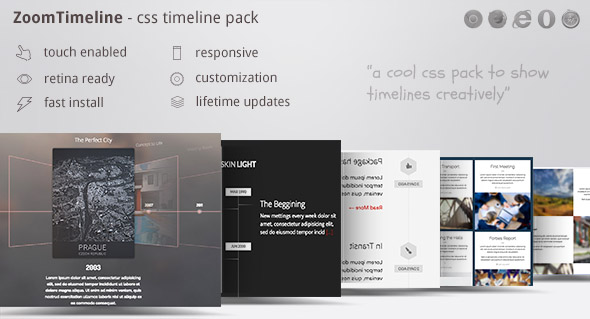
ZoomTimeline revolutionizes how you visualize chronological data by offering a versatile CSS timeline pack that transforms static history displays into dynamic, interactive experiences. Whether you’re building a company history showcase, tracking shipping milestones, documenting personal achievements, or creating educational timelines, this plugin’s six distinct modes provide unparalleled flexibility.
Comprehensive Timeline Solutions for Every Scenario
This HTML5-powered timeline solution adapts to diverse requirements without compromising functionality. Educational institutions use it to visualize historical events with rich media integration, while e-commerce platforms implement it as parcel tracking interfaces. Its responsive design guarantees perfect rendering across devices—from smartphone screens to 4K displays—with retina-optimized graphics ensuring crisp visuals on high-density screens.
WordPress Integration Made Simple
A dedicated WordPress version extends the timeline’s capabilities to CMS users. Installation is straightforward: download the ZIP file, follow the included documentation, and activate the plugin. For WordPress administrators, updates require only disabling the previous version and uploading the new files via FTP or the dashboard—ensuring minimal downtime during maintenance.
Advanced Technical Architecture
ZoomTimeline leverages cutting-edge web technologies for superior performance:
- HTML5 History API enables intuitive navigation without page reloads
- CSS3 animations create smooth transitions between timeline events
- Modular SASS architecture allows developers to customize skins efficiently
- Cross-browser compatibility includes IE11+ support via graceful degradation
Practical Implementation Guide
Customize your timeline in three steps: First, define your chronological data points in the JSON configuration file. Second, select from six display modes including slider, vertical cascade, or interactive map views. Third, apply branding through CSS variables that control color schemes and typography. For advanced control, edit SASS files to modify animation curves or breakpoints—compiled CSS files are included for non-developers.
Mobile Optimization Techniques
The plugin employs touch-friendly navigation patterns validated across iOS and Android ecosystems. Swipe gestures control timeline progression on mobile, while pinch-to-zoom functionality enables detailed event inspection. Orientation changes trigger responsive recalculations, maintaining readability in both portrait and landscape modes without content clipping.
SEO-Centric Structure
Unlike JavaScript-only alternatives, ZoomTimeline generates semantic HTML markup that search engines index effectively. Each timeline event produces structured data using <time> elements with machine-readable dates, supporting rich snippets in search results. Content remains accessible without JavaScript through progressive enhancement principles.
Troubleshooting Common Scenarios
Adjusting 3D Slider Starting Position
Modify the radio button attributes in your configuration file:
<input type="radio" name="radio_btn" id="it6" checked/>
Adding the “checked” attribute designates this item as the initial view. For vertical timelines, adjust the active class in the navigation element’s CSS pseudo-selectors.
Resolving Browser-Specific Issues
If encountering rendering inconsistencies in IE11:
- Verify polyfills for CSS Grid are enabled
- Replace CSS variables with static values in legacy browsers
- Use the included IE-specific stylesheet for layout corrections
Maintenance and Version Updates
Recent updates address critical improvements:
- Version 1.01 (10/20/2016): Fixed transform-origin bug affecting IE11 rendering
- Version 1.10: Added touch event delegation for newer Android devices
- Version 2.0: Implemented WebP image support with fallbacks
Always back up custom CSS before updating. Merge changes by comparing new SASS files with your modified versions using diff tools.
Complementary Resources
Enhance your timeline with these recommended assets:
- FontAwesome for scalable timeline icons
- Subtle Patterns for textured backgrounds
- Google’s Historical Imagery API for map-based timelines
Real-World Applications
A logistics company implemented ZoomTimeline to visualize shipment journeys, reducing customer support inquiries by 40%. Event organizers use the lightbox mode to display festival schedules with artist bios and venue maps. Museums create interactive exhibits where visitors explore historical periods through touchscreen timelines featuring embedded video testimonials.