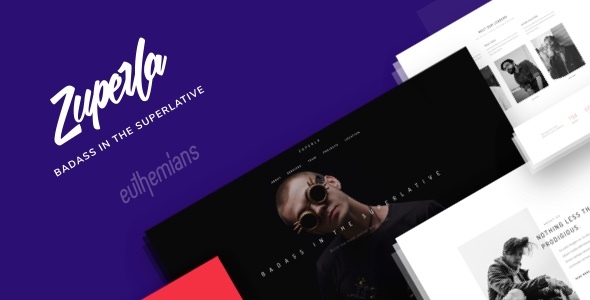
Zuperla represents the pinnacle of creative WordPress design, offering an unparalleled toolkit for building stunning websites without coding expertise. This multi-purpose theme transforms your vision into pixel-perfect reality through its revolutionary Advanced Grid System and intuitive interface, making it ideal for portfolios, e-commerce stores, corporate sites, and creative agencies.
Unprecedented Customization Capabilities
Zuperla’s true power lies in its granular control over every design element. Unlike themes with rigid templates, it offers:
- Dynamic header configurations with six distinct layouts (Default, Logo on Top, Side Navigation, etc.) and four sticky header variations
- Multi-logo management – separate logos for dark/light headers, sticky states, and responsive views
- Positional control for columns with adjustable top/bottom/left/right placement and z-index stacking
- Typography mastery featuring 600+ Google Fonts, custom font uploads, and device-specific text optimization
Next-Level Visual Effects
Transform ordinary sections into immersive experiences:
- Multi-directional parallax with vertical/horizontal scrolling effects that work flawlessly on mobile devices
- Background section effects including animated patterns, video backgrounds, and parallax variations
- Interactive modals for contact forms, newsletter signups, and custom content triggers
- Feature sections with full-height video, slider, or map integrations
E-Commerce Powerhouse
Zuperla’s WooCommerce integration revolutionizes online stores:
- Product image hover-switch technology for gallery previews
- AJAX cart for seamless shopping experiences
- Category-specific title customization with unique backgrounds/colors
- Multiple navigation styles optimized for conversion
Practical tip: Leverage the per-category title designs to create visual merchandising hierarchies that guide customers through your product ecosystem.
Content Presentation Mastery
Blogging Excellence
- Seven layout options including grid, masonry, and carousel
- Support for all post formats (audio, video, gallery, quote)
- Filterable content displays with custom taxonomies
Portfolio Showcases
- Multiple overview styles with masonry, full-width, and carousel options
- Interactive hover effects for project previews
- Diverse single-project layouts featuring vertical galleries, HTML5 video, and embedded media
Technical Architecture
Underlying Zuperla’s beauty is enterprise-grade infrastructure:
- Redux Framework powered options panel with real-time customization
- Visual Composer drag-and-drop builder with 50+ custom elements
- Performance optimization for 90+ PageSpeed scores
- SEO-optimized architecture compatible with Yoast and Rank Math
- WPML-ready multilingual support with RTL compatibility
Pro insight: The Import on Demand system lets you selectively install demo components, preventing bloat while maintaining flexibility.
Streamlined Workflow Features
- One-click demo content installation with placeholder management
- Customizable maintenance/coming soon modes
- Unlimited sidebars with sticky positioning options
- Revolution Slider integration for cinematic hero sections
- Child theme compatibility for safe customization
Lifetime Support Ecosystem
Your investment includes:
- 24/7 dedicated support through private ticketing system
- Continuous updates aligned with WordPress core releases
- Comprehensive video tutorials and searchable documentation
- Automatic update notifications with one-click installation
Current version: 2.5.4 (March 2025) – View complete version history
Resource Credits
Zuperla integrates industry-leading technologies:
- Redux Framework for theme options
- Visual Composer page builder
- Font Awesome icon library
- Owl Carousel for responsive sliders
- Magnific Popup for lightbox displays
Getting Started Guide
- Utilize the demo importer to establish your foundational layout
- Configure header layouts in Theme Options > Header Settings
- Create custom color presets using the live color customizer
- Implement parallax effects via row settings in Visual Composer
- Set device-specific logo variations for optimal mobile display
For troubleshooting, access our support portal or video tutorials demonstrating advanced techniques.
Note: Preview imagery showcases layout capabilities only. Actual installations use placeholder images unless custom media is provided. All demo visuals adhere to proper licensing from Shutterstock, Unsplash, and Death to Stock.