Effortless PDF Filling and Signing on the Go
Transform any PDF into a fully editable and signed form right from your phone or tablet. Whether you’re working from a coffee shop, on a train, or in the office, our app lets you complete, sign, and submit documents in seconds without printing or scanning.
Why Choose Our PDF Editor?
With a clean, intuitive interface and a comprehensive set of tools, you can manage every aspect of your PDF documents—from simple text edits to complex signatures—all within a single app.
Premium Features for Advanced Document Management
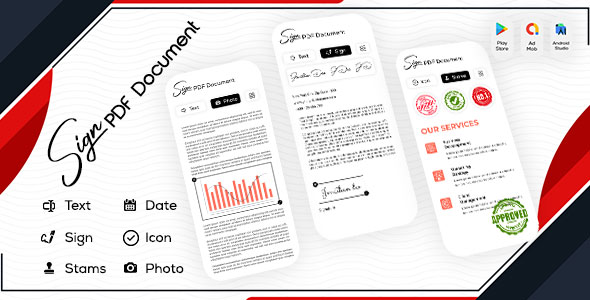
- Custom Signature Creation: Build a signature once, store it locally, and reuse it across multiple PDFs. Add multiple signatures per document if needed.
- Signature Gallery Support: Import hand‑drawn signatures from your gallery or camera for a natural look.
- Image‑to‑PDF Conversion: Snap a photo, crop, and instantly turn it into a PDF file.
- Dynamic Signature Placement: Click, drag, and drop signatures anywhere on the page.
- Date & Time Auto‑Insert: Choose from 15+ date formats to stamp the exact date and time on any form.
- File Management: View, rename, share, or delete all your PDFs with ease.
Essential Editing Tools
- Text Insertion: Add multiple text blocks, color‑code them, and drag them to the desired location.
- Icon Library: Add standard icons (e.g., check marks, arrows) as needed.
- Stamp Collection: Apply one of 25+ ready‑made stamps such as “Approved”, “Certified”, “Paid”, or “Rejected” with a single tap.
- Image Editing: Insert photos from your gallery, crop, resize, and position them flawlessly.
Seamless Integration & Sharing
After editing, share your signed PDF directly via email, cloud storage, or messaging apps. The app works offline, so you can complete forms even without an internet connection, uploading them later when connectivity is restored.