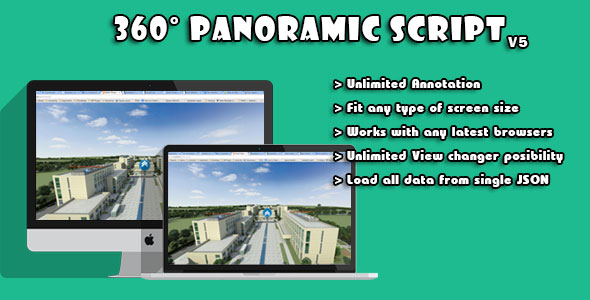
The WebGL Based Multi-Purpose 360° Panoramic Script is a small JavaScript package that turns a flat equirectangular panorama image into an interactive 3D sphere, placing the viewer’s camera inside the sphere so the scene can be explored by dragging. It is built on Three.js with jQuery for the interface layer, and it adds clickable hotspot markers that can carry images and text, plus marker-to-marker navigation for multi-room tours. It suits freelancers and small agencies producing virtual tours of interiors, landscapes and venues who want a lightweight, self-hosted viewer rather than a subscription platform.
What the WebGL Based Multi-Purpose 360° Panoramic Script Actually Does
The core mechanic is straightforward but worth describing precisely, because it differs from the flat image viewers many buyers have used before. The script maps a single panorama photograph onto the inside of a sphere and positions the camera at the centre. Dragging the mouse rotates that camera, so the image wraps around the viewer in every direction, including straight up and straight down. That is the standard spherical projection approach used by most WebGL panorama viewers, and it is the right one: it avoids the distortion and seam problems that appear when a wide photograph is simply stretched across a page.
Three capabilities stand out in the supplied documentation.
Hotspot markers that hold content, not just labels
The pointer class lets the developer place defined points anywhere in the scene, and each point can carry an image and text rather than a bare icon. For practical tour work this is the difference between a viewer and a presentation tool: a hotel room panorama can carry a caption describing the view, a museum hall can surface a photograph of an exhibit, and a property listing can annotate fixtures. The vendor does not state a limit on how many points can be placed, so capacity should be tested against the intended scene before committing.
Marker-based travel between panoramas
Navigation markers allow movement from one picture to another, which is what turns a set of unrelated panoramas into a connected walkthrough. A tour of a building can chain hallway to room to room, and an outdoor route can link viewpoints along a trail. This is the feature that makes the script genuinely multi-purpose rather than a single-image novelty.
Input methods and device coverage
Keyboard arrow keys control the camera, and a mouse-based scroll function was added in version 4, giving two input paths beyond dragging. Version 2 introduced a pointer finder: pressing the F key reveals a red dot at the centre of the screen, and the browser console reports the corresponding X, Y and Z coordinates. That is a genuinely useful authoring aid, because placing a hotspot accurately inside a sphere by eye is otherwise tedious guesswork.
The changelog is also informative. Version 3 added a loading indicator after users reported a black screen when an image had not finished loading, and version 6 addressed mobile issues, moved to the current Three.js library and improved image loading speed. A changelog that runs to six versions with specific fixes suggests the developer has been responding to real reports rather than shipping and abandoning the code.
Where This Panorama Viewer Fits, and Where It Does Not
The obvious fit is the independent producer building tours for clients. Real estate agents wanting a walkthrough of a property, hotels and guesthouses showing rooms and grounds, museums and heritage sites presenting a hall or a church interior, and tourism operators covering parks, mountains, lakes or villages are all served by the same set of features. Because the script is self-hosted and priced once, it also suits agencies that build several tours a year and would rather not carry a recurring platform fee per project.
It also works as an embedded component rather than a standalone site. A photographer can drop a single panorama into an existing portfolio page, and a venue can add a tour to a page that already exists, since the script is a viewer rather than a full content management system.
Where it is the wrong choice is equally clear. Anyone who needs a hosted platform with user accounts, analytics dashboards, lead capture, branded tour URLs and a browser-based editor should look at dedicated virtual tour services instead. This script is code that a developer integrates; it is not a product with an admin panel. Buyers who cannot edit HTML and JavaScript, or who do not have someone who can, will find the setup process obstructive. The same applies to projects requiring gyroscope-based viewing on phones that tracks device orientation as the phone is turned, or VR headset output — the vendor’s feature list describes mouse, keyboard and scroll input, and does not claim motion or headset support.
Strengths and Limitations
Strengths
- One-time cost of $12 with no subscription, which is unusually low for a viewer with hotspot and multi-scene navigation.
- Hotspots accept images and text, so annotations can carry real information rather than acting as decorative pins.
- Marker-to-marker navigation supports genuine multi-room and multi-viewpoint tours, not just single scenes.
- The keyboard pointer finder with console coordinate output removes much of the trial and error from hotspot placement.
- Explicit cross-browser and responsive claims, with version 6 specifically targeting mobile problems.
- A six-version changelog with named fixes indicates ongoing maintenance.
Limitations
- No sales figures are disclosed on the listing, so there is no independent signal of how widely the script has been deployed or how it behaves across unusual hosting environments.
- jQuery is a dependency alongside Three.js. On a modern site that does not already load jQuery, that is an extra library to enqueue, and it dates the codebase somewhat.
- Hotspot placement is a developer task performed through the console, not a visual editor. Non-technical clients cannot reposition a marker themselves.
- The vendor does not state a maximum panorama resolution or a file size ceiling, which matters because large equirectangular images are the main cause of slow first loads in WebGL viewers.
- No gyroscope or VR headset support is claimed, which rules out the mobile viewing mode many users now expect from a panorama.
- Documentation depth is not described on the listing, and the pointer-finder workflow implies a level of setup that assumes familiarity with browser developer tools.
How It Compares With Other Panorama Viewing Options
The category splits three ways, and the right choice depends on who is doing the work. Hosted virtual tour platforms charge monthly, handle hosting and editing through a web interface, and add analytics, lead forms and branding. They are faster to launch and easier for non-developers, but the cost accumulates and the tour lives on someone else’s infrastructure. Open-source JavaScript libraries such as Three.js itself, Photo Sphere Viewer or Pannellum are free and well documented, but they hand the developer a rendering engine and leave hotspot logic, scene management and loading states to be built from scratch.
This script sits in the middle. It is closer to a finished product than a bare library — the pointer class, the scene-to-scene navigation and the loading indicator are already solved — while remaining a self-hosted, one-time purchase. Against the open-source route, the value is the saved development time on exactly those features. Against the hosted route, the value is ownership and the absence of a recurring fee, at the cost of doing the integration work. Buyers comparing on capability alone should weigh how much of the hotspot and navigation logic they would otherwise have to write themselves, because that is the substance of what the $12 buys.
Frequently Asked Questions
What image format does a 360 panorama viewer need?
It needs an equirectangular image — a single photograph with a 2:1 aspect ratio that contains the full 360 degrees horizontally and 180 degrees vertically. This is the standard output from most 360 cameras and from stitching software, and it is the format this script projects onto its sphere. Ordinary wide-angle photos will not wrap correctly.
Can this script build a tour with several connected rooms?
Yes. Navigation markers let the viewer move from one panorama to another, so a sequence of scenes can be chained into a walkthrough. Each scene is its own equirectangular image, and the markers define where the transitions sit. The vendor does not state a limit on the number of scenes in a single tour.
Does the WebGL Based Multi-Purpose 360° Panoramic Script work on phones?
It is described as responsive and cross-browser, and version 6 of the changelog specifically fixed mobile issues and improved image loading. It runs on devices with WebGL support at any screen size. What it does not offer, based on the listed features, is gyroscope tracking or VR headset output.
Do I need coding knowledge to use it?
Yes, some. Hotspots are placed by pressing F to reveal a centre dot, reading X, Y and Z coordinates from the browser console, then writing those values into the code. That workflow assumes comfort with HTML, JavaScript and developer tools. Buyers without that background should budget for a developer or choose a hosted tour platform instead.
Verdict
The WebGL Based Multi-Purpose 360° Panoramic Script is worth buying for developers, freelancers and small agencies who build panorama tours repeatedly and want the hotspot, annotation and scene-navigation logic already written. At $12 as a one-time cost, it undercuts hosted platforms decisively for anyone producing more than a couple of tours, and the six-version changelog suggests the developer is still maintaining it. It is a poor fit for non-technical buyers, since hotspot placement runs through the browser console, and for projects that need gyroscope viewing, VR headset support or a client-facing editing interface. The absence of disclosed sales figures means there is no broad deployment history to lean on, so treat the purchase as a low-cost bet on a small, focused script rather than a proven platform. For the right project, the trade-off is favourable; for the wrong one, the integration work will outweigh the saving.