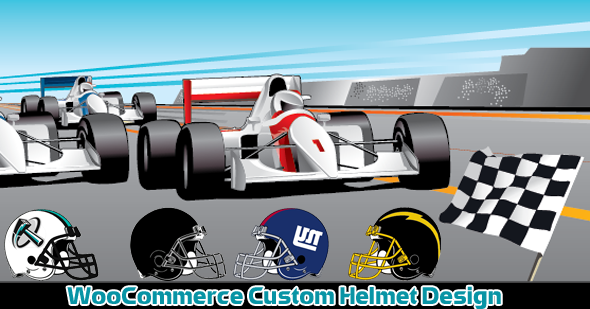
The WooCommerce Custom Super Bowl Helmet Designer is a WordPress plugin that adds an interactive product personalisation tool to a WooCommerce store, letting shoppers recolour a helmet, add text and upload or select artwork before adding the configured item to the cart. It targets store owners selling helmets and other protective headwear — sports, motorcycle, racing, cycling, construction — who need customers to submit print-ready customisation rather than a plain product selection. It is a single-purpose tool rather than a general design suite, and that focus shapes both its strengths and its limits.
What the WooCommerce Custom Super Bowl Helmet Designer Actually Lets Shoppers Do
The core of the plugin is a front-end design canvas tied to a WooCommerce product. A shopper picks a product, and the designer opens with that helmet rendered on a configurable background. From there the workflow is additive: change the shell colour, drop in text, place artwork, adjust, and add to cart.
Colour customisation is handled through a colour picker rather than a fixed swatch set, which matters for stores selling painted shells where the buyer expects to specify a hex-like shade rather than choose from six presets. Text entry supports font selection, text colour changes, and font uploads, so a shop can supply its own licensed typeface instead of relying on whatever the plugin ships with. Text and placed graphics can be dragged and resized directly on the helmet, and the position is retained rather than resetting when another element is added.
Artwork handling is broader than a single logo upload. Shoppers can upload their own image, or pick from a library of logos, clip art and monograms the store has preloaded, and multiple images can be placed on one helmet. That combination — a curated library plus free upload — is the practical difference between a designer that suits a team-order workflow and one that only suits one-off buyers.
Price adjustment is part of the configuration rather than a separate step. The admin sets a custom price for the personalised product, and the shopper adds the configured item to the cart with a quantity. The customised preview, including text and uploaded image positions, carries through to the cart page, which is the point where most cheap personalisation tools fall apart: the customer sees a generic thumbnail and abandons. Here the cart reflects the actual design.
Admin-side configuration and theming
The administrative controls are unusually granular for a plugin at this price point. The vendor exposes individual colour settings for the design page background, menu background and hover states, menu font colour and hover, right panel background and text background, add-to-cart button background and text, middle and right panel borders, and the colour panel’s background, text and border. That is roughly a dozen theming variables, enough to blend the designer into an existing storefront palette without touching CSS.
Beyond styling, the admin can set help text shown to shoppers, control text size defaults, set the customisation price, upload the helmet base image, and toggle which products are customisable via a checkbox. A “Create Design Page Link” button generates the design page URL automatically, which removes the shortcode-hunting step that trips up non-technical store owners. The vendor states the plugin is compatible with other WordPress repository plugins and can be installed on new or existing WooCommerce sites, though no specific integration partners are named.
Where the WooCommerce Custom Super Bowl Helmet Designer Fits — and Where It Does Not
The strongest fit is a store selling helmets where customisation is the product, not an accessory. Team and club orders are the obvious case: a cricket, baseball or cycling club needs a batch of helmets in club colours with a crest and squad numbers, and the design canvas plus the preloaded logo library handles that without email back-and-forth. Motorcycle and race helmet shops with a paint-scheme upsell are a second fit, since the colour picker and text tools cover the common “name on the back, custom shell colour” request.
It also suits stores that want to trial personalisation without committing to a full product designer platform. At $75 the entry cost is low enough to test whether custom helmet orders convert before investing in a heavier system.
It is the wrong choice for apparel or general merchandise. The plugin is built around helmets specifically — the vendor lists bicycle, motorcycle, racing, sports, cricket, baseball, rock climbing, horse racing, flight, construction and protective helmets, all of which share the same design logic. A store selling t-shirts, mugs and phone cases alongside helmets would need a separate tool for those categories, because nothing in the listing suggests the canvas adapts to arbitrary product shapes or multi-part garments.
It is also a poor fit for print-on-demand operations that need automated output. The listing describes a visual designer and cart integration; it does not state that the plugin exports a print-ready file, generates a production PDF, or pushes the design to a fulfilment API. A shop whose workflow depends on automated file handoff to a printer should confirm that capability with the vendor before buying, because the source material does not claim it.
Strengths and Limitations of This WooCommerce Helmet Personalisation Plugin
Strengths
- Genuine multi-element design: colour, text with custom fonts, uploaded images and a preloaded logo/clip-art library can be combined on one helmet.
- Drag-and-resize positioning with the layout preserved into the cart, so the customer’s configuration survives the checkout path rather than reverting to a stock image.
- Deep admin theming — around a dozen colour variables covering panels, menus, borders and buttons — which reduces the visual mismatch between designer and storefront.
- Per-product toggling lets a store run customisable and standard helmet listings side by side.
- Low price relative to the category, with no stated dependency on a third-party SaaS subscription.
Limitations
- No sales count or rating is disclosed on the listing, so there is no independent buyer track record to weigh. The vendor’s own copy asks for reviews, which suggests an early-stage product.
- The plugin is helmet-specific. Stores with mixed catalogues cannot reuse the designer for other product types.
- The listing makes no claim about print-ready file export, production PDFs or fulfilment integrations. If the workflow needs those, they are unverified.
- Compatibility is asserted generally (“many existing plugins in the WP repository”) without naming any, so conflicts with page builders, multi-currency or advanced pricing plugins are untested territory.
- Font upload is a feature, but font licensing is entirely the store owner’s problem — uploading a commercial typeface without a web licence is a legal risk the plugin does not address.
- No mobile or responsive behaviour is described, which matters because a drag-and-resize canvas is the hardest interface to make usable on a phone.
How the WooCommerce Custom Super Bowl Helmet Designer Compares to the Wider Category
Product personalisation for WooCommerce splits into three rough tiers. At the bottom are simple option-field plugins: dropdowns and text inputs that append a note to the order. They are cheap and robust but produce no visual preview, which is exactly the gap this plugin fills.
In the middle sit dedicated visual designers — the Fancy Product Designer family and similar canvas-based tools, a tag the vendor itself applies to this product. These are typically priced higher, support many product types (apparel, mugs, signage), and often bundle print-ready export and multi-layer editing. They are more capable and correspondingly heavier: more settings, more potential conflicts, more configuration time.
At the top are enterprise print-on-demand platforms with fulfilment integrations, which are priced and scoped well beyond a single-store plugin.
This plugin sits deliberately in the middle tier but narrows its scope to one product family. The trade-off is straightforward: less breadth than a general designer, but a shorter setup path and a lower price for a store that only sells helmets. The admin theming depth is competitive with tools costing more, while the absence of stated export or fulfilment features is the main capability gap against the upper end of the middle tier.
Frequently Asked Questions
Does the WooCommerce Custom Super Bowl Helmet Designer work with any helmet type?
Yes, within the limits of a flat design canvas. The vendor lists bicycle, motorcycle, racing, sports, cricket, baseball, rock climbing, horse racing, flight, construction and protective helmets, and the admin uploads the base helmet image. Any helmet that can be represented as a single image with artwork placed over it will work; helmets needing multiple independently coloured parts may not.
Can customers upload their own logo and see it on the helmet before ordering?
Yes. Shoppers can upload their own image or logo, or select from the preloaded logo and clip-art library, then drag and resize it to position. The customised result, including uploaded image placement, is shown in the cart so the customer can confirm the design before completing checkout.
Can the store owner change the price for customised helmets?
Yes. A custom price for the personalised product is set from the admin panel, separate from the standard product price. The shopper adds the configured helmet to the cart with a chosen quantity at that custom price. The listing does not describe tiered or rule-based pricing, so complex pricing logic would need another plugin.
Is the design page easy to set up on an existing WooCommerce store?
Setup is largely point-and-click. The admin uploads the helmet image, sets the customisation price, ticks which products are customisable, adjusts colours and help text, then clicks the button that generates the design page link automatically. No shortcode or template editing is described as necessary, though the vendor points to separate online documentation for the full installation process.
Verdict on the WooCommerce Custom Super Bowl Helmet Designer Ecommerce Plugin
This plugin is worth buying for a store whose catalogue is helmets and whose customers expect to specify colours, names and logos before ordering. The combination of multi-element design, drag-and-resize positioning, cart preview and deep admin theming covers the practical requirements of team orders and one-off custom paint jobs, and the $75 price is low enough that the decision rests on fit rather than budget.
It is not the right purchase for a store selling mixed product categories, nor for an operation that needs automated print-file export or fulfilment handoff, since the vendor does not claim either. Buyers in those situations should look at broader design platforms or confirm the missing capabilities directly with the developer first.
The absence of any disclosed sales figure or rating means there is no buyer track record to lean on, and the vendor’s request for reviews reinforces that impression. That is a reason for caution, not avoidance — but it does mean a store should test the plugin against its own theme and product setup during any refund window before committing it to a live catalogue.