WooCommerce Products Meta Data Filters Ecommerce is a WordPress plugin that adds filter widgets to native WooCommerce shop and product archive pages, letting shoppers narrow results by product metadata such as weight, dimensions, custom fields and Advanced Custom Fields values. It is aimed at store owners and developers whose catalog carries structured data that the standard WooCommerce filter widgets cannot expose — physical size attributes, spec-sheet fields, or any custom meta key attached to a product. At $21 it is a low-cost, single-purpose tool rather than a full filtering suite.
What WooCommerce Products Meta Data Filters Actually Does
The plugin’s core function is to read the meta keys stored against products and turn selected ones into shopper-facing filter controls. That sounds narrow, and it is, but it addresses a real gap: WooCommerce’s built-in layered navigation covers categories, tags and attributes, not raw post meta. Anything a store records as a custom field — a fabric composition, a wattage rating, a load capacity — is invisible to customers unless something surfaces it.
Automatic discovery of meta keys
The widget scans the database and lists every meta key it finds, both WooCommerce’s own fields and any custom keys added by other plugins or by hand. There is no separate settings screen where keys must be registered first; the administrator picks from a dropdown. For stores with dozens of custom fields this removes a tedious configuration step, though it also means the dropdown can become long and unsorted on a busy catalog.
List filters and numeric range sliders
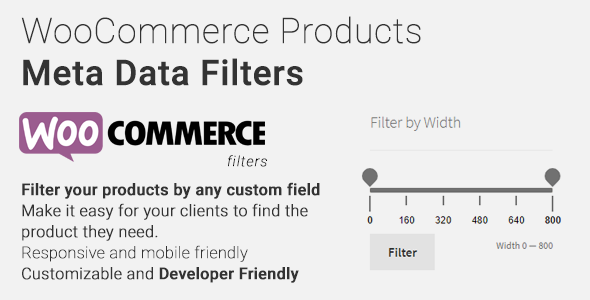
Each filter is configured as either a list or a range. List mode presents every distinct value stored under a key as a set of options — useful for enumerated data such as a colour code, a material, or a yes/no flag. Range mode renders a jQuery UI slider for numeric keys, which is the natural fit for weight, length, width and height. The slider gained touch and drag support for mobile devices in version 1.0.5, and float values have been supported since 1.0.2, so decimal dimensions work rather than only whole numbers.
Built-in WooCommerce fields beyond dimensions
Although the marketing leans on weight and size, the default key list is broader: visibility, stock status, total sales, sale price, regular price, tax status, tax class, featured flag, SKU, review count and average rating are all filterable out of the box. Several of these overlap with what dedicated filter plugins offer, which makes the plugin more versatile than its name suggests — a store could build a “best selling” or “highest rated” filter without writing code.
Widget-based administration and combining filters
Configuration lives entirely in Appearance → Widgets. There is no bespoke settings page, which keeps the plugin lightweight and familiar to anyone who has used a classic WordPress sidebar. Multiple widgets can be placed in the same sidebar and combined, so a shopper can apply a weight range and a custom field list simultaneously. Each widget exposes a title, a label, the meta key, the filter type, value ordering and an auto-refresh toggle that removes the submit button from range sliders and applies the change on release.
Developer hooks and translation
The plugin ships with WordPress filters and actions rather than requiring core file edits. A wmf_display_condition filter can force filters to render outside WooCommerce’s own pages, a wmf_filter_types filter lets developers register new control types such as checkboxes, and a wmf_widget_end action exposes the widget’s configuration values for custom rendering. Strings are translatable through standard .po/.mo files. This is a modest but genuine extension surface, and it matters because the plugin’s default behaviour is deliberately constrained.
Where This Plugin Fits — And Where It Does Not
The clearest fit is a store selling physical goods where dimensions or weight drive the purchase decision: furniture, building materials, industrial parts, sports equipment, clothing with size charts stored as meta. A shopper who needs a shelf under 90cm wide benefits from a slider far more than from a keyword search. Stores using ACF to hold specification data are a second strong fit, since ACF values are stored as ordinary meta and are discovered automatically.
It also suits agencies maintaining client stores where the filtering requirement is narrow and the budget is small. Twenty-one dollars against a bespoke filter implementation is an easy comparison, and the hook system means a developer can adapt output without forking.
The wrong choice is any store that needs filtering on custom product lists. The vendor states plainly that filtering works only on WooCommerce’s own shop and archive pages and will not function on product grids injected into ordinary pages via shortcodes or third-party plugins. A storefront built around a page-builder landing page with a hand-picked product grid will find the widgets do nothing there. The same applies to stores that need attribute-based filtering, AJAX-loaded results without a page reload, or price filtering with histogram counts — the plugin does not claim those capabilities.
Strengths and Limitations
Strengths
- Genuinely simple setup: no settings screen, no key registration, no shortcode syntax to learn — the widget does the work.
- Range sliders for numeric meta are the standout feature and are executed properly, with float support and mobile touch handling.
- Automatic meta key discovery means custom fields and ACF values appear without manual mapping.
- Unlimited filters can be combined in a single sidebar, covering both WooCommerce’s native fields and arbitrary custom keys.
- Documented filters and actions give developers a supported way to extend behaviour instead of hacking core files.
- Low price relative to the development time a custom meta filter would consume.
Limitations
- Filtering is restricted to native WooCommerce shop and archive templates. Any product list rendered by shortcode or a page builder is out of scope, and the vendor says so explicitly.
- Administration depends on the classic Widgets screen. On a site running a block-based theme or the block widget editor, the widget’s placement and behaviour are not described in the listing, and the vendor does not state block editor support.
- There is no AJAX result loading described; filters submit and reload the page unless the auto-refresh option is enabled on a range slider, and even that applies to the slider control rather than to the results.
- No attribute, category or tag filtering — the plugin is strictly meta-driven, so it complements rather than replaces WooCommerce’s own filter widgets.
- The changelog shows a slow release cadence: five point releases between April 2019 and March 2021, with nothing listed since. Buyers should assume limited ongoing development rather than active iteration.
- No sales figures or ratings are disclosed on the listing, so there is no user feedback to weigh.
How It Compares With General Filtering Alternatives
Most WooCommerce filtering plugins are built around attributes, categories and price, because that is what the majority of stores need. They typically add AJAX filtering, product counts per option, and deep integration with WooCommerce’s layered nav system. Against that category, this plugin is narrower: it does not attempt attribute filtering, does not offer faceted counts, and does not try to be a complete navigation replacement.
Where it wins is on the long tail of data those plugins ignore. A general filter plugin will not build a slider for a “blade length” custom field unless the store first converts that field into a WooCommerce attribute and maintains term values for every product. This plugin reads the meta directly, which is materially less work for stores that already store specifications as custom fields. The trade-off is that it inherits whatever mess exists in the meta table — inconsistent value formatting, orphaned keys, mixed units — without validation or normalisation. A store with clean, consistently formatted custom fields gets a working filter in minutes; a store with messy data gets a filter that exposes the mess.
For stores needing both attribute navigation and meta filtering, the realistic answer is to run this alongside a conventional filter plugin rather than in place of one, provided the two do not compete for the same sidebar position.
Frequently Asked Questions
Can WooCommerce Products Meta Data Filters filter by Advanced Custom Fields?
Yes. ACF stores its values as standard WordPress post meta, so the plugin’s automatic key discovery lists ACF field keys alongside every other meta key, and they can be used as list or range filters. The vendor does not ship a dedicated ACF integration, so field types that store serialised or array data may not render as expected.
Does it work on product lists added with a shortcode or page builder?
No. The vendor states that filtering only functions on WooCommerce’s main shop page and product archive templates, and explicitly excludes custom product lists added to ordinary pages through third-party plugins or shortcodes. A store whose catalog is displayed mainly through a page-builder grid should verify behaviour on a staging site before purchasing.
What filter types are available?
Two are built in: a list of all distinct values stored under a chosen meta key, and a numeric range slider for values such as weight, length, width or height. Developers can register additional types, such as checkboxes, using the wmf_filter_types filter documented in the plugin’s code.
Is the plugin actively maintained?
The changelog ends with version 1.0.5 in March 2021, following an initial release in April 2019. The vendor does not state a support policy or a roadmap, and no sales or rating data is published on the listing. Buyers should treat it as a stable, feature-complete utility rather than a product under active development.
Verdict on WooCommerce Products Meta Data Filters
This plugin earns its place in a specific niche: stores that hold product specifications in custom fields or ACF and need shoppers to filter on them, particularly numeric dimensions and weights. The widget-based setup, automatic key discovery and working float range sliders make it a sensible $21 purchase for that scenario, and the developer hooks give agencies room to adapt it. It is not a general-purpose filtering solution — anyone needing attribute navigation, AJAX results or filtering on page-builder product grids should look elsewhere or pair it with a broader tool. Stores with inconsistent meta data should clean that data first, because the plugin surfaces what is stored rather than correcting it.