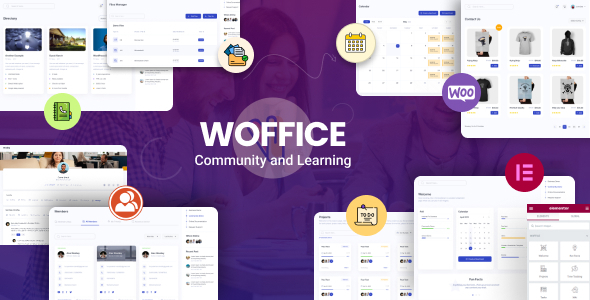
Creating a cohesive digital workspace that fosters communication, manages projects, and centralizes knowledge is a complex challenge for organizations of all sizes. The Woffice – Intranet, Extranet & Project Management WordPress Theme directly addresses this need by transforming a standard WordPress installation into a powerful, private network. Designed from the ground up for community and collaboration, Woffice consolidates essential tools like project boards, member directories, wikis, and messaging into a single, streamlined platform. Its long-standing reputation, evidenced by over 15,000 sales, positions it as a leading solution for businesses, educational institutions, and associations seeking to build a dedicated online hub.
Key Features
- Comprehensive Project & Task Management: Go beyond basic to-do lists with a dedicated project dashboard. Features include task assignment with email alerts, drag-and-drop Kanban boards, calendar views, progress tracking, Gantt charts, and real-time status updates, enabling teams to coordinate effectively.
- Robust Community & Collaboration Tools: Foster interaction with a full members directory, user profiles, private messaging, group chats, and activity streams. Built-in BuddyPress integration powers social networking features, while custom roles and permissions ensure secure access control.
- Internal Wiki & Knowledge Base: Create a centralized repository for company information, SOPs, or training materials. The wiki supports front-end editing, categories, search, comments, and revision history, making it easy to build and maintain a living knowledge base.
- Integrated Calendar & Event Management: Keep everyone synchronized with shared calendars. The theme includes EventON and supports personal calendars, Facebook event imports, and front-end event submission for easy scheduling of meetings, deadlines, and social gatherings.
- eLearning & Course Management: Directly support training and development with included LearnPress compatibility for creating and selling courses. For more advanced needs, it seamlessly integrates with premium plugins like LearnDash for lessons, quizzes, and certificates.
- Extensive Customization & Design Control: Tailor the platform to your brand with over 60 theme options, unlimited colors and fonts, mega-menu support, and a user-customizable workspace. The package includes premium plugins like Slider Revolution and WPBakery Page Builder for advanced design.
- Enhanced Security & Access Control: Build a truly private network. Features include custom login/register pages, the ability to make the entire site or specific pages private, social login (Google/Facebook), reCAPTCHA integration, and user approval workflows.
Who Is This For? Use Cases
The versatility of the Woffice theme makes it suitable for a wide range of organizations looking to move collaboration away from scattered emails and documents into a unified digital environment.
Corporate Intranets & Remote Teams
Companies, especially those with remote or hybrid teams, can use Woffice to create a central hub. It replaces the need for multiple disparate tools by offering project management, file sharing, internal announcements, department wikis, and team calendars in one secure, branded location. The Slack integration and BigBlueButton video call compatibility further streamline communication.
Educational Institutions & eLearning Creators
Schools, universities, and online coaches can leverage Woffice as an extranet. It serves as a portal for students and faculty, featuring course management (via LearnPress/LearnDash), assignment tracking, group project spaces, forums (bbPress), and a resource library. It’s an ideal platform for building a connected educational community.
Non-Profits, Associations, and Research Networks
Member-based organizations benefit from the directory, groups, and communication tools. Associations can manage memberships, share resources, coordinate volunteer projects, and host discussions. Research networks can use the wiki to collaborate on documents and the project tools to manage joint initiatives.
Professional Communities & Client Portals
Freelancers, agencies, and consultants can build private client portals or professional community networks. The theme allows for the creation of a secure space to share project progress, deliverables, and feedback, while also offering forums and messaging to build engagement among community members.
Technical Details & Compatibility
Woffice is a high-performance, regularly updated WordPress theme. It is fully responsive and retina-ready, ensuring a flawless experience on all devices. The theme supports WordPress Multisite installations and is RTL (Right-to-Left) language compatible. For global teams, it works with WPML and includes over 150 translations. As seen in the detailed changelog, the developer, WofficeIO, maintains a consistent update schedule, with the latest version (5.4.34 as of March 2026) addressing security, compatibility, and user experience improvements. It is built to be compatible with key plugins like WooCommerce for e-commerce, Gravity Forms for advanced forms, and various caching solutions for speed.
Pros and Cons
Pros
- All-in-One Solution: Eliminates the cost and complexity of juggling multiple SaaS subscriptions by bundling intranet, project management, and community features into a single theme.
- Proven Track Record: With over 15,352 sales, it’s a trusted, battle-tested solution with a large user base and continuous development.
- Exceptional Value: At a one-time cost of $59, it offers an enormous return on investment compared to monthly fees for similar cloud-based platforms.
- High Customizability: Extensive theme options and included premium plugins provide deep design and functional control without needing to touch code.
- Strong Focus on Privacy: Built-in features for creating a fully private network, with granular user roles and approval systems, are ideal for sensitive organizational data.
Cons
- Add-on Costs: The core theme is comprehensive, but some advanced integrations (like specific premium plugins for forms, sliders, or advanced memberships) require separate purchases.
- Learning Curve: The sheer breadth of features and customization options can be overwhelming for absolute WordPress beginners, requiring time to configure optimally.
- Self-Hosted Responsibility: As a WordPress theme, you are responsible for your own hosting, security, and updates, unlike with a managed SaaS platform.
Frequently Asked Questions
Does the Woffice theme include built-in project management features, or do I need another plugin?
Yes, Woffice includes robust, built-in project and task management features. It allows you to create a lightweight version of platforms like Asana or ClickUp directly within your WordPress site. You get interactive task management with Kanban, calendar, and list views, front-end task creation, assignment, progress tracking, and real-time notifications. While it may not replace specialized enterprise-grade PM software for very large corporations, it is more than capable for most team-based project coordination.
Can I use Woffice to create a private membership site or online course platform?
Absolutely. Woffice is excellently suited for both. Its core includes tools for creating a private network with user approval and custom roles. For membership functionality, it is compatible with Paid Memberships Pro. For courses, it includes LearnPress for basic course creation and sales, and is fully compatible with the industry-leading LearnDash plugin for building advanced courses with quizzes, certificates, and drip-fed content. This makes it a powerful all-in-one platform for educators and coaches.
What kind of support is included, and are the demo sites fully importable?
Your purchase of the Woffice theme includes support from the developer, WofficeIO, through the ThemeForest platform. The theme comes with detailed documentation and ready-to-use demo sites that you can import with one click to quickly get started. The final look of your site depends on the specific demo you choose to import. It’s important to note that while the core theme and some plugins (like LearnPress and EventON) are included, other premium plugins featured in demos (e.g., Gravity Forms, LearnDash) must be purchased separately for full replication.
Final Verdict
The Woffice – Intranet, Extranet & Project Management WordPress Theme stands out as a remarkably comprehensive and mature solution for anyone needing to build a private, collaborative online space. Its strength lies in its integrated approach, thoughtfully combining community networking, project tracking, knowledge management, and learning tools into a single cohesive environment. The consistent updates from WofficeIO, strong security focus, and compatibility with major WordPress plugins ensure it remains a future-proof investment.
With over 15,000 users trusting it for their organizations, its value proposition is clear. For a one-time fee of $59, you gain the foundation to replace multiple monthly subscriptions, centralize your team’s workflow, and build a stronger, more connected community. If your goal is to move beyond fragmented communication and create a dedicated digital hub for your company, school, or association, exploring the Woffice demo is a logical and highly recommended next step.