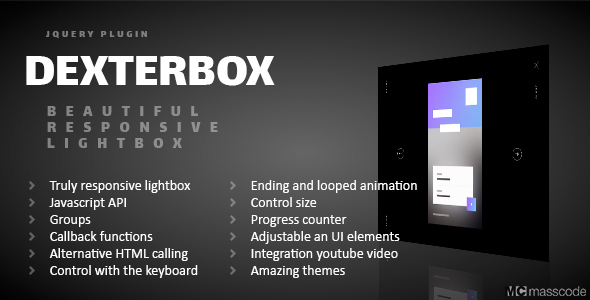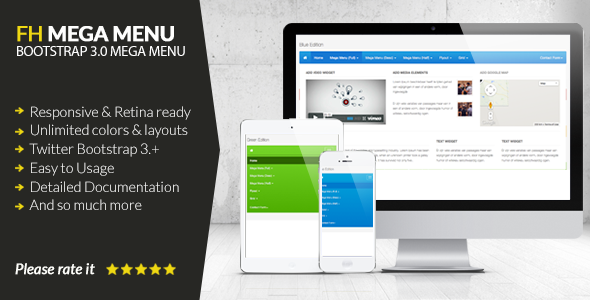
The jQuery Slide Gallery is a powerful, modern media browser engineered to transform how you display images, videos, and custom content on the web. This comprehensive jQuery plugin is designed for developers, designers, and site owners who need a fluid, interactive, and responsive gallery solution that handles everything from high-resolution photographs to embedded YouTube and Vimeo clips. Unlike basic gallery scripts, this tool offers robust category management, keyboard navigation, and full customization via CSS, making it an ideal choice for portfolios, ecommerce product showcases, media-rich blogs, and corporate websites. It is built to deliver a seamless user experience across desktop and mobile devices, ensuring your media looks professional and loads efficiently. If you are seeking a reliable, feature-rich alternative to clunky native galleries or expensive SaaS solutions, the jQuery Slide Gallery provides a lightweight, self-hosted option that puts you in complete control.
Key Features
- Multi-Format Media Support: Display standard images, YouTube videos, and Vimeo videos within a single, unified gallery interface. You can mix and match media types in any order.
- Custom Content Integration: Attach arbitrary HTML content (text, links, buttons, forms) to any media item. This goes beyond captions, allowing you to build interactive call-to-actions or detailed descriptions directly into the slide.
- Category Sorting & Filtering: Organize your media items into categories. Users can filter the gallery on the fly, making it simple to navigate large collections, such as separating product photos from tutorial videos.
- Fully Responsive Layout: The gallery automatically adapts to any screen size, from 4K monitors to smartphones. No separate mobile version is needed, and touch gestures are supported.
- Advanced Navigation Controls: Includes intuitive on-screen buttons, customizable keyboard shortcuts, and swipe support. Admins can remap key bindings to match user expectations or accessibility standards.
- CSS-Driven Theming: You do not need advanced coding skills to change the look. Modify colors, fonts, shadows, and layout dimensions directly through CSS, ensuring the gallery matches your brand identity perfectly.
- Lightweight & Fast Loading: As a jQuery plugin, it avoids heavy frameworks. It loads only the necessary assets, contributing to faster page speeds and better SEO performance.
- Cross-Browser Compatibility: Tested to work reliably on Chrome, Firefox, Safari, Edge, and Opera. The plugin also handles legacy support gracefully wherever possible.
Who Is This For? Use Cases
Photographers & Creative Portfolios
If you run a photography or design portfolio, first impressions are everything. The jQuery Slide Gallery allows you to present high-resolution images with smooth transitions. The ability to add custom content beneath each image means you can embed purchase links, project case studies, or social media sharing buttons without needing separate plugins. The keyboard support (arrow keys) offers a natural browsing experience, while the responsive design ensures your work looks stunning on a tablet at a client meeting.
Ecommerce & Product Showcases
For online stores, showing a product from multiple angles is critical. Use this gallery to display product images alongside a featured video tutorial or a size chart as a custom content slide. The category filtering can be repurposed to group products by color, collection, or price range directly within the gallery, reducing the need for complex page navigation. This approach directly supports conversion by keeping the visitor engaged with the media rather than loading new pages.
Educational & Tutorial Sites
Course creators can combine video lessons with downloadable resources. Place a YouTube or Vimeo tutorial as the main media item, then use custom content to add a download link for the PDF workbook, a transcript, or a quiz link. The sorting feature helps students navigate between modules without losing their place, creating a cohesive learning experience that is more engaging than traditional list-based layouts.
Corporate & Agency Websites
Present case studies, press releases, or event recaps in a visually compelling narrative. Start with a video testimonial from a client, follow with images of the work process, and end with a custom slide containing a “Get a Quote” button. The gallery’s structural flexibility allows marketing teams to tell a complete story in one compact widget that fits seamlessly into a page layout.
Technical Details & Compatibility
The jQuery Slide Gallery is built on the reliable jQuery library (version 1.11 or higher recommended). It is a lightweight plugin with a footprint that does not bloat your page. The plugin is fully compatible with all modern browsers including Chrome 50+, Firefox 45+, Safari 9+, Edge 80+, and Opera 40+. It is tested against the core WordPress and Joomla environments, but as a standalone jQuery script, it integrates with any HTML-based platform, including static sites, PHP frameworks, and CMS systems that allow custom JavaScript. The developer, Lukasz_Czerwinski, maintains a track record of consistent updates on CodeCanyon, ensuring compatibility with evolving browser standards. The package includes well-commented JavaScript files, a sample HTML file, and a CSS stylesheet that is easy to override. While exact sales data updates dynamically, the plugin has a strong history of positive ratings and active support, as indicated by the author’s responsive support channel ([email protected]).
Pros and Cons
Pros
- Versatile Media Handling: Supports images, YouTube, Vimeo, and arbitrary HTML content in one unified gallery.
- User-Controlled Navigation: Keyboard shortcuts are remappable, a rare and developer-friendly feature.
- Category Filtering: Adding structure to large galleries is straightforward and improves UX.
- Fully Responsive & Touch-Ready: Works perfectly on mobile devices without additional configuration.
- Complete Style Control via CSS: No need to dig into JavaScript for visual changes; standard CSS overrides are sufficient.
- Lightweight & Self-Hosted: No reliance on external cloud services or expensive subscriptions.
Cons
- Requires jQuery Dependency: If your site already loads a modern framework (React, Vue), adding jQuery strictly for this gallery might be unnecessary overhead for some projects.
- Basic Animation Options: While transitions are smooth, the plugin primarily offers slide and fade effects. Users looking for complex 3D or parallax animations may find the options limited compared to newer JavaScript frameworks.
- Limited Built-In Thumbnail Grids: The gallery is linear by design (slide-based). If you need a dynamic lightbox with a static thumbnail grid, this plugin is not the ideal solution.
- Support Is Email-Based: The support channel ([email protected]) is responsive, but there is no built-in support forum or ticket system, which some users may prefer for tracking issues.
Frequently Asked Questions
Is the jQuery Slide Gallery compatible with the latest WordPress block editor (Gutenberg)?
Yes, the plugin is compatible with any WordPress environment because it is a standalone jQuery script. To integrate it into the block editor, you would manually add the gallery container to a Custom HTML block and enqueue the plugin’s JavaScript and CSS via your theme’s functions.php file or a third-party plugin like “Code Embed.” It does not come with a dedicated WordPress plugin interface, but it is fully functional when properly embedded.
Can I use the gallery with videos that are not on YouTube or Vimeo, such as self-hosted MP4 files?
The plugin officially supports YouTube and Vimeo embeds. For self-hosted MP4 videos, you can use the “custom content” feature to embed an HTML5 video tag within a slide. This workaround gives you full control over the video player and allows you to include a variety of media types that are not strictly image or embed-based, though it requires a bit of manual HTML setup.
Does the plugin include technical support and future updates?
Yes, the purchase from CodeCanyon (by author Lukasz_Czerwinski) includes six months of technical support from the developer. You can extend this support period for an additional fee. Updates to the plugin are also included for life, ensuring compatibility with new browser versions and feature enhancements. The author has a consistent record of releasing patches and is available via email for direct assistance.
Final Verdict
The jQuery Slide Gallery stands out as a practical, lightweight, and highly customizable media browser for developers and site owners who prefer a self-hosted solution. Its true strength lies in the combination of multi-format media support, category filtering, and the ability to inject custom HTML content into any slide. This turns a simple gallery into a powerful storytelling or conversion tool. While it may not offer the flashiest 3D effects of some modern JavaScript libraries, its performance, reliability, and ease of styling make it a trustworthy choice for projects that prioritize speed and flexibility over hype. With a solid CodeCanyon track record and a responsive developer, this plugin represents a low-risk, high-value investment for anyone looking to elevate their media presentation. If you need a gallery that is more than just a slideshow—one that can handle mixed content, filter categories, and work on every device—this is a smart purchase. Explore the live demo and see how it can transform your media pages today.