
Discover Dexterbox: The Responsive Lightbox Solution
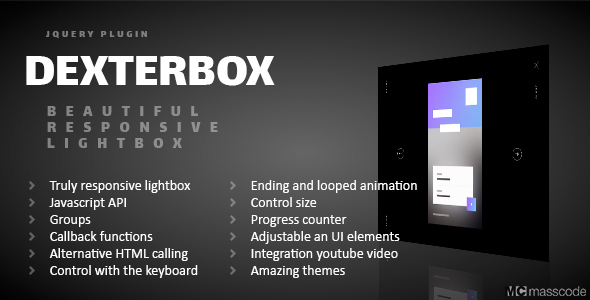
Dexterbox revolutionizes content presentation as a responsive lightbox plugin that combines stunning visuals with exceptional flexibility. This modern solution transforms how audiences experience your galleries, videos, and multimedia content across all devices. With its adaptive design framework, Dexterbox ensures your portfolio items, product showcases, and visual media maintain pixel-perfect presentation whether viewed on mobile, tablet, or desktop.
Unmatched Feature Set
Dexterbox stands out with comprehensive capabilities that cater to both developers and content creators:
- Universal Responsiveness: Seamlessly adapts content to any screen size with intelligent scaling algorithms
- Advanced Media Handling: Supports mixed content galleries combining images, YouTube videos, and HTML content in unified presentations
- Theme Customization Engine: Built-in theme generator with preset options (night, day, rainbow, chameleon) plus custom color control
- Dual Implementation Methods: Choose between JavaScript API initialization or HTML attribute configuration based on workflow preferences
- Interactive Controls: Keyboard navigation, touch gestures, progress indicators, and customizable UI element positioning
- Developer-Friendly Tools: Console debugging mode, 15+ callback functions for integration, and detailed error reporting
- Animation System: Smooth transition effects with looped animations and adjustable timing parameters
- Content Protection: Size limitation controls to prevent media overflow and maintain layout integrity
Practical Implementation Guide
Getting Started in 4 Steps
- File Integration: Download and include Dexterbox’s CSS and JavaScript files in your project header using proper path references
- HTML Markup: Structure your media elements with data attributes (data-name=”gallery1″) for group organization
<a href="image.jpg" data-name="portfolio"> <img src="thumbnail.jpg" alt="Project Example"> </a> - Initialization: Activate Dexterbox via JavaScript with your preferred configuration
document.addEventListener('DOMContentLoaded', function() { new Dexterbox({ theme: 'chameleon', animationSpeed: 400 }); }); - Customization: Adjust positioning, text direction, and visible elements through the options API
Pro Tips for Implementation
- Use the data-dexterbox-type=”video” attribute for YouTube embeds to enable special handling
- Combine the loop: true option with custom animation callbacks for interactive galleries
- Implement touch event callbacks for specialized mobile interactions beyond default gestures
Advanced API Capabilities
Dexterbox’s JavaScript API provides granular control for complex implementations:
Core Functionality Areas
- Options Configuration: Override 20+ settings including UI positions, animation behaviors, and theme selection
- Method Library: Programmatically control lightbox actions (open, close, navigate) and dynamically add/remove content
- Event Hooks: Utilize callback points like onOpen, onLoad, and beforeClose to integrate with analytics or custom behaviors
Example API implementation for dynamic content loading:
const gallery = new Dexterbox();
gallery.addContent({
  type: 'image',
  src: 'new-image.jpg',
  group: 'userUploads'
});
gallery.open('userUploads', 0);
Real-World Applications
Dexterbox excels in diverse scenarios across industries:
- E-commerce Platform: Create interactive product galleries with zoomable images and integrated video demonstrations
- Photography Portfolio: Build responsive galleries with thematic styling that adapts to different collections
- Web Applications: Showcase UI/UX case studies with device mockups and interactive walkthroughs
- Education Platforms: Present mixed media learning materials with annotated images and embedded lectures
For optimal accessibility, remember to implement ARIA labels through Dexterbox’s caption customization options when presenting complex visual content.
Experience Dexterbox In Action
Explore comprehensive demonstrations showcasing Dexterbox’s capabilities through interactive examples covering keyboard controls, touch interfaces, theme applications, and API implementations. These real-time previews demonstrate how different configuration options affect functionality and design.
View all live demonstrations at: Dexterbox Interactive Demos
Why Choose Dexterbox?
Unlike basic lightbox solutions, Dexterbox provides enterprise-grade functionality with intuitive implementation. Its theme engine eliminates tedious CSS overrides while the responsive core ensures compatibility with all modern browsing environments. The dual implementation approach (HTML-first vs JavaScript-first) accommodates various development philosophies and project requirements. For teams maintaining large-scale content platforms, the API-driven approach enables dynamic content management and seamless third-party integration.
With continuous updates addressing emerging web standards and mobile interaction patterns, Dexterbox remains a future-proof investment for creating exceptional visual experiences that engage audiences and enhance content value.