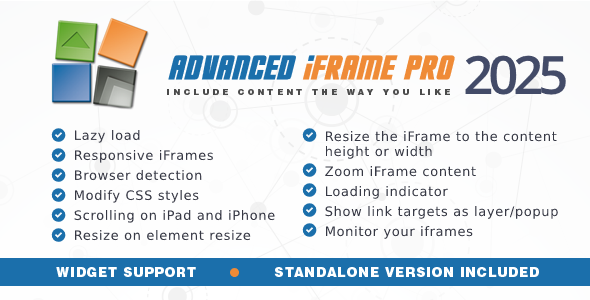
Embedding external content into your WordPress site without breaking your design, slowing down your pages, or losing control over the user experience is a common challenge. Standard iframes are notoriously limited—they don’t resize, they break on mobile, and they leave your visitors staring at a blank box. Advanced iFrame Pro, developed by mdempfle, is the go-to solution for developers and site owners who need complete command over embedded content. With over 11,400 sales and a reputation for reliability, this utility plugin transforms a basic iframe into a powerful, responsive, and customizable content container. Whether you need to hide a remote page’s header, zoom content for mobile users, or dynamically resize an iframe to match its content, Advanced iFrame Pro provides the tools to make it happen seamlessly.
Key Features
- Automatic Height Resizing: On the same domain (or with the external workaround), the iframe dynamically adjusts its height to match the embedded content. It even detects changes inside the iframe and supports auto height for hidden elements.
- Area Selection & Zoom: If you cannot modify the external page, use the built-in area selector to visually choose which part of the page to display. Combine this with zoom support to scale the content perfectly, including auto-zoom that adjusts based on the browser window size—essential for non-responsive sites on mobile devices.
- CSS Modification: Dynamically change the CSS of both the parent page and, depending on your setup, the iframe page itself. Hide headers, footers, or overwrite static sizes to make any embedded page more responsive.
- Lazy Load & Loading Icons: Improve your page load speed by loading the iframe only after the main page is ready. You can also load the iframe only when it becomes visible or trigger it with a button click. A customizable loading icon keeps users informed while the content loads.
- Parameter Forwarding & Placeholders: Pass parameters from the parent URL to the iframe, or use placeholders like the current WordPress username. You can even add the iframe URL as a parameter to the parent URL, enabling bookmarking of the selected content.
- Browser Detection: Show different iframes or different parts of an iframe depending on the user’s device. This is crucial for tailoring content to desktop, tablet, and mobile visitors.
- Link Modification & Layer Support: Dynamically change link targets inside the iframe. This allows external links to be opened in an overlay layer, keeping visitors on your site. You can also add a custom header or footer to that layer.
- iOS Scrolling Workaround: Many iOS versions block scrolling inside iframes. Advanced iFrame Pro includes a specific workaround that, combined with browser detection, ensures scrolling works on Apple devices without breaking other systems.
- 3rd Party Cookie Workaround: Safari and older IE versions often block cookies in iframes. This plugin provides a fix to handle third-party cookie issues, ensuring embedded content that relies on cookies functions correctly.
- Iframe Checker: Automatically monitor all your iframes (even those not created by this plugin) daily. This proactive feature alerts you if an embedded page becomes inaccessible, preventing broken content and poor user experiences.
- Gutenberg Block & Widget: A dedicated Gutenberg block makes adding iframes with a live preview simple. The included widget lets you place iframes or any shortcode into your sidebar or widget areas.
- Content Filter & External Workaround: Offer parts of your website with just two lines of code (JavaScript + iframe). The external workaround enables resizing and CSS modification on different domains by adding a single line of JavaScript to the remote page.
- Non-WordPress Use: While built for WordPress, the plugin can be used on any PHP page where you can insert a few lines of code, making it versatile for custom projects.
Who Is This For? Use Cases
Web Developers & Agencies
If you build custom WordPress sites for clients, Advanced iFrame Pro is an indispensable tool. You can embed third-party tools, booking systems, or external dashboards without ugly borders, scrollbars, or layout breaks. The ability to hide unwanted elements and dynamically resize gives you full control over the final presentation.
E-commerce Site Owners
Displaying product catalogs, price lists, or external vendor pages within your store can be tricky. With this plugin, you can embed content securely, ensure it works on mobile, and even allow users to bookmark specific pages. The cookie workaround is particularly useful for embedded shopping carts or login forms from external providers.
Content Publishers & Bloggers
Embedding videos, maps, or interactive content from other sites is common, but standard embeds often fail to adapt to your theme. Advanced iFrame Pro makes video embeds responsive and allows you to zoom or crop the embedded area to fit your layout perfectly. The lazy load feature ensures your page speed remains high, even with multiple embeds.
Membership & LMS Site Managers
If you run a membership site or a learning management system, you may need to embed external course content, forums, or member dashboards. The browser detection and parameter forwarding features allow you to serve different content to different user groups or devices, all within a single iframe.
Technical Details & Compatibility
Advanced iFrame Pro is built for WordPress and is compatible with the latest version (v2025 as of the current release). It includes a Gutenberg block and works with all major browsers including Chrome, Firefox, Safari, and Edge. The plugin supports PHP 7.4+ and is tested with WooCommerce, bbPress, and other popular plugins. For the best experience, the developer recommends having basic HTML/CSS knowledge to identify elements for modification. The plugin can also be integrated into non-WordPress PHP sites with a few lines of code. Updating is straightforward—simply download the new zip from CodeCanyon and overwrite your existing files; all settings are stored in the database and are preserved.
Pros and Cons
Pros
- Extremely feature-rich—covers almost every iframe use case imaginable.
- Excellent for improving mobile responsiveness with zoom and browser detection.
- Lazy load and iframe checker enhance site performance and reliability.
- Supports embedding on different domains with the external workaround.
- Includes a Gutenberg block, widget, and shortcode support for maximum flexibility.
- Active developer with over 11,400 sales and a long history of updates.
- Priced at $36—excellent value compared to the time saved on custom coding.
Cons
- Some advanced features (like resizing or CSS modification on different domains) require adding JavaScript to the remote page, which may not always be possible.
- Cannot embed HTTP pages into HTTPS sites due to browser security restrictions.
- Steep learning curve for beginners—requires basic HTML/CSS knowledge to use effectively.
- The free version is available, but many of the best features are locked behind the Pro upgrade.
Frequently Asked Questions
Is Advanced iFrame Pro compatible with WooCommerce?
Yes, Advanced iFrame Pro works seamlessly with WooCommerce. You can embed external product catalogs, vendor dashboards, or affiliate content within your store pages. The plugin’s responsive features ensure embedded content looks good on all devices, and the cookie workaround helps maintain session integrity for embedded shopping experiences.
Can I embed content from a different domain without modifying their site?
Yes, but with some limitations. If you cannot modify the remote page, you can still use the area selection and zoom features to display a specific portion of the page. For full resizing and CSS modification on a different domain, you need to add one line of JavaScript to the remote page (the external workaround). If that’s not possible, a reverse proxy setup on your own server is an alternative, though it requires more technical expertise.
Does the plugin include support and updates?
Yes, purchasing Advanced iFrame Pro from CodeCanyon includes six months of support from the developer, mdempfle. You can extend this period if needed. Updates are included for the same period, and you can continue using the plugin after the support period ends. The developer is known for being responsive and helpful, as mentioned in the product description.
Final Verdict
Advanced iFrame Pro is not just another iframe plugin; it is a comprehensive content embedding toolkit that solves real-world problems. With over 11,400 sales and a track record of continuous updates since 2025, mdempfle has built a product that balances power with practicality. The ability to dynamically resize, zoom, lazy load, and modify CSS makes it an essential tool for any WordPress developer who regularly embeds external content. While there is a learning curve, the documentation and video quickstart guide help flatten it. For $36, you are getting a plugin that can save you hours of custom coding and frustration. If you need reliable, responsive, and controllable iframes on your WordPress site, Advanced iFrame Pro is a smart investment that will pay for itself quickly. Buy Advanced iFrame Pro today and take full control of your embedded content.