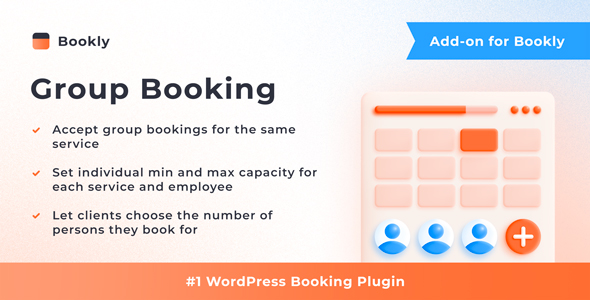
When a business offers services that naturally accommodate multiple people at once—think beauty salons, barbershops, medical clinics, or tour operators—the standard single-person booking flow can become a bottleneck. Manually juggling overlapping appointments or forcing clients to book separate slots for a family or group creates friction and administrative overhead. This is precisely where the Bookly Group Booking (Add-on) for WordPress steps in. Developed by Nota-info, this add-on transforms the core Bookly PRO system into a powerful group scheduling engine, allowing clients to reserve an appointment for several individuals simultaneously. For service providers looking to boost efficiency and improve the customer experience, this tool offers a seamless, integrated solution that directly addresses the complexities of multi-person scheduling.
Key Features
The Bookly Group Booking (Add-on) is packed with functionality designed to give you granular control over your group scheduling process. Here are the standout features that make it an essential tool for any Bookly PRO user:
- Set Individual Service Capacity: You have the flexibility to define a maximum number of participants for each specific service. For instance, a yoga class might allow 20 people, while a private consultation might be capped at 2. This ensures you never overbook a resource.
- Set Individual Staff Member Capacity: Beyond service-level limits, you can also set a separate capacity for each staff member. This is ideal for scenarios where a lead instructor can handle a larger group, while a junior staff member is limited to a smaller one. It provides a dual-layered control system for your resources.
- Let Customers Decide Group Size: The add-on empowers your clients by allowing them to specify the exact number of people they are booking for directly in the booking form. Whether it’s a party of three or a group of ten, the customer is in control, which reduces the need for back-and-forth communication.
- Streamlined Calendar Display: The Bookly calendar treats a group booking as a single, unified appointment, displaying the total quantity of signed-up customers right on the slot. This prevents calendar clutter and gives you an instant, at-a-glance view of your day’s workload without having to count individual entries.
- Flexible Form Visibility Options: You can choose to show or hide information about group bookings within the booking form itself. This allows you to tailor the front-end experience, keeping the interface clean for services that don’t require group bookings while still providing all necessary details for those that do.
- Customizable Time Slot Occupancy Display: You have control over how the time slot occupancy is presented to customers. You can select a format that clearly communicates how many spots are left, encouraging prompt bookings and creating a sense of urgency where appropriate.
Who Is This For? Use Cases
The Bookly Group Booking (Add-on) is not a niche tool; it solves a universal scheduling problem for a wide array of service-based businesses operating on WordPress. If your calendar is often filled with multiple clients at the same time, this add-on is built for you.
Salons and Spas
Consider a bridal party needing hair and makeup, or a group of friends booking a spa day. Instead of making them book five separate appointments and hoping the times align, they can use the group booking feature to book a single slot for all five people. The salon owner can set a capacity for the service and ensure enough stylists are available, turning a potentially chaotic scheduling nightmare into a simple, profitable booking.
Medical and Wellness Clinics
Clinics offering group therapy sessions, vaccination drives, or health education workshops can use this add-on to manage patient flow efficiently. The ability to set a hard capacity limit ensures that sessions never exceed safe or legal occupancy numbers. Furthermore, patients can book for themselves and a family member in one go, simplifying the administrative process for both the clinic and the patient.
Fitness Studios and Personal Trainers
Fitness classes are the quintessential group booking scenario. Whether it’s a spin class with 15 bikes or a small-group personal training session capped at 4 people, this add-on provides the necessary controls. Studio owners can set different capacities for different classes, and clients can see real-time availability, encouraging them to fill the remaining spots quickly.
Tour Operators and Activity Providers
Businesses that run guided tours, cooking classes, or adventure activities often deal with group sizes that fluctuate. The Bookly Group Booking (Add-on) allows these providers to set a maximum group size for safety and quality assurance. A customer can book a tour for their entire family of six in a single transaction, providing a frictionless booking experience that is more likely to convert.
Technical Details & Compatibility
Before making a purchase, it is crucial to understand the technical requirements. The Bookly Group Booking (Add-on) is not a standalone plugin. It is an extension that operates exclusively within the Bookly PRO ecosystem. This means you must have an active license for Bookly PRO to use this add-on. The setup process is designed to be quick and intuitive, taking only a few minutes to integrate with your existing Bookly installation. Once activated, it works seamlessly with the core booking form and the admin calendar, ensuring that your data is synchronized across the platform. As with all Bookly add-ons, it is built to be compatible with the latest versions of WordPress and the Bookly PRO plugin, ensuring stability and security for your website.
Pros and Cons
To provide a balanced perspective, let’s evaluate the strengths and potential limitations of this add-on based on the information provided.
Pros
- High-Value Functionality: At $49.00, it adds a significant revenue-generating capability to your booking system, allowing you to handle more clients without increasing administrative workload.
- Granular Control: The dual capacity settings (service-level and staff-level) offer exceptional flexibility that is not commonly found in basic booking plugins.
- Improved User Experience: By letting customers book for multiple people in one action, you reduce friction and improve the likelihood of completing a booking.
- Effortless Integration: Since it is built by the same ecosystem as Bookly, the integration is seamless, with no conflicts or complicated setup procedures.
- Proven Track Record: With over 5,371 sales, the add-on has a substantial user base, indicating reliability and community trust in the developer, Nota-info.
Cons
- Dependency on Bookly PRO: This is not a standalone solution. You must already own or be willing to purchase Bookly PRO, which represents an additional cost.
- Specific Use Case: If your business only handles one-on-one appointments, this add-on would be redundant, and the features would go unused.
Frequently Asked Questions
Is the Bookly Group Booking (Add-on) a standalone plugin?
No, it is not. The Bookly Group Booking (Add-on) is an extension that is strictly dependent on the Bookly PRO plugin. It cannot function independently. You will need to install and activate Bookly PRO first, and then install this add-on to enable the group booking capabilities. The add-on essentially unlocks new features within the existing Bookly PRO framework.
Can I set different group size limits for different services?
Yes, one of the core features of this add-on is the ability to set individual capacity limits for each service you offer. For example, you can set a maximum of 2 people for a “Consultation” service and a maximum of 20 people for a “Group Workshop” service. This granular control ensures that you can tailor the booking limits to the specific requirements of each offering, preventing overbooking and maintaining service quality.
Does the add-on show how many spots are left in a time slot?
Yes, the Bookly Group Booking (Add-on) provides features to display the occupancy of time slots. The plugin includes an option to show or hide this information in the booking form, and it also allows you to choose the format for how this occupancy is displayed. This visibility can help drive more bookings by creating a sense of scarcity and encouraging customers to fill up remaining spots.
Final Verdict
The Bookly Group Booking (Add-on) is a powerful and necessary extension for any business using Bookly PRO that needs to manage multiple clients in a single appointment slot. Its focus on granular capacity control and seamless integration makes it a standout product in the WordPress booking ecosystem. The developer, Nota-info, has a strong reputation, evidenced by the add-on’s impressive sales count of over 5,371, which speaks to its reliability and effectiveness in real-world applications. While the initial investment includes the cost of the base Bookly PRO plugin, the $49.00 price for this add-on is a small price to pay for the efficiency gains and potential for increased revenue it unlocks. It eliminates the manual work of coordinating group schedules and provides a professional, user-friendly experience for your clients. If you are ready to streamline your group scheduling process and provide a superior booking experience, this add-on is a smart investment that will pay for itself quickly.