Service-based businesses often struggle with the gap between standard appointments and the reality of what clients actually need. A haircut isn’t just a haircut when deep conditioning is involved; a cleaning service isn’t just a standard visit when a client requests oven degreasing. For WordPress users running on the robust Bookly PRO framework, bridging that gap used to require complex workarounds. The Bookly Service Extras (Add-on) by Nota-info solves this problem elegantly, providing a native way to monetize add-ons, equipment, and supplementary services directly within the booking flow. This add-on transforms a rigid scheduling system into a dynamic point-of-sale, allowing customers to customize their visit while simultaneously increasing your average ticket value.
This article explores how this specific add-on functions, who benefits most from its implementation, and why its deep integration with Bookly PRO makes it a staple for high-volume booking sites. With over 4,140 sales, this is a proven solution in the Envato ecosystem, and we are here to break down exactly what it offers before you commit to the $64.00 investment.
Key Features
The Bookly Service Extras (Add-on) is not a standalone application; it is a functional extension of the Bookly PRO ecosystem. Its feature set focuses on granular control and seamless user experience. Here are the core capabilities that define this plugin:
- Service-Specific Extra Management: You have the ability to create unique extras for each individual service. This prevents a car wash extra from appearing when a client books a dental cleaning. Each service maintains its own distinct catalog of add-ons.
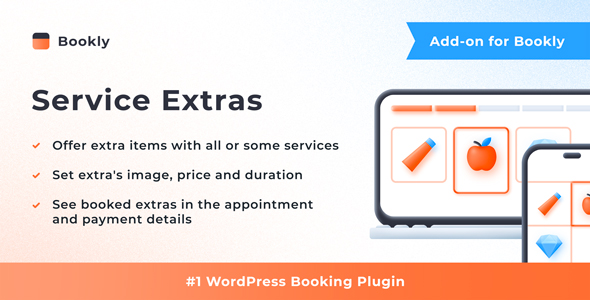
- Visual Representation: The plugin allows you to upload and display an image of the extra item directly in the booking form. This visual cue reduces confusion and increases the likelihood of purchase, as clients see exactly what they are selecting.
- Dynamic Pricing and Duration: You can set a specific price and a specific duration for each extra. This is crucial because adding a “Deep Clean” service should logically extend the appointment length and adjust the total cost automatically.
- Quantity Controls: The add-on enables you to set minimum and maximum quantities for extras. For example, you might require a minimum of one “Safety Check” but cap “Additional Paint Protection” at two layers.
- Backend Visibility: Information regarding selected extras is not lost in the frontend. It appears clearly in the Bookly calendar, within the appointment details, and in the Bookly cart. This ensures staff are fully prepared upon the client’s arrival.
- Strategic Placement: You have control over when the “Extras” step appears in the booking wizard. You can choose to show it before or after time selection, allowing you to optimize the flow for upselling versus convenience.
- Notification Integration: The add-on supports relevant placeholders in your email and SMS templates. This means both staff members and clients are automatically notified about which extras were selected, eliminating the need for manual follow-up messages.
Who Is This For? Use Cases
This plugin is designed for businesses that require more than just time-slot management. If your service has variables—whether physical products, additional labor, or premium options—this tool is built for you. It is particularly valuable for service providers operating within the WooCommerce or general WordPress environment who already rely on Bookly PRO for their core scheduling.
Wellness and Beauty Salons
Salons offer a prime example of this add-on’s utility. A standard “Hair Coloring” appointment often has variables: toner, Olaplex treatment, or extra color tubes. With the Bookly Service Extras (Add-on), the client can select these during booking. The salon owner can set a price and duration for each product. This eliminates the awkward post-service billing surprises and ensures the stylist has the correct products ready, increasing efficiency and client satisfaction.
Automotive Detailing and Repair Shops
For auto shops, a base “Full Detail” service rarely covers every need. Clients may want to add engine bay cleaning, leather conditioning, or paint sealant. This add-on allows the shop to present these as optional extras with images. The duration extension is vital here; the plugin ensures the booking system automatically blocks out the extra time required for these add-ons, preventing overbooking and schedule conflicts.
Equipment Rental and Venue Booking
If you rent out spaces or equipment, the “Extras” feature acts as a powerful inventory connector. A photography studio rental might include “Lighting Kit” or “Backdrop Setup” as extras. By setting minimum and maximum quantities, the owner can control inventory limits directly within the booking form, ensuring they never oversell limited physical assets.
Tutoring and Educational Services
Tutors often offer supplementary materials or extended sessions. The add-on can be used to sell “Practice Exam Papers” or “Priority Marking” alongside a standard lesson slot. The ability to adjust the overall price dynamically is particularly useful here, allowing for a base hourly rate with an additional cost for resources.
Technical Details & Compatibility
Understanding the technical constraints is vital for a smooth installation. This is a specialized add-on, not a universal plugin.
Core Requirement: The most critical technical detail is that this is an add-on that requires the Bookly PRO plugin. It is not a standalone booking solution. Attempting to run it without the parent plugin will result in failure. This architecture ensures that the data structures match perfectly, allowing for the seamless integration described in the official documentation.
Integration: The plugin is built specifically for the WordPress ecosystem. It integrates natively with the Bookly calendar and cart system, ensuring that data flows smoothly between the frontend booking form and the backend admin dashboard. The setup process is designed to take only a few minutes, provided the user is familiar with the standard Bookly environment.
Data Handling: The plugin handles duration changes and price adjustments automatically based on the “Extras” selected. It supports email and SMS placeholders, which means it relies on the notification infrastructure already established by Bookly PRO. The developer, Nota-info, provides detailed documentation that outlines the setup process for these specific placeholders.
It is important to note that this plugin does not handle the “Extras” as separate inventory items in a warehouse sense; it handles them as appointment modifiers. The data is stored relative to the booking itself, which is the correct approach for service-based scheduling.
Pros and Cons
To provide a balanced review, we have analyzed the strengths and potential limitations of this add-on based on its description and intended use.
Pros
- Native Integration: Because it is built by the same ecosystem as Bookly, it does not feel like a third-party bolt-on. The user interface matches the standard Bookly aesthetics, reducing the learning curve for staff.
- Revenue Optimization: The core purpose is upselling, and it does this effectively. By allowing images and clear pricing, it encourages clients to spend more during the booking process, directly increasing the average transaction value.
- Time Management: The ability to extend appointment duration based on extras is a standout feature. It ensures your schedule remains accurate and prevents the “ripple effect” of delays caused by underestimated service times.
- Clear Communication: The integration with email and SMS templates means clients receive a receipt of their extras, and staff get a work order. This reduces disputes and ensures everyone is on the same page.
- Proven Track Record: With 4,140 sales on CodeCanyon, this is a widely adopted solution. The author, Nota-info, has a history of supporting these add-ons, which suggests reliability.
Cons
- Dependency on Bookly PRO: This is the biggest hurdle for new users. You cannot use this plugin without first purchasing and installing Bookly PRO. This represents a significant initial investment before you even purchase this add-on.
- Niche Functionality: If your business offers purely standardized services with zero variations, this plugin is overkill. It adds a step to the booking process that might not be needed for simple scheduling.
- Frontend Complexity: For less tech-savvy clients, an extra step in the booking wizard (the “Extras” selection) could potentially increase the time it takes to complete a booking, which might lead to higher cart abandonment rates if not configured carefully.
Frequently Asked Questions
Before making a purchase, users often have specific queries regarding compatibility and functionality. Here are the answers to the most common questions.
Is the Bookly Service Extras (Add-on) compatible with the free version of Bookly?
No. The Bookly Service Extras (Add-on) is strictly an extension of the Bookly PRO plugin. It requires the PRO version to function correctly. The free version of Bookly does not contain the necessary core architecture to support add-ons like this one. You must verify that you have the PRO version installed and active before attempting to install this add-on.
Can the price of the “Extra” change the total cost of the booking automatically?
Yes. One of the primary functions of this add-on is to dynamically adjust the total price and duration of the appointment. When a client selects an extra item with a specific price and duration, the system recalculates the total cost and time required for the booking in real-time. This ensures that the final price reflects the sum of the base service and the selected extras.
Will my staff members see the selected extras in their daily schedule?
Absolutely. Information about the selected extras is displayed in the Bookly calendar and within the appointment details. This ensures that staff members are aware of the specific requirements of the job before they meet the client. Additionally, you can configure email and SMS templates to include details about the extras, ensuring staff receive this information even if they do not check the calendar.
Final Verdict
For businesses already invested in the Bookly PRO ecosystem, the Bookly Service Extras (Add-on) is an essential tool for scaling revenue and improving operational clarity. It takes a standard booking system and turns it into a customized sales interface, allowing clients to build their perfect appointment while giving business owners the tools to price those modifications accurately. It is not a standalone solution, but rather a force multiplier for an existing setup.
The developer, Nota-info, has clearly designed this with user experience in mind—the ability to control the placement of the extras step and the inclusion of images demonstrates a deep understanding of how to maximize conversion rates without annoying the customer. The plugin’s track record, evidenced by its 4,140 sales, indicates that it is a stable and trusted component within the WordPress scheduling community.
While the $64.00 price tag is an additional expense on top of Bookly PRO, the return on investment is quickly realized through the effective upselling of products and services. If you are losing money to “on-the-spot” upgrades that you cannot manage in your schedule, or if you are manually invoicing clients for extras after their visit, this add-on streamlines that entire process. It is a worthwhile investment that pays for itself after just a few bookings.
If you run a salon, clinic, rental service, or any booking-based business that offers variations on a theme, do not hesitate. Equip your Bookly PRO setup with this add-on and start offering a more detailed, professional, and profitable booking experience today.