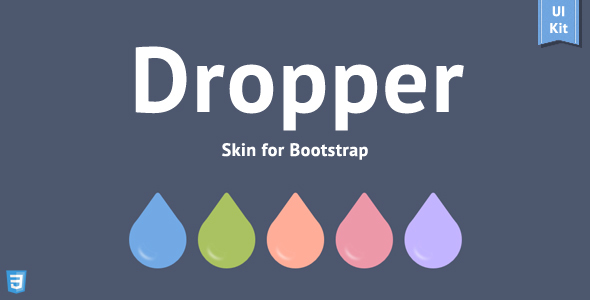
Why Dropper Skin for Bootstrap Stands Out in Modern Web Design
When you build websites with Bootstrap, you inherit a powerful grid system and a solid set of components, but you also inherit a look that is instantly recognizable. Every Bootstrap site tends to feel the same unless you invest hours writing custom CSS. Dropper – Skin for Bootstrap solves this problem by providing a complete visual overhaul that preserves the framework’s structural integrity while injecting a fresh, three-dimensional aesthetic. This skin is not a plugin that fights against Bootstrap; it is a refined layer that works directly with the framework’s core files. For developers and agencies who want to deliver polished, distinctive projects without sacrificing performance or maintainability, Dropper offers a pragmatic path to a custom look. It is designed for those who appreciate efficiency, crave originality, and refuse to bloat their pages with redundant stylesheets.
The core value proposition of Dropper lies in its architectural approach. Instead of piling overwritten rules on top of Bootstrap’s default styles, Dropper modifies the foundational LESS variables and mixins. This means you get a lightweight stylesheet that is as efficient as the original Bootstrap, yet it looks radically different. The skin introduces subtle gradients, refined shadows, and a modern flat-meets-3D design language that elevates everything from buttons and forms to navigation menus and media objects. Whether you are launching a corporate portal, a creative portfolio, or a feature-rich web application, Dropper provides the visual foundation you need to stand out while keeping your codebase clean and scalable.
Key Features
Dropper is packed with features that go far beyond simple color swaps. Here are the most important capabilities that make this skin a comprehensive design toolkit:
- Built on Bootstrap 3.3.6: You get the stability and flexibility of one of the most widely used front-end frameworks, ensuring compatibility with countless plugins and themes.
- Five Cute Color Themes: Instantly change the entire look of your site with pre-built color schemes. No need to manually adjust variables; just include the theme file that matches your brand.
- Complete LESS Source Files: For developers who demand total control, all LESS files are included. Customize spacing, colors, typography, and component styles from a single source of truth.
- Font Awesome 4.5.0 Icon Set: Access over 600 scalable vector icons that work flawlessly on retina displays and any screen resolution.
- 3D Styled Buttons and Inputs: The signature aesthetic of Dropper adds depth to interactive elements, making them feel tactile and engaging without being dated.
- Social Colored Buttons: Quickly add recognizable social media buttons with official brand colors, perfect for sharing sections and login forms.
- Custom Checkboxes, Radios, and Selects: Replace default browser form elements with visually consistent, styled controls that match the skin’s design language.
- Fade Carousel Effect: Transform the standard Bootstrap carousel from a sliding animation to an elegant cross-fade, ideal for showcasing high-quality imagery.
- Enhanced Dropdown Menus with Hover Support: Improve user experience by allowing dropdowns to open on hover, a common pattern for desktop navigation that requires less precision.
- Responsive Video Embeds: Easily embed YouTube or Vimeo content that scales perfectly within any column width without breaking the layout.
- Pre-Configured jQuery Plugins: The package includes essential plugins for a datepicker, colorpicker, input mask, file upload, and Google Maps integration, all styled to match the skin.
- Bloat-Free Architecture: The final CSS includes only what is necessary. There are no unused rules or performance-draining overrides, keeping your page speed optimized.
Who Is This For? Use Cases
Dropper is a versatile solution that adapts to a wide range of projects. Its blend of modern aesthetics and practical features makes it an ideal choice for freelance developers, design agencies, and in-house web teams. If you find yourself repeatedly rebuilding the same UI patterns from scratch, this skin offers a head start that feels like a custom build.
Freelance Web Developers
Freelancers often juggle multiple client projects with tight deadlines. Dropper allows you to deliver a premium look without the hours of custom CSS that would normally be required. You can quickly set up a project skeleton, apply the skin, and focus your time on business logic and unique client requirements. The included example pages for home, about, portfolio, blog, and contact provide a solid starting point for any standard business website.
Design Agencies with Rapid Prototyping Needs
Agencies need to iterate fast when presenting concepts to clients. Dropper’s five color themes and pre-styled components mean you can generate a functional prototype that looks like a finished product by the end of the first day. The visual impact is strong enough to impress stakeholders, while the clean LESS structure ensures the prototype can evolve into a production-ready solution without a complete rewrite.
Web Application Startups
If you are building a SaaS platform or an internal business tool, user interface polish is critical for adoption. Dropper provides professional-looking forms, buttons, panels, and navigational elements that enhance the overall user experience. The inclusion of utility elements like pricing tables, testimonials, and effect galleries gives you the building blocks to create a compelling marketing site and a functional dashboard in one cohesive style.
Bloggers and Content Creators
For bloggers who want to move beyond default templates, Dropper offers a unique look that complements high-quality content. The styled media objects are perfect for comment sections, while the blog components and post detail pages included in the package help structure your content in an engaging way. The responsive design guarantees your articles look great on any device your audience uses.
Technical Details & Compatibility
Dropper is built on Bootstrap version 3.3.6, which represents a mature and stable release of the framework. The skin is compatible with the latest versions of major desktop and mobile browsers, including Chrome, Firefox, Safari, Opera, and Edge. For legacy enterprise environments, support is maintained for Internet Explorer 7 and above, though IE7 support for certain Font Awesome features is optional to keep the code lean. The CSS3 features that define the skin’s 3D look require a modern browser to be fully appreciated.
The package includes a well-organized folder structure that separates the core skin files from plugins and examples. The LESS files are pre-compiled into a single production-ready CSS file, but you have the option to recompile them with your own build tools. To customize the skin, you can simply modify the LESS variables or choose one of the five included color schemes. The most recent update, version 3.3, was released on February 29, 2016, and included a significant upgrade to FontAwesome 4.5.0, an improved folder structure, and a streamlined LESS compilation process.
Pros and Cons
An honest assessment of any product helps set realistic expectations. Here is a breakdown of Dropper’s strengths and weaknesses based on its features and historical updates.
Pros
- Lightweight and Efficient: The skin files contain no redundant rules. You get a distinct look without the performance penalty that often comes with page builders or heavy theme frameworks.
- Deep Customization with LESS: The inclusion of LESS source files lets you tailor every aspect of the design, from colors to component shapes, making it simple to match exact brand guidelines.
- Enhanced UI Components: The custom checkboxes, radio buttons, and select menus elevate the perceived quality of any form, which is crucial for conversion-focused websites.
- Comprehensive Plugin Bundle: Having a styled datepicker, colorpicker, and Google Maps integration out of the box saves significant development time on common features.
- Strong Visual Identity: The 3D elements and fade effects create a unique user experience that distinguishes your project from countless other Bootstrap sites.
- Long History of Updates: The changelog reflects a developer who maintains the product, adapting to new Bootstrap and Font Awesome releases over several years.
Cons
- Outdated Bootstrap Version: The latest iteration is based on Bootstrap 3.3.6. While functional, this version lacks the new components and grid enhancements of Bootstrap 4 or 5. This means it may not be suitable for projects that require the most current framework features.
- No Active Development: The last update was in February 2016. The product is stable, but you should not expect new features or security updates for newer dependency versions.
- Limited Color Scheme Count: While five themes are provided, expanding beyond them requires at least a basic understanding of LESS and CSS preprocessing.
- Older jQuery Plugins: The bundle includes plugins that may have newer, more flexible alternatives available today, which might require extra work to replace.
Frequently Asked Questions
Is Dropper Skin compatible with WordPress or other CMS platforms?
Yes, Dropper is designed to work with any website that uses the Bootstrap framework. Since it dynamically styles the Bootstrap core files, it is compatible with WordPress themes that are built on Bootstrap 3.3.x. However, because it is not a plugin but a skin, you must have access to the theme’s underlying files to integrate it. If you are using a theme that already includes Bootstrap, you can often replace its CSS with the Dropper stylesheet or include Dropper’s files via a child theme. For Joomla or Drupal sites that also rely on Bootstrap 3, the integration process is similarly straightforward, requiring you to swap the default framework styles with Dropper’s.
Can I use Dropper with Bootstrap 4 or Bootstrap 5?
No. Dropper is strictly tailored to Bootstrap 3.3.6. The class names, grid system, and JavaScript plugin structure are completely different in Bootstrap 4 and Bootstrap 5. Attempting to use Dropper’s CSS with those versions will break the layout and component styling. If you are starting a new project today, it is recommended to use a Bootstrap 3-based theme or template if you want to harness Dropper’s visual style. Alternatively, you can use Dropper as a source of design inspiration and manually recreate its aesthetic in modern Bootstrap, but this sacrifices the ease of use that comes with the pre-packaged skin.
Does the purchase include support and future updates?
Yes, this item is available on ThemeForest, which guarantees lifetime free updates as long as the author chooses to support the product. This means you will receive any bug fixes or compatibility patches that may be released. Furthermore, the author has provided online documentation to guide you through installation, customization, and troubleshooting. While the product has not been updated since 2016, the purchase still grants you access to the support forums where you can ask other users or the author for help. The terms of ThemeForest also ensure that you can download the latest version of the product at any time from your account.
Final Verdict
Dropper – Skin for Bootstrap remains a hidden gem for developers who value a strong visual identity without the overhead of a heavy theme. It is a testament to the era of Bootstrap 3, offering a level of polish and refinement that still stands out today. The decision to work directly with LESS files rather than overriding styles results in a clean, maintainable codebase that experienced developers will appreciate. The included components and plugins transform a generic Bootstrap setup into a full-featured UI kit, saving days of work on standard projects.
While the lack of a Bootstrap 4 or 5 version is a drawback for some, the product’s stability means it continues to function perfectly for its intended framework. If your project relies on Bootstrap 3 for legacy reasons or you specifically prefer its grid system, there is no more efficient way to give it a fresh, professional face. The positive seller reputation and the extensive changelog history show a commitment to quality that is reflected in the final product.
If you are ready to stop settling for the default Bootstrap look and want a lightweight, customizable, and visually appealing skin at your fingertips, then give Dropper a try. It is an affordable investment that pays for itself in the time you save and the impression you make on your clients. To see the 3D buttons, elegant fade carousel, and sleek form elements in action, visit the product’s live preview today. Your next project deserves the distinctive edge that Dropper provides.