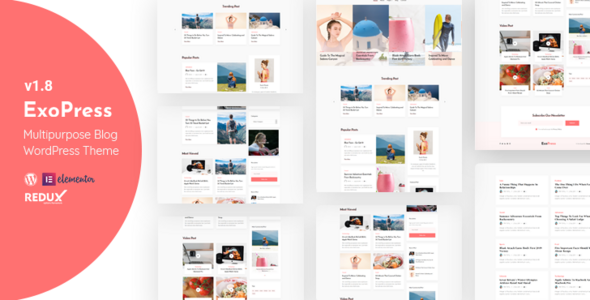
Exopress is a versatile WordPress theme specifically crafted for personal bloggers and professional content creators who demand both aesthetic appeal and functional depth. Built with Elementor page builder, this theme offers intuitive customization options while maintaining a clean, modern design that prioritizes readability and user experience.
Why Choose Exopress for Your Blog?
Modern bloggers need more than just a publishing platform—they need a digital canvas that adapts to their creative vision. Exopress delivers this through:
- Elementor Integration: Drag-and-drop functionality makes customization accessible to users of all skill levels
- Gutenberg Optimization: Seamless compatibility with WordPress’s native block editor
- Responsive Design: Flawless display across all devices with retina-ready graphics
- Performance Focus: Lightweight code structure ensures fast loading times
Key Features That Set Exopress Apart
Advanced Customization Options
The theme includes a comprehensive Redux framework-powered options panel that allows granular control over every design element. Users can:
- Select from unlimited color schemes
- Choose between 850+ Google Fonts combinations
- Toggle preloader animations and breadcrumb navigation
- Customize header layouts and sticky menu behavior
Content Presentation Flexibility
Exopress supports multiple post formats and layout options:
- Post Styles: Standard, gallery, video, audio, and more
- Layout Variations: Fullwidth, left sidebar, or right sidebar configurations
- Special Features: Fullscreen post slider for highlighting featured content
Technical Sophistication
Behind the elegant interface lies robust technical infrastructure:
- CMB2 framework for custom meta boxes
- W3C validated code for standards compliance
- Cross-browser compatibility testing
- Well-commented code for developer customization
- Included child theme for safe modifications
Practical Benefits for Blog Owners
Streamlined Setup Process
The one-click demo installation imports all content, sliders, and theme settings, allowing you to launch your blog with professional styling immediately. This feature is particularly valuable for:
- New bloggers who want a polished look without design experience
- Professionals transitioning from other platforms
- Agencies building multiple client sites efficiently
Enhanced Reader Engagement
Exopress incorporates features specifically designed to improve user experience:
- AJAX-powered MailChimp integration for seamless newsletter signups
- Styled contact forms (with Contact Form 7 compatibility)
- CSS3 animations for subtle interactive elements
- Optimized typography and white space for improved readability
Ongoing Support and Updates
The development team maintains active support with regular updates, as evidenced by the detailed changelog. Recent improvements include:
- PHP 8 compatibility
- WordPress 6.5.5 optimization
- Bug fixes and performance enhancements
Users receive lifetime updates and exclusive support, ensuring long-term viability of their blogging platform.
Ideal Use Cases
While versatile enough for various applications, Exopress particularly excels for:
- Personal Journals: Clean layouts put focus squarely on written content
- Professional Portfolios: Showcase work with gallery and video post formats
- Niche Blogs: Flexible enough for food, travel, or lifestyle content
- Thought Leadership Sites: Professional presentation for expert content
Technical Specifications
Included Frameworks and Libraries
- Redux Framework for theme options
- CMB2 for custom fields
- jQuery and Bootstrap for frontend functionality
- Owl Carousel for responsive sliders
Font and Icon Resources
- Google Fonts integration (Spectral and Roboto included)
- Font Awesome icon library
Getting Started with Exopress
The theme comes with comprehensive online documentation that guides users through:
- Initial installation and setup
- Demo content import
- Theme options configuration
- Customization best practices
For those requiring additional assistance, the dedicated support team provides prompt, expert help to resolve any technical questions.
Continuous Improvement
The development history shows consistent attention to maintaining compatibility with WordPress updates and web standards. Recent version updates have focused on:
- Security enhancements
- Performance optimizations
- New feature integrations
- Bug resolution
This commitment to ongoing refinement ensures Exopress remains a future-proof solution for serious bloggers.