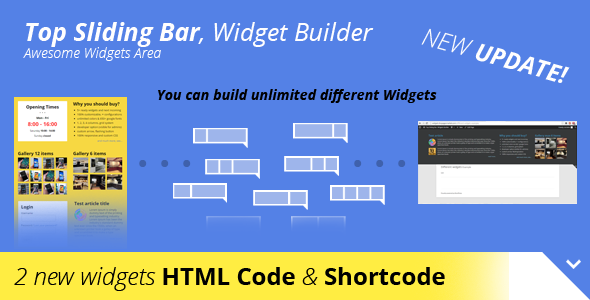
The Top Sliding Bar is a versatile WordPress widget that creates dynamic, customizable content areas at the top of your website. This powerful tool enables webmasters to build engaging notification bars, promotional spaces, or navigation aids without touching a single line of code.
Why Choose the Top Sliding Bar Widget?
Modern websites need flexible solutions for displaying important information without cluttering the main content area. The Top Sliding Bar solves this challenge by offering:
- Non-intrusive placement that slides open when needed
- Multiple display options including fixed, floating, or absolute positioning
- Complete design control with color pickers and Google Fonts integration
- Responsive behavior that adapts perfectly to all device screens
Comprehensive Feature Breakdown
Widget Variety and Customization
The plugin comes packed with five essential widget types, with more in development:
- Login Section – Create member access points
- Content Lists – Display important links or resources
- Business Hours – Show your opening times prominently
- Article Showcases – Highlight featured content
- Image Galleries – Choose between 6 or 12 item layouts
Advanced Layout Options
Design your perfect layout with flexible column configurations:
- Choose between 1, 2, 3, or 4 column layouts
- Implement a responsive grid system
- Set absolute or fixed positioning
- Enable floating behavior for persistent visibility
Visual Customization Features
Make the bar match your brand perfectly:
- 650+ Google Fonts integration
- Complete color control with intuitive color picker
- Transparent background options
- Custom arrow icon upload capability
- Custom CSS field for advanced styling
Practical Implementation Tips
Best Uses for Top Sliding Bars
This versatile widget can serve multiple purposes:
- Promotional Space – Highlight sales or special offers
- Notification Area – Display important announcements
- Navigation Aid – Provide quick access to key pages
- Lead Generation – Feature email signup forms
- Social Proof – Showcase testimonials or client logos
Technical Considerations
For optimal performance:
- Use the developer option to test changes as admin before going live
- Leverage the four breakpoints to ensure perfect mobile display
- Consider the flashing button option for important notifications
- Combine with custom CSS for unique styling needs
Complementary WordPress Tools
For websites needing advanced advertising capabilities, consider pairing the Top Sliding Bar with ADS PRO, a comprehensive ad management solution that offers:
- Multiple ad display formats
- Advanced scheduling options
- Detailed performance analytics
- Geo-targeting capabilities
Together, these tools provide a complete solution for managing both informational content and monetization elements in your WordPress header area.