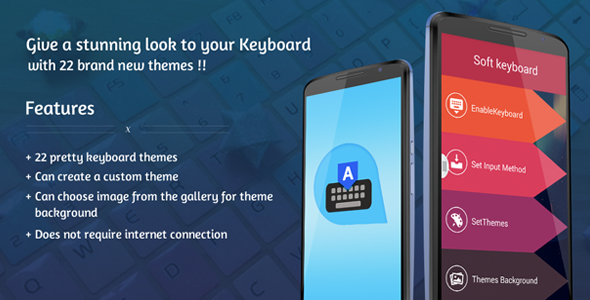
The Android Keyboard Theme app revolutionizes how users interact with their mobile devices by offering extensive customization options for keyboard appearance. With 22 professionally designed themes and the ability to create completely personalized layouts, this application transforms the standard typing experience into something uniquely expressive.
Why Custom Keyboard Themes Matter
Mobile keyboards serve as our primary interface for communication, yet most users settle for default designs. Custom themes offer:
- Personal expression: Match your keyboard to your personality or current mood
- Visual comfort: Reduce eye strain with carefully selected color schemes
- Functional enhancement: Improve key visibility for better typing accuracy
- Brand consistency: Business users can align keyboards with corporate identity
Premium Theme Collection
The app’s curated selection of 22 themes includes:
- Minimalist monochrome designs for professional use
- Vibrant gradient themes for creative personalities
- Seasonal collections (holiday, summer, winter themes)
- Material Design-inspired layouts
- Dark mode variants for nighttime use
Advanced Customization Features
Beyond pre-made themes, the app offers powerful personalization tools:
Image-Based Backgrounds
Users can select any photo from their gallery to create a truly unique keyboard. The app intelligently adjusts:
- Contrast levels to maintain key visibility
- Blur effects to prevent background distraction
- Automatic color matching for text and borders
Theme Builder Tools
The customization interface includes:
- Real-time preview of changes
- Color picker for precise adjustments
- Opacity controls for background images
- Key border customization options
Technical Specifications
The app delivers robust performance with:
- Offline functionality: All features work without internet
- Lightweight design: Minimal impact on device resources
- StartApp integration: Monetization-ready for developers
- Emoji support: Full emoji keyboard integration
- Compatibility: Works with most Android versions
Implementation Guide
Setting up custom keyboard themes takes just three steps:
- Download and install the APK file
- Enable the keyboard in Android settings (Settings > Language & Input)
- Select your preferred theme or upload a custom image
Developer Resources
For those interested in the technical aspects or customization:
- Complete Android Studio source code with all libraries
- Detailed documentation including:
- Step-by-step rebranding guide
- Theme creation tutorial
- Screenshot references for all components
- Modular architecture for easy feature additions
Professional Services
Our development team offers additional services including:
- Custom theme creation for specific audiences
- White-label solutions for businesses
- Performance optimization for older devices
- Advanced feature integration (swipe typing, predictive text)
For enterprises or developers needing specialized solutions, we provide dedicated Android development services with flexible engagement models to meet various project requirements and budgets.