Key Features
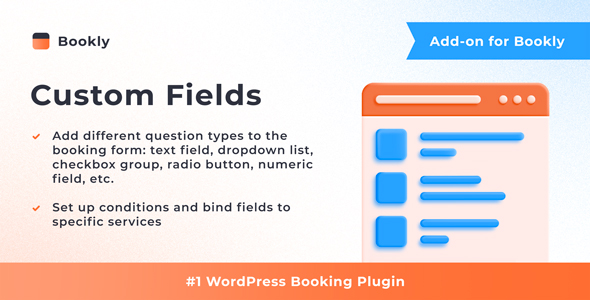
The Bookly Custom Fields (Add-on) transforms the standard booking form into a powerful data-collection tool. Developed by Nota-info, this add-on is designed to work exclusively with the Bookly PRO plugin, extending its native capabilities without complicating the user experience. The setup is straightforward, ensuring you can start collecting detailed information from clients within minutes of installation.
- Unlimited Custom Fields: Create as many additional fields as your business requires. There is no hard-coded limit, giving you the flexibility to design a booking form that matches your exact operational needs.
- Diverse Field Types: Choose from a wide array of input methods, including text boxes, checkboxes, drop-down menus, radio buttons, numeric inputs, and even CAPTCHA for spam protection. This variety ensures you can ask the right question in the right format.
- Conditional Logic: Set up conditional custom fields to show or hide questions based on previous answers. This creates a dynamic, personalized booking experience that reduces friction and improves form completion rates.
- Required or Optional: Control the booking flow by marking any field as required or optional. This ensures you always get the critical information needed to prepare for an appointment, without forcing clients to fill out unnecessary details.
- Service-Specific Binding: Bind specific fields to individual services. For instance, a hairdresser can ask about hair length only for coloring appointments, while a consultant can request project URLs only for strategy sessions. This keeps the form relevant for every booking type.
- Internal Fields: Create internal custom fields that are visible only in the Bookly backend. Use these for staff notes, internal tracking codes, or inventory details without cluttering the client-facing form.
- Editable Appointment Details: All submitted custom field data is stored in the appointment details within the Bookly Calendar. You can update these fields later if a client changes their mind or provides additional information via email or phone.
Who Is This For? Use Cases
The Bookly Custom Fields (Add-on) is built for any business that relies on the Bookly PRO scheduling system but finds the default name, phone, email, and notes fields insufficient. If you have ever needed to ask a specific question before confirming an appointment, this tool is for you.
Medical and Wellness Clinics
Practices offering physiotherapy, massage, or aesthetic treatments often need to collect medical history, allergies, or consent forms before a visit. Instead of sending separate emails or PDFs, you can embed these questions directly into the booking flow. By making them required fields, you ensure that no client books a session without providing essential health information. The data appears instantly in the appointment details, allowing practitioners to prepare in advance.
Beauty and Grooming Salons
Salons offering multiple services—from haircuts to nail art—benefit immensely from service-specific fields. A nail technician might need to know the preferred nail shape, while a stylist needs to know about previous hair treatments. By binding fields to services, the form adapts automatically. This reduces back-and-forth communication and ensures the stylist arrives with the right tools and products.
Consulting and Coaching Businesses
Consultants and coaches often need context before a session. Using drop-down menus and text areas, you can ask clients to describe their current challenges, goals, or preferred communication style. The conditional logic feature is particularly useful here—if a client selects “Business Strategy” from a menu, you can reveal a follow-up question about company size. This depth of information makes the initial consultation more productive.
Educational and Tutoring Services
Tutors can use numeric fields to ask for the student’s grade level or current score. They can also use checkboxes to understand which subjects need the most attention. This information helps the tutor customize the lesson plan before the first session even begins.
Technical Details & Compatibility
This is a WordPress plugin available on CodeCanyon. It is not a standalone application; it is an add-on that requires the Bookly PRO plugin to function. You must have an active Bookly PRO license to use this add-on.
The integration is designed to be seamless. As with all Bookly add-ons, it plugs directly into the existing Bookly ecosystem, meaning it inherits the same user interface and data structure. The developer, Nota-info, provides detailed documentation that walks you through the setup process, from installation to field configuration. The add-on also supports the standard WordPress environment, including popular themes and page builders, as long as they do not conflict with Bookly PRO’s core scripts.
It is recommended to test the add-on in a staging environment before deploying it to a live site, especially if you use heavily customized WordPress setups. However, for the vast majority of Bookly PRO users, the installation is a straightforward plugin upload followed by field configuration in the admin panel.
Pros and Cons
Pros
- Significant Time Savings: Automates the collection of pre-appointment information, eliminating the need for manual follow-up emails or phone calls.
- Highly Flexible: The combination of field types, conditional logic, and service binding covers almost any data collection scenario.
- Clean Backend Integration: Internal fields and editable appointment details keep your workflow organized and your client-facing form uncluttered.
- Trusted Developer: Nota-info is a recognized developer in the Bookly ecosystem, and the add-on has been purchased 6,959 times, indicating a solid user base and community testing.
- Reasonable Investment: At $79.00, it is a cost-effective alternative to hiring a developer to build custom form logic or purchasing a separate, more complex form plugin that may not integrate as cleanly with Bookly.
Cons
- Requires Bookly PRO: This is a significant prerequisite. If you are using the free version of Bookly, you will need to upgrade to PRO first, which represents an additional cost.
- Limited to Bookly Environment: The custom fields cannot be used outside of the Bookly booking flow. If you need to collect information on a separate landing page, you will need a different tool.
- Conditional Logic Complexity: While powerful, setting up complex conditional rules can be confusing for non-technical users. The documentation is helpful, but there is a learning curve for advanced scenarios.
Frequently Asked Questions
Is the Bookly Custom Fields (Add-on) compatible with the free version of Bookly?
No. This add-on is strictly an extension of Bookly PRO. It does not work with the free, basic version of the Bookly plugin. You must have an active and valid Bookly PRO license installed and activated on your WordPress site before you can install and use this add-on.
Can I make a custom field mandatory before a client can complete a booking?
Yes. When you create a new custom field, you have the option to mark it as required. If a field is set to required, the client will not be able to proceed to the final confirmation step of the booking process until they have provided a valid answer for that field. This is useful for collecting consent forms or critical service details.
Will the data from custom fields appear in my Bookly appointment calendar?
Absolutely. All information submitted through the custom fields is stored and displayed within the appointment details in the Bookly Calendar. You can view this data at a glance or expand the appointment to see the full details. Furthermore, you have the ability to edit these field values from the backend if a client contacts you later with a correction.
Final Verdict
The Bookly Custom Fields (Add-on) is an essential upgrade for any business using Bookly PRO that needs to move beyond the basic contact form. It bridges the gap between a simple scheduler and a comprehensive intake system. The ability to create conditional, service-specific, and internal fields provides a level of nuance that is rare in scheduling plugins. With over 6,959 sales, it is a proven solution backed by Nota-info’s reputation for quality within the Bookly ecosystem.
Considering the time it saves in pre-appointment communication and the professionalism it adds to your booking process, the $79.00 price point represents strong value for money. It turns a generic booking form into a strategic asset for your business.
If you rely on Bookly PRO and have ever wished for an extra field or a specific question on your form, do not hesitate. Invest in the Bookly Custom Fields (Add-on) today and streamline the way you collect client information. Your future self—and your staff—will thank you for the clarity and efficiency it brings.