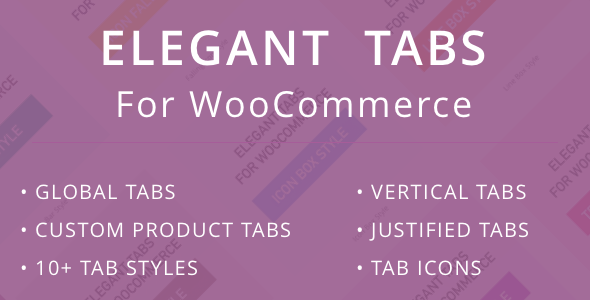
Elegant Tabs for WooCommerce Ecommerce is a WordPress plugin that replaces and extends the tabbed area on WooCommerce product pages, adding custom tabs, ten visual tab styles, icon support, vertical and justified layouts, and mobile-specific behaviour such as accordion or dropdown conversion. It is an add-on rather than a standalone theme, sold on ThemeForest for $29, and it targets store owners, freelancers and agencies who want more control over how product information is presented without editing theme templates by hand. Projects running stock WooCommerce themes with plain, unstyled tabs are the clearest fit.
What Elegant Tabs for WooCommerce Ecommerce actually changes on a product page
The core of the plugin is a custom tab manager. Store owners can create tabs of their own — for sizing charts, shipping notes, ingredient lists, warranty terms or anything else — and assign them either globally to every product or to individual products. That distinction matters in practice: a global tab suits a store-wide shipping policy, while per-product assignment keeps a technical specification tab off products it does not describe. Tab order is configurable, and the plugin allows core WooCommerce tabs (description, additional information, reviews) to be mixed into that custom order rather than being fixed in place.
Presentation is handled through ten named tab styles — bar, icon box, underline, top line, falling icon, line, line box, flip, trapezoid and fillup — plus a “theme default” option that inherits whatever the active theme already does. A justified mode stretches all tabs to equal width across the container, and a vertical layout moves the tab list to the side of the content, which is useful on wide product pages where horizontal tabs leave a lot of empty space. Roughly 700 Font Awesome icons (version 4.7) can be attached to any tab through a dedicated picker.
Mobile behaviour is treated as a separate problem, which is the right call. Tabs that look fine on a desktop viewport frequently overflow or crush on a phone, so the plugin offers two fallbacks: converting the tab set into an accordion, or converting it into a dropdown. Either can be enabled without touching the desktop presentation.
Global overrides, visibility rules and account pages
A global settings switch can force one styling configuration across every product, overriding per-product tab settings. For multi-author stores or agencies handing sites to clients, that is the difference between a consistent catalogue and a patchwork of one-off tweaks. The plugin also adds a visibility rule per tab, allowing any custom tab to be shown or hidden depending on whether the visitor is logged in — a straightforward way to put wholesale pricing notes or account-specific documentation in front of registered customers only.
The same tab styling system extends to the WooCommerce My Account page, so the account area’s own navigation can carry icons and match the product page rather than falling back to the theme’s default list. Deep linking is supported, meaning a tab can be linked to directly and opened on arrival. Default WooCommerce tabs can be disabled entirely from the plugin’s settings screen if a store wants to rebuild the tab set from scratch.
Where this plugin fits, and where it does not
The strongest use case is a store selling products that need more structured information than a single description field allows: apparel with size guides, electronics with specification tables, cosmetics with ingredient breakdowns, or anything with compliance text that must appear consistently. Agencies building client sites will get more value from the global override and the ability to disable default tabs, since both reduce the amount of per-product configuration needed after handover. Stores running page builders also benefit, because custom tab content is editable with WPBakery, Elementor and similar tools rather than being locked into a plain text field.
It is the wrong choice for a store that is satisfied with its theme’s existing tab design and simply wants to add one extra text tab. That job can be done with a short snippet or a free plugin, and the styling options here would go unused. It is also a poor fit for anyone expecting the plugin to handle tab content layout beyond the tab bar itself — the plugin controls the navigation and the container, not the typography or spacing inside each panel, which still come from the theme. Stores that have already heavily customised their product page templates may find the plugin’s output conflicts with existing CSS and needs overriding.
Strengths and limitations of Elegant Tabs for WooCommerce Ecommerce
Strengths
- Custom tabs can be assigned globally or per product, which avoids both repetitive setup and unwanted tabs on unrelated items.
- Ten distinct tab styles plus a theme-default option give genuine visual range without writing CSS.
- Vertical, justified and icon-based layouts cover presentation needs that most free tab plugins ignore.
- Accordion and dropdown fallbacks address mobile usability directly rather than leaving tabs to break on small screens.
- Logged-in and logged-out visibility rules make it easy to gate content for account holders.
- Global settings can enforce a single consistent style across an entire catalogue.
- My Account page tabs are covered by the same styling system, which is unusual for a plugin in this price bracket.
Limitations
- The bundled icon library is Font Awesome 4.7, and the vendor’s own changelog states that version 5.x icons are still to be shipped. Stores already standardised on newer Font Awesome sets will see a mismatch.
- The most recent changelog entry is version 3.3.0, dated 17 December 2021, with compatibility fixes for WordPress 5.8.2 and WooCommerce 6.0. The vendor listing does not state tested compatibility with later WordPress or WooCommerce releases, so buyers should verify current compatibility before relying on it for a new build.
- No sales figures or customer ratings are disclosed on the listing, so there is no public track record to weigh.
- Tab panel content styling is not managed by the plugin; visual consistency inside panels depends on the theme.
- The feature set is broad enough that the settings screens carry a learning curve, and the interaction between global overrides and per-product settings needs care to avoid unexpected results.
How it compares with the wider tab plugin category
Most alternatives in this space fall into two groups. The first is lightweight custom-tab plugins that add fields for extra tab content and little else — cheaper or free, but with no styling system, no mobile fallbacks and no icon support. The second is full page-builder add-on packs, which include tab widgets but style them within the builder’s own ecosystem, meaning the tabs only look right if the whole page is built with that tool.
Elegant Tabs sits between the two. It is more capable than a basic custom-tab plugin on presentation and mobile behaviour, and it does not require a page builder to function, though it cooperates with one for content editing. Against builder-based tab widgets, it wins on catalogue-wide consistency, since global settings apply across products rather than to a single designed page. Against premium theme frameworks that ship their own tab styling, it is largely redundant unless the store needs vertical layouts, logged-in visibility rules or My Account tab control. The $29 price is a one-off ThemeForest purchase, which is competitive for a plugin with this many presentation options, but buyers should factor in the stale compatibility record as a real cost of adoption.
Frequently Asked Questions
Does Elegant Tabs for WooCommerce work with the block-based product editor?
The vendor listing does not state whether the plugin’s per-product tab settings appear in the block editor or only in the classic product edit screen. The changelog references product edit screen behaviour in versions that predate widespread block editor adoption, so stores using the newer editor should confirm this with the developer before purchasing.
Can custom tabs be shown to logged-in customers only?
Yes. Version 3.3.0 added a per-tab visibility option that shows or hides any custom tab depending on whether the visitor is logged in or logged out. That makes it suitable for account-only content such as wholesale terms, member pricing notes or documentation that should not appear to anonymous browsers.
What happens to the tabs on a mobile phone?
The plugin can convert the tab set into an accordion or a dropdown on mobile devices, and either behaviour can be enabled independently of the desktop layout. This prevents the common problem of tab labels overflowing or becoming unreadable on narrow screens, and it keeps all tab content reachable without horizontal scrolling.
Can the plugin replace the default WooCommerce tabs entirely?
Yes. Settings under WooCommerce → Settings → Elegant Custom Tabs allow the default description, additional information and reviews tabs to be disabled. Once disabled, the tab area can be rebuilt using custom tabs only, with core tabs optionally re-added and positioned within the custom tab order if they are still wanted.
Verdict: who should buy Elegant Tabs for WooCommerce Ecommerce
This plugin earns its price for stores that treat the product page tab area as a real design surface rather than an afterthought — particularly catalogue-driven shops that need consistent custom tabs across hundreds of products, and agencies that want global styling control plus logged-in visibility rules without writing template code. The vertical layout, mobile accordion and dropdown fallbacks, and My Account tab styling are the features that separate it from free alternatives. Buyers should not purchase it expecting active maintenance guarantees: the last recorded release is from December 2021, the icon library is a generation behind, and no sales or rating data is published to offset that uncertainty. Stores with simple needs, or those already satisfied with their theme’s tab design, will find cheaper routes to the same result. For everyone else, Elegant Tabs for WooCommerce Ecommerce remains a focused, feature-dense option at a low one-off cost, provided current WordPress and WooCommerce compatibility is confirmed first.