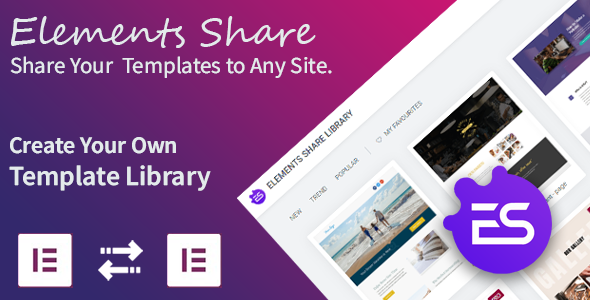
Elements Share for Elementor revolutionizes how WordPress designers and developers manage their Elementor templates by creating a centralized cloud library. This powerful plugin enables users to store, organize, and share their custom Elementor templates across multiple websites with just a few clicks.
Why Use Elements Share for Elementor?
This innovative solution solves several common pain points for Elementor users:
- Centralized template management – Store all your Elementor templates in one secure location
- Cross-site synchronization – Easily use templates across different client websites
- Team collaboration – Share templates with colleagues or clients without manual transfers
- Template showcase – Present your design portfolio to potential customers
- Time savings – Eliminate repetitive template creation for similar projects
Key Features and Benefits
Cloud-Based Template Library
The plugin creates a secure cloud repository for all your Elementor templates, including:
- Pages
- Sections
- Headers and footers
- Popups
- Global widgets
Seamless Template Sharing
With just a few clicks, you can:
- Upload templates to your cloud library
- Download templates to any connected website
- Organize templates with custom categories
- Control access with user permissions
Visual Template Management
The intuitive interface includes thumbnail previews of all stored templates, making it easy to:
- Browse your template collection
- Search for specific designs
- Preview templates before importing
Getting Started with Elements Share
Installation Guide
Follow these simple steps to install the plugin:
- Download the plugin package from CodeCanyon
- Extract the zip file to locate “elements-share.zip”
- Log in to your WordPress admin dashboard
- Navigate to Plugins > Add New
- Click “Upload Plugin” and select the zip file
- Activate the plugin after installation
Initial Setup
After activation:
- Configure your cloud storage settings
- Set up user roles and permissions
- Create template categories for organization
- Begin uploading your existing Elementor templates
Advanced Usage Scenarios
For Design Agencies
Creative teams can:
- Maintain a branded template library for all client projects
- Quickly deploy common page layouts across multiple sites
- Share design systems with new team members
For Freelancers
Independent designers benefit by:
- Building a portfolio of reusable templates
- Reducing setup time for similar client projects
- Offering template packages as additional services
For Website Owners
Businesses can:
- Maintain design consistency across multiple sites
- Quickly roll out updates to common elements
- Backup important templates in the cloud
Troubleshooting Common Issues
If you encounter problems:
- Upload failures: Check file permissions and server upload limits
- Import errors: Ensure all required plugins are active on the destination site
- Display issues: Clear Elementor cache after template imports
Version History
Version 1.0.0 – February 19, 2020
- Initial plugin release
- Core template sharing functionality
- Basic cloud storage integration
Future Development Roadmap
While not currently available, potential future features might include:
- Team collaboration tools
- Version control for templates
- Integration with popular cloud storage providers
- Template marketplace functionality
Elements Share for Elementor transforms how professionals work with Elementor templates, offering unprecedented flexibility and efficiency in template management. Whether you’re a solo designer or part of a large agency, this plugin can significantly streamline your workflow and enhance your design capabilities.