Event Booking for WooCommerce Ecommerce is a ThemeForest extension that adds an event product type to WooCommerce, letting a store sell tickets to dated events through the checkout it already runs. It ships with dedicated archive layouts, a styled single-event template, tiered ticket pricing and event metadata such as organisers, maps and video. It suits small venues, workshops, community groups and agencies that want ticketing inside an existing WooCommerce install rather than a separate booking platform.
The plugin is sold for $29 and, at the time of writing, the vendor does not disclose a sales figure on the listing. That is worth noting up front: this is not a product with a long public track record to lean on, so the assessment below rests on the feature set and the changelog rather than on volume of installs.
What Event Booking for WooCommerce Actually Does
The core idea is that an event becomes a WooCommerce product with a custom product type. Once that type is selected in the product data panel, a set of event-specific fields appears alongside the normal pricing and inventory tabs. Everything downstream — cart, checkout, order emails, coupons, tax — is handled by WooCommerce itself, which is the plugin’s main structural advantage. There is no second payment system to configure and no duplicated customer record.
Ticket tiers with independent pricing and stock
Each event can carry an unlimited number of ticket types. Every tier has a display name, a price used for the actual calculation, a quantity, and its own description. The quantity field drives a remaining-tickets figure calculated as the tier’s total minus tickets already in paid orders and tickets currently sitting in other shoppers’ carts. That cart reservation behaviour matters for popular events, because it prevents two customers from buying the same last seat during the same checkout window. There is a separate display price field that is purely cosmetic on the event page and does not feed the calculation, which is useful for showing a “from” price or a door price that differs from the online rate.
Date-driven availability
Start and end dates place each event into one of three states: upcoming, showing, or expired. Whether a customer can actually complete a booking depends on that state combined with a global setting that controls which statuses are bookable, defaulting to upcoming only. This gives a store owner a way to keep an event visible for reference after it has finished without leaving the buy button live. It is a simple model, and the simplicity is deliberate — there is no recurrence engine for weekly or monthly repeats, so a recurring programme has to be entered as separate events.
Archive layouts and single-event presentation
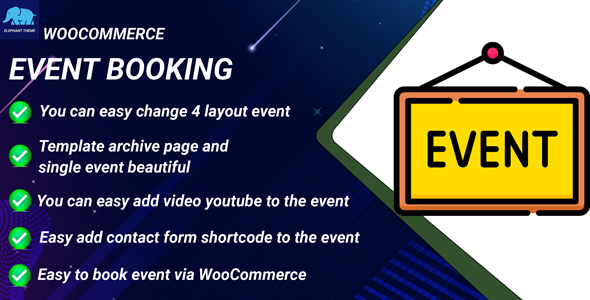
The archive can render as a four-column grid, a three-column grid, a two-column grid, or a plain list, switchable without template work. The single event page supports an embedded YouTube video, an image gallery, a Google Maps iframe, an address block, and a contact form inserted by shortcode. Organiser details — name, email, phone, website and description — are stored in their own tab and output on the event page. Customer reviews and star ratings are supported on events, which is a meaningful trust signal for ticketed gatherings where buyers want reassurance before paying.
Styling controls and theme compatibility
Colour, font size and button styling for event pages are adjustable from the settings, and the sidebar width on the single event view can be changed. The changelog records a fix for a theme conflict that broke the standard single product page, so compatibility with arbitrary themes has been actively worked on rather than assumed. The plugin is also stated to work with any WordPress theme, though as with most WooCommerce extensions the realistic expectation is that some CSS adjustment will be needed on heavily customised themes.
Where This Fits, and Where It Does Not
The strongest fit is a business that already sells something through WooCommerce and wants to add ticketed events to the same storefront. A yoga studio selling class packs and one-off workshops, a brewery running tasting sessions alongside merchandise, or a training company selling courses and printed materials all avoid standing up a second system. Because the plugin inherits WooCommerce’s payment gateways, coupons and cart discounts, existing promotional mechanics carry over to tickets with no extra integration.
Agencies building client sites will find the archive layout options and the styling controls reduce the amount of custom templating needed for a straightforward events section, and the $29 price is easy to absorb into a project budget.
It is the wrong choice for anyone whose events repeat on a schedule. There is no recurrence feature, so a weekly class running fifty-two times a year means fifty-two products. It is also a poor fit for reserved seating, where buyers pick a specific seat from a chart — nothing in the feature set supports seat maps or assigned places. Large festivals with complex access tiers, timed entry slots or multi-day passes with different pricing per day will outgrow what is described here. And because the plugin leans entirely on WooCommerce, a site with no WooCommerce installation gets no benefit from it at all.
Strengths and Limitations
Strengths
- Reuses the existing WooCommerce checkout, so payment gateways, taxes, coupons and order management need no separate configuration.
- Unlimited ticket tiers per event, each with its own price, quantity and description.
- Remaining-ticket counts account for items in other customers’ carts, not just completed orders.
- Four archive layouts plus a styled single-event template reduce the need for custom theme work.
- Organiser details, map, gallery, video and contact form are all built into the event record.
- Customer reviews and star ratings are available on events.
- Date-based status handling lets expired events stay published without remaining purchasable.
- Colour, typography and sidebar width are configurable without editing templates.
Limitations
- No recurring event support. Every occurrence is a separate product, which becomes unwieldy for regular programming.
- No seat selection or assigned seating. Tickets are quantity-based only.
- No disclosed sales count on the listing, so there is little independent evidence of how the plugin behaves across a wide range of hosting environments and theme stacks.
- The most recent changelog entry is dated March 2023, so the release cadence appears slow and buyers should check current WooCommerce compatibility before committing.
- Ticket quantity logic depends on a WooCommerce setting for which order statuses block further bookings, which is easy to misconfigure and can produce overselling if left at a permissive value.
- Map support is an iframe embed rather than a native integration, so it depends on the site’s content security policy allowing third-party frames.
- No waitlist, no automatic refund handling for cancelled events, and no check-in or attendee scanning tools.
How It Compares With the Wider Event Ticketing Category
Event ticketing tools broadly split into three groups: standalone SaaS platforms, full-featured WordPress event suites, and lightweight WooCommerce add-ons. This product sits firmly in the third group, and that position defines both its appeal and its ceiling.
Standalone platforms typically bring seat maps, recurring schedules, check-in apps, waitlists and attendee messaging, and they handle the payment relationship themselves. They also take a per-ticket fee in most cases and pull customer data out of the WordPress install. A WooCommerce add-on keeps the transaction on-site, keeps the customer record in the store, and costs a one-off fee rather than a percentage. For a business already running WooCommerce, that consolidation is usually worth more than the extra features.
Against fuller WordPress event suites, the trade-off runs the other way. Those plugins generally include recurrence, calendar views, RSVP modes, iCal export and sometimes free-event handling. This plugin covers none of that. What it does instead is treat events as products first and events second, which means the entire WooCommerce ecosystem — subscription extensions, membership plugins, invoicing, reporting — applies to tickets without any bridging code. A store that needs event-specific features beyond ticketing will find the category leader more complete; a store that needs tickets to behave exactly like every other product it sells will find this narrower approach cleaner.
The absence of a public sales figure makes direct comparison harder. Buyers weighing a $29 add-on against a subscription platform should treat the price difference as reflecting scope, not quality, and decide based on whether recurrence and seating are genuinely required.
Frequently Asked Questions
Does Event Booking for WooCommerce support recurring events?
No. Each event is a single WooCommerce product with one start date and one end date, and there is no recurrence option in the settings. A weekly or monthly programme must be created as individual products, one per occurrence. For a short series this is manageable; for a year-round schedule it becomes a significant content maintenance burden.
Can customers choose specific seats when booking?
No. Booking is quantity-based, with customers selecting how many tickets they want from each tier. There is no seat map, no assigned seating and no reserved-place selection of any kind. Venues that sell numbered seats or need to allocate specific positions will need a different tool, since this plugin models tickets as countable stock rather than as individual places.
Which payment methods can be used to pay for event tickets?
Any gateway already configured in WooCommerce. Because the plugin routes bookings through the standard WooCommerce checkout, payment processing is inherited rather than reimplemented. Stripe, PayPal, bank transfer and any other active WooCommerce gateway work without additional setup, and cart-level discounts, coupons and tax rules apply to tickets in the same way they apply to ordinary products.
Can an event page show a map, video and photo gallery?
Yes. The event record includes fields for a YouTube video link, a Google Maps iframe and a gallery of images, all of which render on the single event page. Organiser contact details and a shortcode-driven contact form can also be displayed. The map is an iframe embed, so it requires the site to permit third-party frames.
Verdict
Event Booking for WooCommerce Ecommerce is a sensible purchase for store owners who already run WooCommerce and want to sell tickets without adding a second commerce system. The ticket tier logic, cart-aware stock counting and four archive layouts cover the practical needs of workshops, classes, tours and one-off gatherings at a price that is easy to justify. It is not the right product for anyone who needs recurring schedules, reserved seating, waitlists or attendee check-in — those requirements point to a dedicated event platform. The slow update cadence since 2023 and the undisclosed sales count are the two things a cautious buyer should verify against their current WooCommerce version before purchasing. For a straightforward ticketed event on an existing store, the fit is good; for anything more complex, it will run out of road quickly.