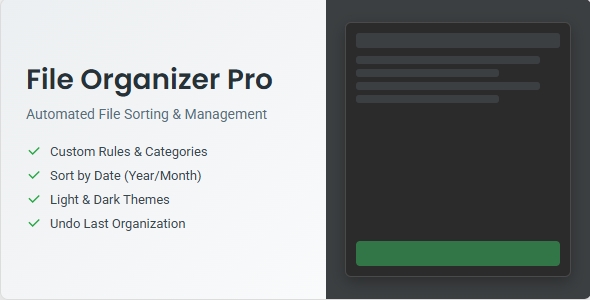
File Organizer Pro Apps is a desktop utility, written in Python and distributed as a zip archive, that sorts the contents of a chosen folder into named subfolders according to extension-based rules. It runs on Windows, macOS and Linux through Python’s built-in tkinter toolkit, and is aimed at anyone who wants a repeatable way to clear out a Downloads or Desktop folder without writing scripts or learning a command-line workflow. At $12 on ThemeForest it sits in the budget utility bracket rather than the premium tooling tier.
What File Organizer Pro Apps actually does well
The product is a single Python script wrapped in a graphical shell, and the feature set is coherent for that scope. The following capabilities are the ones that materially change how the tool behaves in daily use.
Rule management without touching code
Categories are the core abstraction. Each category is a name paired with a list of file extensions, and the Manage Categories dialog lets a user add, rename, extend or delete them. That means a photographer can create a RAW bucket for .cr2 and .nef alongside a separate one for edited .tif exports, while someone handling invoices can split .pdf away from .docx. The important point is that the rule set is editable after purchase, so the tool is not locked to whatever defaults shipped with the archive.
Date-based subfolders
Sorting by type alone often just relocates the mess. The optional date subfolder mode adds a second level of structure, either by year alone or by year and month with a named month folder such as “07-July”. For anyone accumulating screenshots, scans or downloaded reports over several years, this is the difference between a folder of four thousand images and a browsable archive. The date used is the file’s modified timestamp, which is worth noting: files copied from another drive or restored from backup can carry a modified date that reflects the copy operation rather than the original creation, so results are not always intuitive.
Dry run and undo as a safety pair
File-moving tools earn trust or lose it on recoverability. Two mechanisms address this. The dry run checkbox performs a full simulation, writing every intended move to the log without touching the filesystem, which lets a user validate a rule set against a real folder before committing. The Undo Last Organization command reverses the most recent run, returning files to their original locations. The pairing is sensible: preview first, execute second, reverse if the outcome is wrong.
Logging that doubles as navigation
The interactive log reports each action as it happens and, according to the vendor, folder names in the log can be clicked to open them in the system file explorer. Combined with the progress bar, this gives visible confirmation that a long run is progressing rather than hanging. Persistent configuration also means the last-used folder, selected categories and theme choice survive between sessions, which removes repetitive setup on a recurring cleanup job.
Where File Organizer Pro Apps fits, and where it does not
The clearest fit is a recurring personal cleanup task. A freelancer who downloads client assets, invoices and reference material into one folder every week can define categories once and re-run the same configuration in seconds. Designers with mixed asset drops, students collecting lecture PDFs and slide decks, and anyone who has let a Desktop accumulate for a year are all well served by the extension-plus-date model.
A second fit is educational or experimental. Because the source is plain Python with no external dependencies beyond the standard library, a buyer who wants to understand how a tkinter application is structured gets a working, readable reference for $12. That is a legitimate reason to buy, though it is not the vendor’s stated pitch.
The wrong choice is any environment where file movement must be auditable, reversible at scale, or governed by content rather than filename. If a team needs to route documents by what is inside them, or needs a permanent record of every move across months of runs, this tool does not provide it. It is also a poor fit for a non-technical user who cannot install Python and run a script from a terminal, because the vendor’s own instructions require exactly that. A buyer expecting a double-click installer will be disappointed.
Strengths and limitations
Strengths
- No third-party dependencies: the application relies on tkinter, so there is no pip install step and no dependency conflicts to resolve.
- Cross-platform by construction, since Python and tkinter run on Windows, macOS and Linux from the same codebase.
- Dry run and undo together cover the two failure modes that matter most in a file-moving tool: acting on a bad rule set, and regretting a good one.
- Category rules are fully editable, so the tool adapts to a specific workflow rather than forcing a fixed taxonomy.
- Persistent settings make repeated runs genuinely fast rather than a reconfiguration exercise each time.
- Light and dark themes and tooltips are small touches, but they indicate the interface was considered rather than assembled.
Limitations
- Distribution is a zip of source files, not a packaged executable. Launching requires a terminal, a working Python 3.6+ installation and the command python file_organizer.py. The vendor does not supply a compiled build.
- Sorting is extension-based only. There is no rule type for file size, filename pattern, content, or duplicate detection, so a folder containing ten versions of the same document will simply have all ten filed together.
- Undo covers only the most recent organization. There is no multi-step history, so a second run overwrites the ability to reverse the first.
- Date subfolders key off the modified timestamp, and the vendor does not state whether creation date is available as an alternative.
- No scheduling, watch-folder or command-line mode is described, so automation means manually launching the GUI each time.
- Support is a single email address and an author profile page; there is no documentation site, changelog or issue tracker mentioned in the listing.
- No sales figures or user ratings are disclosed on the listing, so there is no independent purchase history to weigh.
How File Organizer Pro Apps compares with the wider category
The alternatives fall into three groups, and the comparison is mostly about fit rather than capability.
Operating-system built-ins are the first group. Windows, macOS and Linux all offer some combination of smart folders, saved searches and manual sorting, and these cost nothing. What they generally lack is a single action that physically relocates files into a defined folder tree using a saved rule set. File Organizer Pro Apps wins on repeatability; the built-ins win on zero setup.
Dedicated file-management applications form the second group. These typically bundle duplicate finding, bulk renaming, previewing and tag management alongside sorting. They are more capable and usually more expensive, and many are packaged as installers that a non-technical user can run. For a buyer whose real problem is duplicate photos rather than unsorted downloads, a broader file manager is the better purchase.
Scripts and one-off automation form the third group. A short Python or shell script can replicate extension-based sorting in a few dozen lines, and a buyer with that skill already has no reason to spend $12. The value here is the interface, the dry run, the undo and the category editor, which together remove the error-prone parts of writing that script from scratch. Judged against that benchmark, the price is reasonable for someone who wants the outcome without the build.
Frequently Asked Questions
Do I need to know Python to use File Organizer Pro?
No coding knowledge is required to operate it, but Python must be installed. The vendor’s instructions have the user open a terminal in the Code directory and run a single command to launch the window. After that, everything happens through menus, checkboxes and buttons. The barrier is installation and launch, not daily use.
Can File Organizer Pro undo a sorting run?
Yes, but only the most recent one. The File menu contains an Undo Last Organization command that returns files to their original locations. There is no deeper history, so running the tool twice in a row means the first run can no longer be reversed through the interface. The dry run option is the safer first check.
Does it work on Windows, macOS and Linux?
Yes, all three are supported provided Python 3.6 or newer is present. The application uses tkinter, which ships with standard Python distributions on each platform, so no additional libraries need installing. The vendor does not provide platform-specific builds, so the same source files are used everywhere.
Can it sort files by size or by name instead of extension?
No. Rules are built from file extensions grouped into named categories, with an optional date-based subfolder layer using the modified timestamp. There is no rule type for file size, filename patterns, content or duplicates. Buyers needing those conditions would have to modify the Python source themselves or choose a broader file-management application.
Verdict on File Organizer Pro Apps
File Organizer Pro Apps is a fair buy for an individual who already has Python installed, wants a saved rule set for a recurring folder cleanup, and values the dry run and single-step undo more than breadth of features. It is also a sensible purchase for someone learning tkinter who wants a compact working example. It is the wrong buy for a non-technical user without Python, for a team needing an audit trail or multi-step history, and for anyone whose sorting problem is really about duplicates, file contents or filename conventions. The $12 price is defensible against the effort of writing an equivalent script, but not against the expectation of a packaged installer. Author softsyncro has kept the scope tight and the interface honest; the limitations are those of a small utility rather than signs of poor craft.