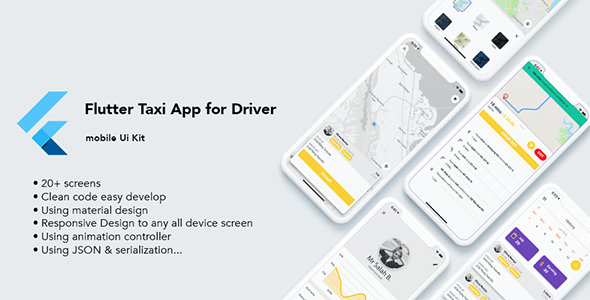
Flutter Taxi App UI Kit – 25+ Screens with Google Maps Integration
If you’re building a high‑quality ride‑hailing app, our Flutter Taxi App UI Kit provides everything you need to jumpstart development. Crafted almost entirely with Flutter, the kit delivers 25+ fully‑realized screens, clean reusable code, and a native feel on both iOS and Android. The built‑in Google Maps API integration lets you fetch turn‑by‑turn directions, render precise polylines, and calculate route metrics such as distance, cost, and estimated time.
Key Features
- 💡 Efficient routing – Draw the shortest path between any two points using Google Directions API
- 📏 Real‑time calculations – Instant distance, fare, and duration computation for each trip
- 🚀 25+ polished screens – From onboarding to payment, every UI component is ready to drop into your project
- 🧩 Clean, maintainable code – Material‑design inspired widgets and JSON serialization make customisation a breeze
- 📱 Responsive across devices – Adaptive layouts support phones, tablets, and larger screens
- 🔧 Easy extensibility – Swap APIs, add services, or customize the UI without touching core logic
Setup & Installation
Prerequisites: Flutter 3.27.0 (stable channel) or higher.
1. Open your terminal and run flutter pub get to fetch dependencies.
2. Add your Google Maps API key to the following files:
– android/app/src/main/AndroidManifest.xml
– ios/Runner/AppDelegate.swift
– lib/config.dart
3. Connect a device or launch an emulator, then run flutter run to build the app.
If you’d like to see the kit in action, download the demo APK (link below) and evaluate the complete user journey.
Changelog
- 05/2025 – Updated Flutter to 3.27.0; fixed critical bugs.
- 01/08/2020 – Upgraded Flutter to 1.12.13+hotfix.5 and refreshed dependencies:
- cached_network_image: v2.0.0
- provider: v4.0.1
- google_maps_flutter: v0.5.21+15
- http: v0.12.0+3
- flutter_rating_bar: v3.0.0+1
- pin_code_text_field: v1.5.1
• Added location permission checks and bug fixes for retrieving current location.
• Introduced InkWellCustom for better focus handling.
• Refreshed dialog widgets for a modern look.